

12 Features Owners Say Are The Best (And Worst) Parts Of Foldable Phones
We may receive a commission on purchases made from links.
It's high time people stop treating foldable phones like a gimmick. Both book-style foldables and clamshell designs have become very useful in their own ways. The allure of carrying a tablet around or enjoying the smaller form factor of a modern flip phone has made these designs quite popular, and it won't be long before more and more people start opting for them, to the point where they might become affordable enough to be distributed en masse. This reality seems to be arriving sooner rather than later, especially since Apple is going to enter this market with its own foldable in the near future.
Many customers who bought the best foldable phones on the market right now are full of praise about their choice. The sheer number of benefits they can enjoy with a foldable phone is immense, to the point where some of them find it hard to transition back to a regular smartphone. Of course, that's not to say that foldable phones enjoy unanimous praise across the board — there are people who find some caveats of this experimental design a bit too annoying to overlook. If you're on the fence about a foldable smartphone and want to know whether the user experience is positive, these features and drawbacks may interest you.
Carrying a mini-tablet in your pocket feels amazing
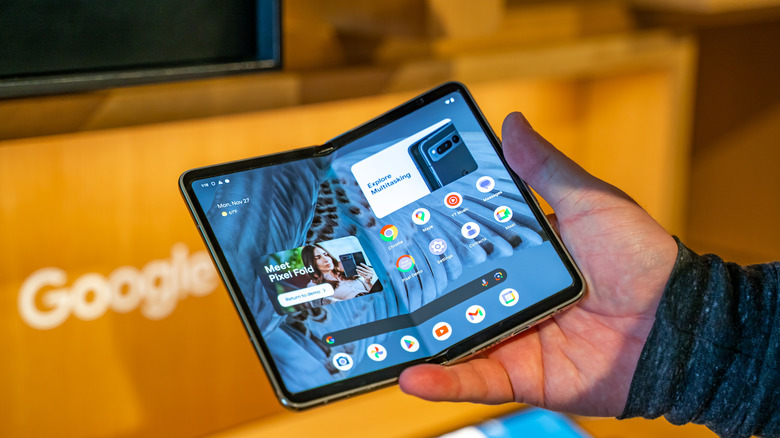
Book-style foldables are perfect for people who want to carry both a phone and a tablet without lugging around two devices. Phones like the Google Pixel 10 Pro Fold and the Samsung Galaxy Z Fold7 are notable devices that take the form of a regular smartphone when folded and become a pseudo-tablet when unfolded.
Most users love this functionality, preferring to use the cover screen of their book-style foldable for quick actions, then switching to the unfolded state at home or when commuting to watch movies, TV shows, YouTube videos, or similar content that benefits from a bigger screen. This way, they avoid looking weird in social situations while still maximizing the usefulness of these foldable phones.
It's this dual-purpose design that makes the idea of carrying a portable mini-tablet so much fun. Games and apps that support this unfolded phone's aspect ratio feel great to use and make your investment in an expensive foldable all the more worthwhile.
Multitasking is a cinch
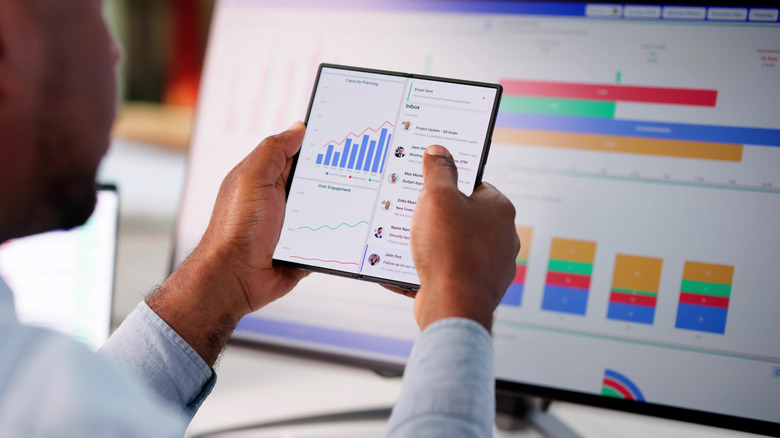
Split-screen mode isn't exclusive to foldable phones, but its utility is maximized on this hybrid device rather than on a run-of-the-mill Android phone. For what it's worth, this is understandable given how most smartphones are designed to provide the perfect amount of real estate to a single application. Try using split-screen mode on this relatively small screen, and you'll find yourself struggling to pay attention to both sides because of the limited space they occupy.
This isn't a limitation you need to deal with in book-style foldable phones. After all, in its unfolded state, the screen size is effectively doubled. As a result, using split-screen mode for multitasking is as easy as can be. You can watch YouTube videos and text your friends, read an article while fact-checking it with Google open on the other side, play games passively and browse another app of your choice during the lull period, and even draft emails while looking at the subject body — Gmail can split into both halves of your screen easily to facilitate this. The wealth of multitasking benefits you can unlock with split-screen mode is immense, and a tablet-style foldable will help you make the most of this feature.
Reading books or comics on a book-style foldable feels great
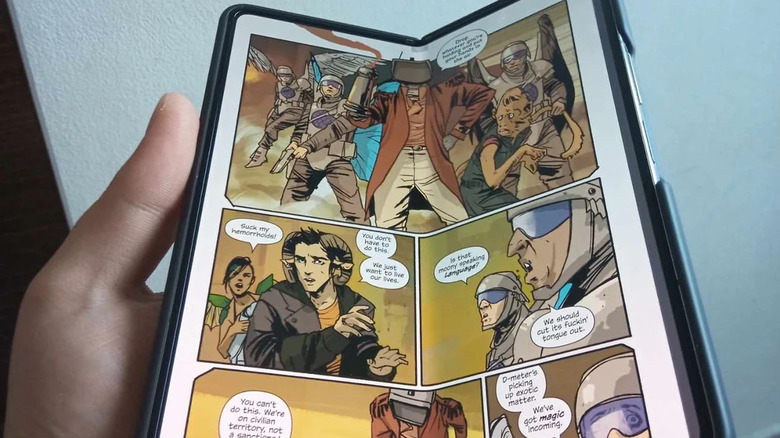
Don't think that buying a foldable smartphone that converts into a tablet will save you from spending money on just one device. If you've been contemplating whether buying an e-reader is worth it, these foldable phones may make the decision for you once you see just how easy and satisfying it is to read books or comics on them.
Sure, the allure of e-ink and the other measures that these e-readers take to emulate the feeling of reading a book — with color e-ink readers like Kobo Libra Colour and the Amazon Kindle Colorsoft doing the same for comics — are appealing to some ... but not all. If you fall in the latter category, there's nothing wrong with using your phone-tablet hybrids as multipurpose e-readers. You can download the Amazon Kindle app and populate it with books you've purchased from the Play Store to read all the books you want. Meanwhile, Shonen Jump, DC Universe Infinite, and Marvel Unlimited are official apps worth having for manga and comic book aficionados.
Clamshell foldables are very, very pocket-friendly
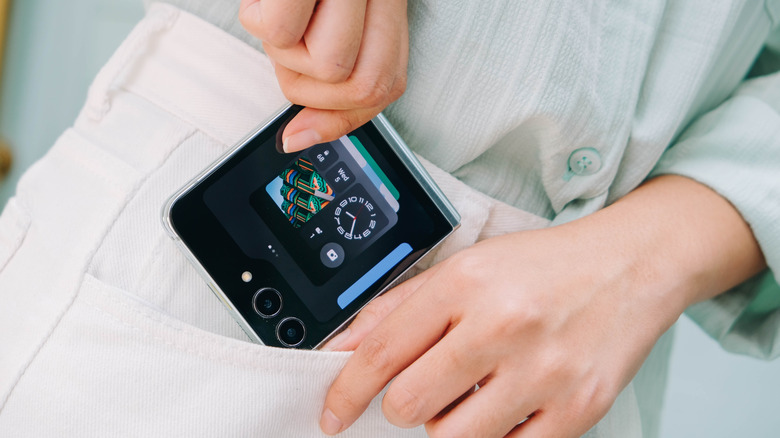
Not everyone wears pants with deep pockets. Some clothes — especially many made for women — either have extremely shallow pockets or none at all! This means that they'll have to carry around their phone in a separate handbag, which isn't optimal. To make things worse, some smartphones are so big that they can't fit in a simple clutch or a sleek purse, forcing people to ruin their look by carrying a bigger bag that wasn't a part of their outfit.
With a clamshell smartphone, these problems become a thing of the past. Even if you wear pants with a small pocket, these devices should still easily fit in your pocket when they're folded. You can also carry a small, fashionable handbag that accommodates such a small foldable with little to no issues, eliminating the headache of having to carry around an uncomfortably large smartphone.
A small cover screen is useful for carrying out minor tasks
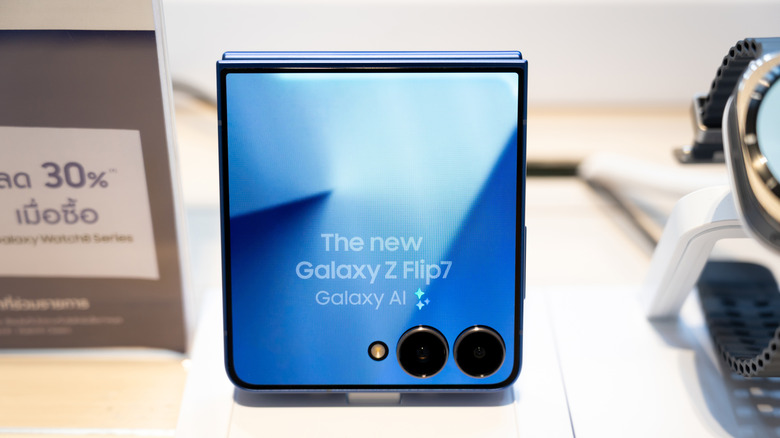
Another extremely useful aspect of clamshell phones is the cover screen. It may look like nothing more than a gimmick at first, but phone manufacturers have made it a point to let users carry out quick actions via the convenience of their cover screen, instead of having to unfold the phone for every single action they can take. Sending messages, navigating Google Maps, and accessing media playback controls to control your music on the fly are all decent perks that make the cover screen of a clamshell foldable pretty useful.
Motorola is ahead of Samsung in this department. The modern Motorola Razr and its variants let you run multiple apps on their cover screens. It even supports app continuity, meaning that you can fold the phone while running an app on the main display to seamlessly transition over to the cover screen. Samsung is a bit limited in comparison, allowing a limited number of apps to work on the outer screen.
Thankfully, there's a way to make more apps work on the cover screen of the Samsung Galaxy Z Flip phones. Go to the "Advanced features" tab in your device's settings and select "Labs." Activate the toggle for "Multi-window for all apps," and you'll be prompted to download MultiStar. With this software, you can choose which apps you want running on your cover screen. While they might not be fully functional on this small display, it's still a nifty way to make Samsung's flip smartphone just as wieldable as a Motorola Razr.
Using the main camera to take selfies is pretty useful
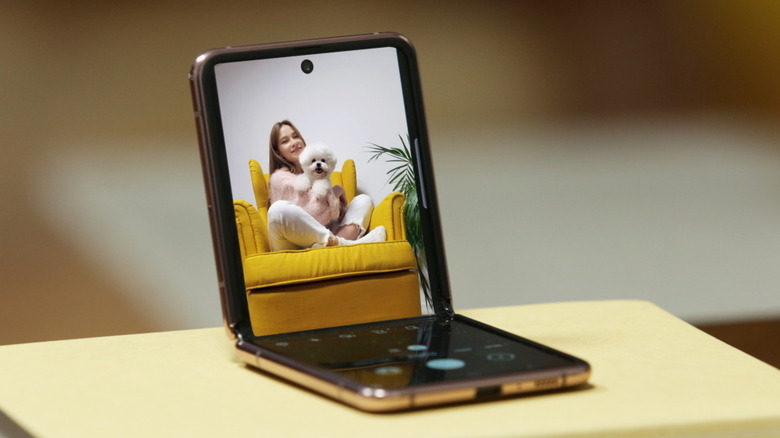
Content creators or people who love taking selfies and want their pictures to be as high-quality as possible will love this simple yet underrated perk of a clamshell foldable. Since the camera system is designed in a manner that it unfolds into a regular back camera setup, you can technically use the main camera from its folded state to click high-quality selfies.
This way, you don't have to deal with the lower-quality clicks of dedicated selfie cameras. It helps that most modern flip smartphones have made it a point to improve their cameras, meaning that your main camera selfie shots will look better than ever before.
Another essential tip that helps foldable phone users take proper selfies involves opening it halfway and placing it on a surface, essentially manipulating its design to use it as a makeshift selfie stand of sorts. If you think that this forces you into using the weaker camera placed on the inner display, think again. You can turn around the device and use the outer display to check the camera preview before clicking a shot — preferably by using gestures or after setting a timer. This way, you can enjoy the best of both worlds and turn your flip phone into a selfie powerhouse.
The crease is annoying to look at
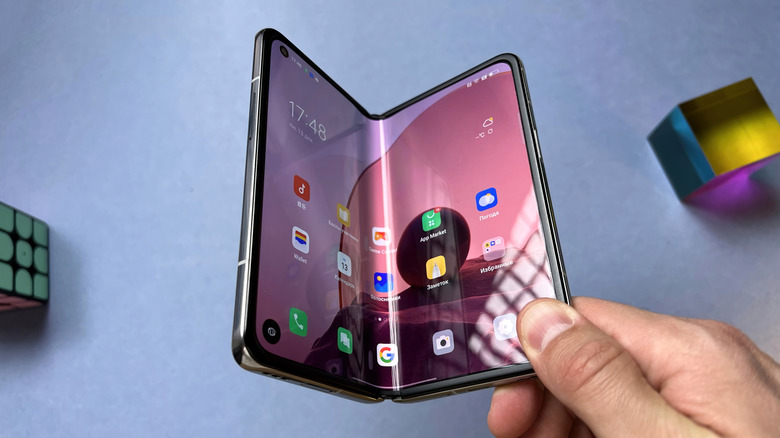
Now, there's no denying that everyone's mileage may vary when it comes to the crease of their foldable phone. Some people notice it for a few days or weeks before it blends into the background and barely causes any issues. This, obviously enough, is the best-case scenario that most people interested in foldables would want to experience.
Keep in mind that this isn't universal. Sometimes, the crease is so prominent that people are unable to get over this visual distraction. It doesn't help that this part of the phone feels noticeably different to the touch, and some people have commented on how their fingers get stuck on this crease when swiping from one side of the unfolded screen to the other.
If you're serious about getting a foldable, then we suggest you try out this phone in a store first — or, better yet, borrow this device from a friend if they have one handy — and see for yourself whether this crease is a dealbreaker or not.
The fragile build can leave you in a state of constant paranoia
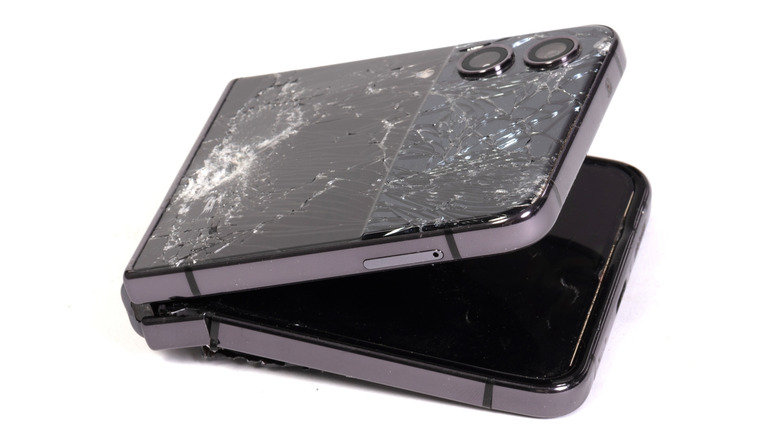
Many people treat the supposed fragility of foldable phones as nothing more than a myth. After all, it's not like this design just dropped out of the sky in 2026 — the Samsung Galaxy Fold has been commercially available since 2019, and enough years have passed for other manufacturers to build foldable phones that owners can use for a long time.
That being said, all these safety innovations won't stop your heart from leaping into your throat whenever your folding smartphone falls from a worrying height. Even with a special cover that you can install to protect your expensive device, the idea of dropping this phone and causing irreversible damage may leave you in a constant state of paranoia that is better off avoided by opting for a regular, run-of-the-mill smartphone.
Another thing to note is the impact of a foldable device's hinge when it comes to the dust protection rating. Unlike the IP6X dust resistance rating common across most modern smartphones, most foldable variants either settle for an IP4X rating... or provide no certified dust protection at all! The only exception to this is the brilliantly designed Google Pixel 10 Pro Fold. What this means is that dust can sneak into the hinge mechanism and worsen it, leading to a situation where you might not even be able to open or close your phone if it stops working! If you live in a dusty area or love clicking pictures at the beach, maybe you should stick to a regular smartphone.
Book-style foldables are pretty thick and bulky in their folded state
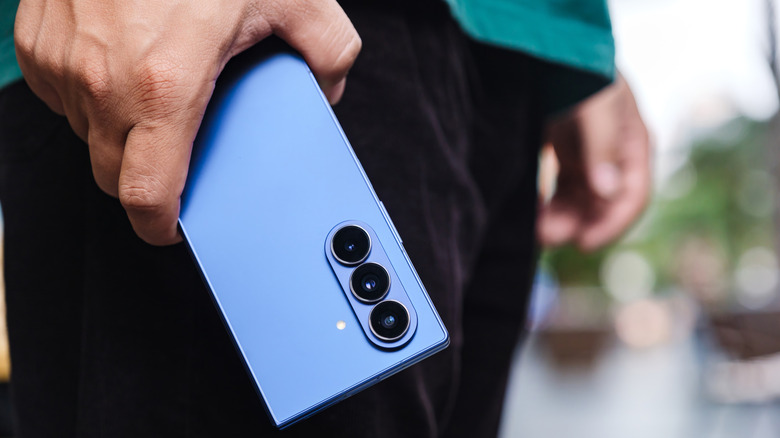
As convenient as the multi-purpose design of a phone-tablet hybrid may be, there's no denying that these phones can be a bit bulkier than a typical smartphone. The Samsung Galaxy Fold7 is an exception to this, expertly designed to a point where the phone is only 8.9 millimeters thick in its folded state. To put this into context, the iPhone 17 Pro Max is about 0.1 millimeters thinner.
Its closest competitor, the Google Pixel 10 Pro Fold, is 10.8 millimeters thick, which can make for a pretty chunky device. Keep in mind that both these premium book-style foldables are the cream of the crop right now and cost a pretty penny. Opt for a more budget-friendly variant like the Google Pixel Fold, and you'll have an even bulkier device that is more than 12 millimeters thick when folded! The OnePlus Open doesn't fare much better, with its folded thickness of 11.7 millimeters being nothing to write home about. Unless you don't mind burning a hole in your bank account for the Fold7, get used to carrying a thick piece of tech in your pocket at all times if you opt for a phone-tablet hybrid as your device of choice.
The unfolded tablet display has a weird aspect ratio not supported by every app
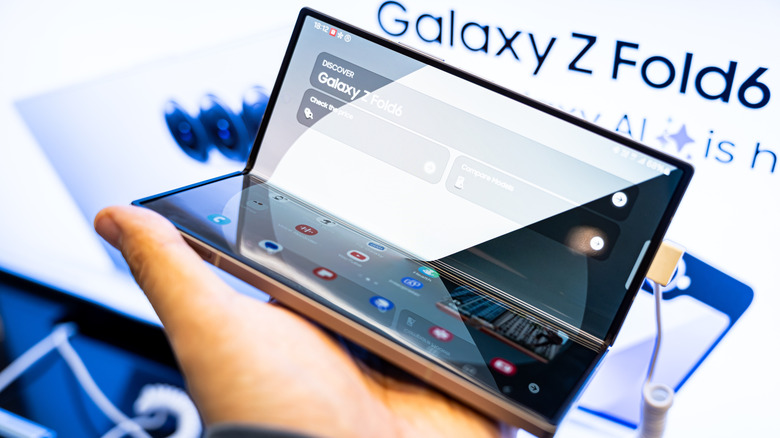
Don't assume that a book-style foldable turns into the perfect tablet when it's unfolded. Apple's iPad models have a screen ratio of either 4:3 or 16:11, while most Android tablets adopt a standard 16:9 or 16:10 ratio. Meanwhile, an unfolded phone-tablet hybrid is closer to a 1:1 aspect ratio.
Not only does this mean that most video content will be marred by severe letterboxing, but it's entirely possible that the apps on your device aren't all properly tailored to adjust to this aspect ratio. It sits somewhere between a phone and a tablet, which means some unsupported apps look downright ugly on the inner screen as they fail to make the most of this enhanced real estate. Hopefully, as book-style foldables become more common, app developers and phone manufacturers will ensure that more and more popular applications don't look bizarre on the inner display.
The battery life of most foldables is infamously bad
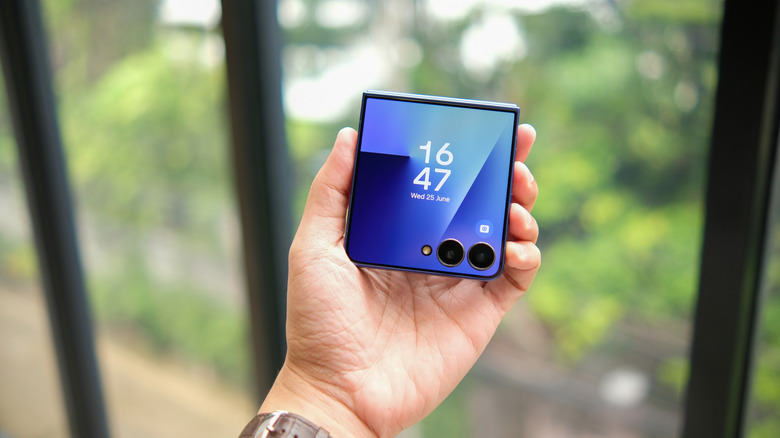
Trying to configure one smartphone with multiple displays is genuinely impressive, and the tech that goes into powering this hybrid design is worth praising. Unfortunately, for all the advancements that these foldable phones have made, there's one aspect people consistently complain about — battery life. The fact that Samsung has been using the same 4,400mAh battery since the Galaxy Z Fold3 isn't great, and other foldables haven't exactly fared well either.
Thankfully, modern devices have done a great job of addressing this complaint. The advent of silicon-carbon (Si-C) batteries has helped phones like the new 2026 Motorola Razr lineup show off their amazing battery life. The Motorola Razr Ultra 2026's battery life is especially great, lasting for almost five hours longer than its closest competitor, the Samsung Galaxy Flip7. On the other hand, the Google Pixel 10 Pro Fold can last for almost two days on a full battery despite not using the new Si-C batteries, which is quite impressive!
Speaking of batteries, another area where foldables can cause issues is charging speeds. The Galaxy Flip7 and Fold7 are notorious for poor charging speeds—especially the former, which is so egregiously slow it lags behind the Flip6. Thankfully, while the Google Pixel 9 Pro Fold had similarly poor charging speeds, the company has almost doubled the charging speed of its current flagship foldable! It's a massive upgrade, and other foldables like the new 2026 Motorola Razr phones don't slouch in this department, either. The regular 2026 Razr charges from 0 to 100%in 53 minutes, while the Razr Ultra achieves the same in 46 minutes.
These smartphones cost a pretty penny
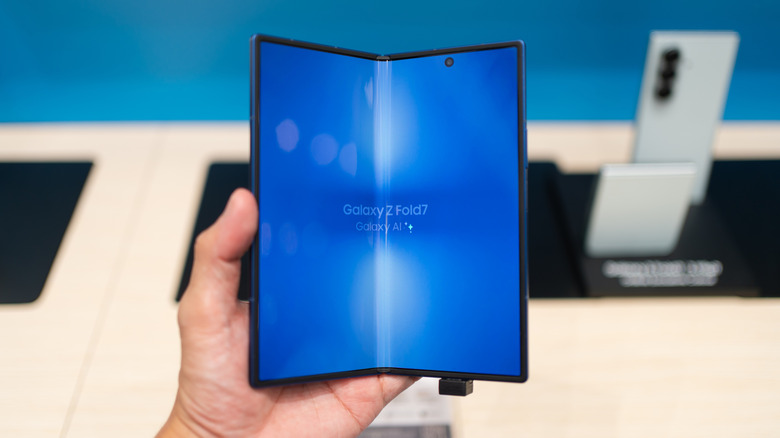
The most obvious problem of a foldable phone isn't one you need to hear owners talking about. Just looking at the price tags of the flagship foldables you can get your hands on right now will make their expensive nature clear as day. The Google Pixel 10 Pro Fold costs $1,499, the Samsung Galaxy Z Flip7 costs $1,299.99, and the Fold7 can cost up to $1999.99. None of these price tags are very affordable and will make you second-guess your decision to buy such an expensive, experimental device.
If you aren't too keen on paying a bomb on the best folding smartphone on the market and just want to see if this design is up your alley, then you should take things back a notch. If you're dead set on a book-style foldable device, the Google Pixel Fold is a perfectly serviceable option that costs $599.99. However, if clamshell designs look more appealing to you, then you can get the Samsung Galaxy Z Flip7 FE for $619.99. Both of these foldables are relatively affordable and let you try out these phones for yourself before deciding whether investing in a proper flagship further down the line is worthwhile.