

5 Useful Accessories That Can Upgrade Your Home Wi-Fi

We may receive a commission on purchases made from links.
Sometimes you don't need to overhaul your entire network or switch to an expensive router with all the bells and whistles to improve your home's Wi-Fi experience. If you rely on your network for work, entertainment, communication, and storage, the last thing you need is to deal with problems that plague modern Wi-Fi setups, such as dead zones, bandwidth congestion, and unstable power. Weaknesses in your home's Wi-Fi can sometimes be resolved with a simple accessory that dramatically improves network performance and stability, as well as adds something you never thought you needed.
For instance, if you place the router in the living room but the signal won't reach the bedroom due to thick walls, you can get a repeater. If you need more Ethernet ports than your router provides, an Ethernet switch can add them. You can even create your very own personal streaming platform with a device that adds storage that can be accessed over Wi-Fi and even remotely. Amazon is full of these accessories, and you can easily add to your home Wi-Fi without needing any professional help.
TP-Link RE515X AX1500
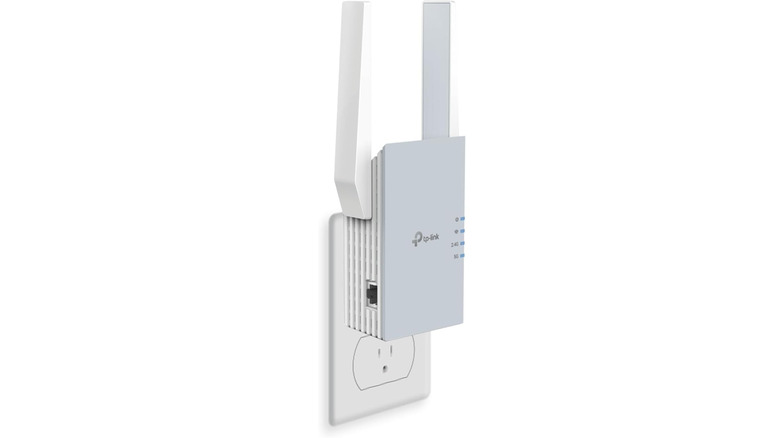
Wi-Fi is very convenient since you're not tethered to your router via a physical Ethernet cable, giving you greater mobility. If you're in a house with thick walls, though, the signal can weaken to the point of dropping off the farther you get away from the router. This creates dead zones, areas where the Wi-Fi signal doesn't reach. A repeater can help push that network further, making it a great solution for a small home, where setting up a mesh network can be overkill. The TP-Link RE515X AX1500 is a Wi-Fi 6 extender that costs around $60 and can connect to your existing router's Wi-Fi network, boosting the signal up to 1,800 square feet and supporting 64 devices.
As for the Wi-Fi's speed, you get up to 1,201Mbps on the 5GHz band (this has the shortest range), while the 2.4GHz band speed caps out at 300Mbps. However, it has an Ethernet port with Gigabit internet (speeds of up to 1Gbps). It's also EasyMesh-compatible, meaning that if you are using an EasyMesh router, the RE515X will share the same Wi-Fi name with it. This allows your devices to seamlessly connect to the device with the strongest signal as you move through the house.
TP-Link 8 Port Gigabit Ethernet Network Switch
When you're in a data-heavy environment, such as a home office or entertainment center, using Ethernet can be preferable over Wi-Fi. For one, it's usually faster, with some routers offering Gigabit internet. Ethernet is also more stable and less prone to interference, even though devices are tethered to the router, and the setup can sometimes be complex and costly due to the cables required. But it's worth it if you need each device to have its dedicated channel instead of fighting for bandwidth over one Wi-Fi channel, a scenario referred to as bufferbloat.
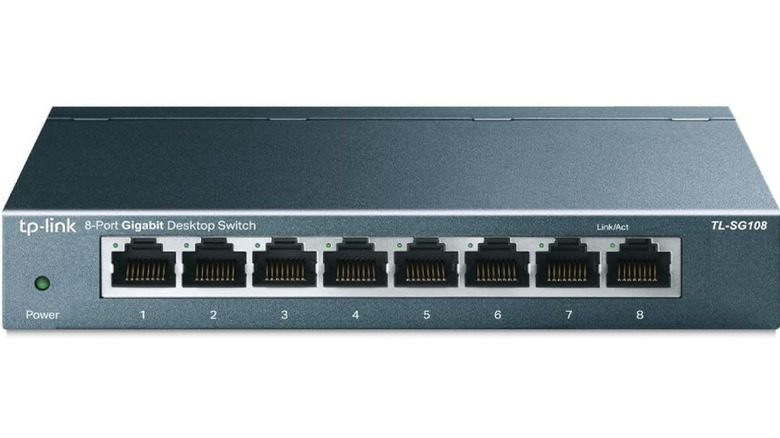
Unfortunately, with standard routers only having several Ethernet ports, you can easily run out. The simple solution is to add more Ethernet ports using something like the TP-Link 8 Port Gigabit Ethernet Network Switch. This is an Ethernet switch that costs $19.99 and has eight Gigabit ports. One port connects to the router to provide internet to the other ports, so the only usable ports here are seven.
It can especially come in handy if you have those routers that only have two to four Ethernet ports. The Ethernet switch's admin controls also allow you to prioritize some devices, such as computers, gaming consoles, IPTV, and cameras, through a feature known as Quality of Service (QoS), which is usually found in gaming routers.
TP-Link AV1000 Powerline Ethernet Adapter Kit
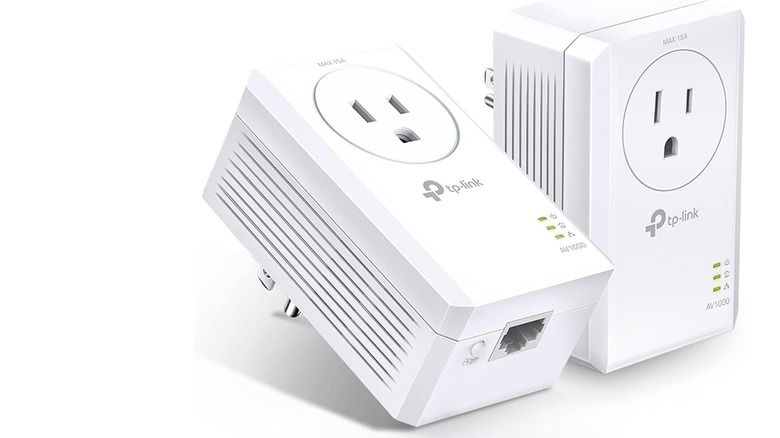
If you're setting up a mesh Wi-Fi, but the dead zone is wider than expected, those plans can stall. The same can happen if you want to use a network switch in a room that is too far for a standard Ethernet cable to reach. These are but a few scenarios, but what you can do instead is use powerline adapters like the ones in this TP-Link AV1000 Powerline Ethernet Adapter Kit for the internet to get where the Wi-Fi signal can't.
This $59.99 kit features two Ethernet adapters. How it works is simple: plug one of the powerline adapters directly into a wall outlet and connect it to the router via an Ethernet cable (it also has a built-in outlet for other devices). Then, plug the other one where you want the internet signal to go. If the LED turns on, the two adapters are communicating successfully through the power lines. If it doesn't, you can manually pair them. Now just connect the second powerline adapter to the device you want to connect to the internet.
Keep in mind that although it has Gigabit ports, by the time the signal travels to the second adapter, it would have degraded a bit. You should expect speeds of somewhere between 100-200Mbps. This will be even lower if the adapters are spaced far apart or if the home's wiring is old.
UGREEN DH2300 2-Bay Desktop NAS
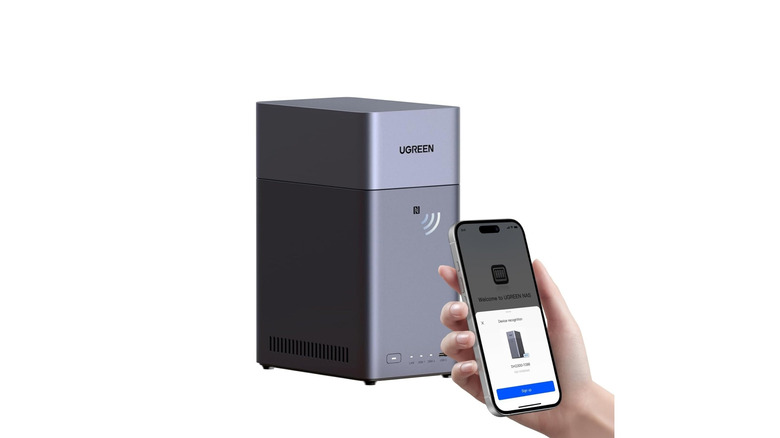
Adding a network-attached storage (NAS) device like the UGREEN DH2300 2-Bay Desktop NAS to your home network can elevate how you store and access data. So if you have files on your computer that you need your phone or tablet to access, you can just throw them on the NAS, and they will be available to everyone over Wi-Fi using the companion app. To bring the DH2300 online, you need to connect it to your router using an Ethernet cable, but it can also connect wirelessly using a USB adapter (it has no built-in wireless network card).
Since it will be online, you can even access it remotely, which has allowed many to create their very own streaming platform for the entertainment they own. The DH2300 costs $219.99 and supports two SATA hard disk drives (HDDs) of up to 64TB (32TB for each drive). You would have to purchase them separately, sadly. You can even use solid-state drives (SSDs) if you want something fast and more reliable.
Unfortunately, this is an entry-level NAS that doesn't allow you to install Docker or virtual machines, so you can't run your own media servers like Plex, but it does offer file transfer speeds of up to 128MB/s (reaching this speed depends on your router and internet service provider, though). It's an affordable way to store and stream data over your Wi-Fi network.
APC UPS 425VA/225W Battery Backup for Router
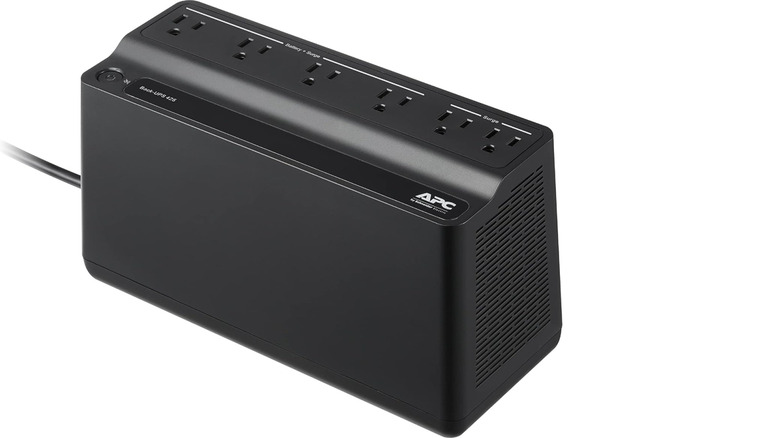
Sudden brownouts can massively disrupt your internet browsing experience, especially if they go on for hours. That's where an uninterruptible power supply (UPS) comes in handy. Something like the APC UPS 425VA/225W Battery Backup will supply your network devices with power within milliseconds, avoiding any interruptions. So if your router is the main source of internet for your phone, laptop, NAS, and your other devices, this UPS prevents downtime. When fully charged, the $69.99 UPS provides 225W of power.
As the manufacturer notes, if your load is 100W, it can power your devices for 15 minutes. For a standard home router, you're looking at 5W to 20W, meaning this UPS can power them for longer. For a two-bay NAS, you are looking at 20W to 35W. A UPS can give you enough time to properly shut it down or quickly finish a file transfer or stream. This UPS has six power outlets in total. Four of them run through the battery backup, while two of them do not.
However, all of them are surge-protected, which offers protection against voltage spikes that can damage sensitive networking equipment. It also has automatic voltage correction (AVC) for stabilizing minor voltage fluctuations. APC is confident in its product that it's offering a three-year warranty and a guarantee to cover up to $75,000 in damages when your device is damaged by power-related issues while connected to the router.
How we selected these accessories
When you think about an accessory that can upgrade your home Wi-Fi, something that increases speed usually comes to mind. In this case, we focused on accessories that improve the Wi-Fi experience as a whole. We also heavily considered affordable options. The exception is the NAS, which is over $200 and comes with additional storage costs. This is where you will spend the most money because even HDDs have become 40% to 60% more expensive due to the shortage caused by massive AI data centers.
All products talked about here are available on Amazon, but we have to make sure that they at least have a rating of four out of five stars while having hundreds of ratings from verified purchases. For example, the UGREEN DH2300 2-Bay Desktop NAS has a rating of 4.4 based on over 800 ratings, and the TP-Link RE515X AX1500 has a rating of 4.2 based on over 4,000 ratings.