

5 Physical Keyboards That Work Well With Smart TVs
We may receive a commission on purchases made from links.
Being able to connect a keyboard might be one of the coolest things you didn't know your smart TV could do. It can give you new ways to control content on the big screen, including by making it immensely easier to search for media, enter passwords, navigate apps, play games, or even browse the web. Pair that with a handy multitasking feature you should be using with new TVs, and a wireless keyboard can turn your TV into nearly another computer for your home.
To help use your TV to the fullest, we sifted through product listings and online reviews to find a variety of physical keyboards that work well with smart TVs. Some connect via Bluetooth, others use a wireless USB connection. There are even keyboards with built-in trackpads for easier interface navigation.
While we tried to pick devices that work with a broad variety of TVs using Bluetooth or USB connections, not all of them are fully compatible. Read below for more details about how to determine compatibility.
Arteck HD197
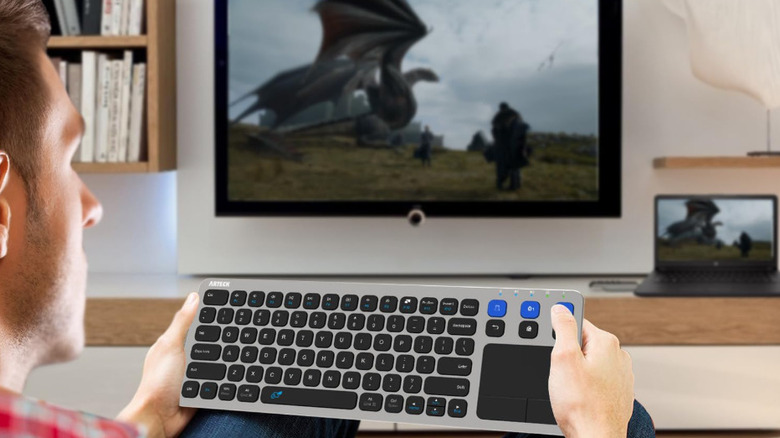
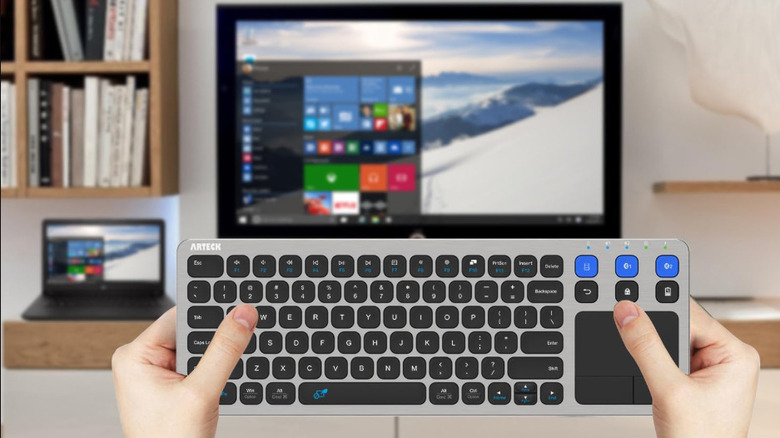
The Arteck HD197 is a keyboard with standard-sized keys as well as an added touchpad and dedicated media buttons that can emulate much of the PC experience for your TV. The HD197 can connect to up to three devices, one via USB wireless connection and up to two via Bluetooth connection, and switch between them with a simple key-press. For a few dollars less, you can get the Arteck HW197, which is almost completely the same except that it runs on 2 replaceable AAA batteries, rather than a rechargeable one, and only connects via wireless USB, not Bluetooth. But with a difference in list price of just $3, the HD197 is likely the better choice at $43.
It's worth buying a keyboard that includes arrow keys and function keys because there are keyboard shortcuts that let you control YouTube videos much more efficiently, and your TV will likely support them. For example, the left and right arrow keys can allow you to quickly you skip forward and backward through a video.
iPazzPort Mini
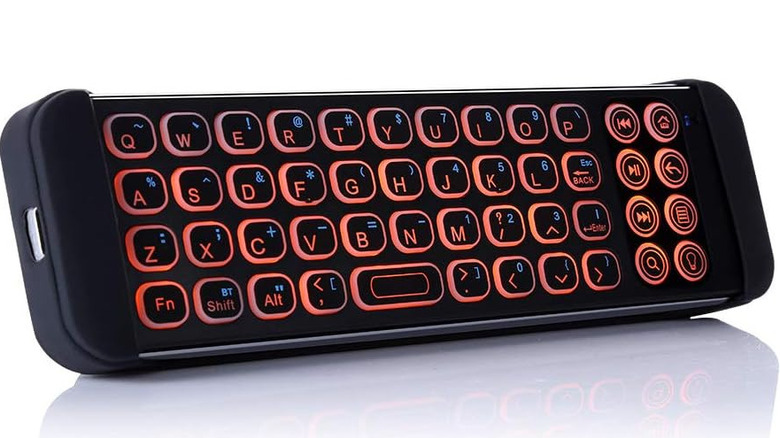
Not every smart TV-compatible keyboard needs to be in a standard-sized frame that sits awkwardly on your lap. The iPazzPort Mini is a compact keyboard that's roughly the same length as your hand. You can hold it similarly to how you might hold a horizontally oriented smartphone, using your thumbs to type. It connects to your TV or streaming device via Bluetooth. As the name implies, the iPazzPort Mini is small enough to simply keep nearby and reach for whenever you need to enter text on-screen.
We covered the iPazzPort Mini in the past and discussed why a great low-cost upgrade for the Amazon Fire TV Stick, and for good reason. The mini keyboard also has handle sockets that hold your TV remote on its backside, effectively making the two of them together a convenient all-in-one navigation tool. You wouldn't want to use it to type an essay, but it's handy for entering passwords and typing movie titles into a search bar.
Logitech K400 Plus
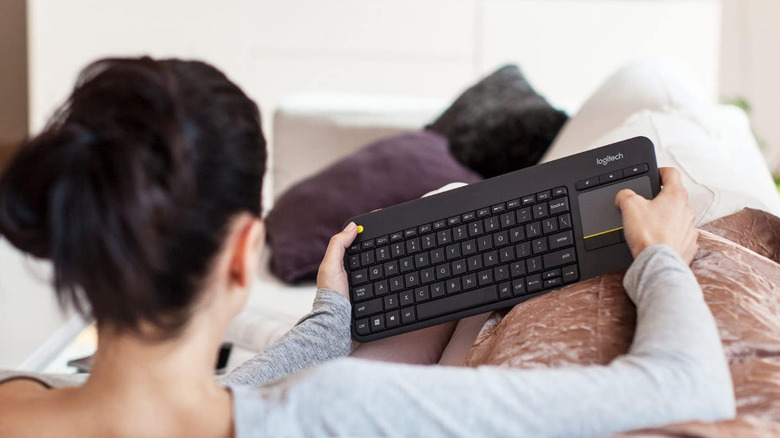
The Logitech K400 Plus is another keyboard that combines standard-sized keys with a built-in touchpad, dedicated media keys, arrow keys, and function keys. It can only connect to a single device at a time via a USB wireless connection. The device does not have a built-in rechargeable battery, either, but it does boast a battery life of up to 18 months before you have to swap to a new pair of AAs. It may lack certain bells and whistles, but the Logitech K400 Plus goes for just $30, making it one of the most affordable USB keyboards of its type, and a frequent go-to option among tech enthusiasts.
The main thing that might draw you to this keyboard, aside from the price, is the Logitech name. It's the household name behind keyboards, mice, headsets, and other computer accessories. If you're already using Logitech products, it makes a lot of sense to stay in that ecosystem. And when you consider how long Logitech mice can last, a keyboard like the K400 Plus may also serve you for quite a while.
Clevetura CLVX S
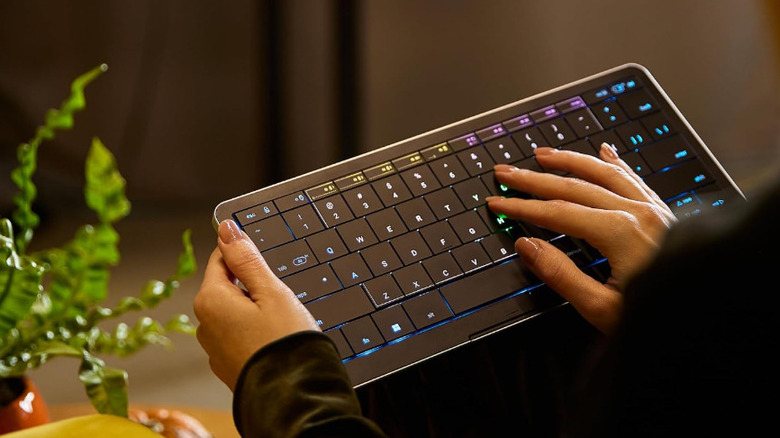
The Clevetura CLVX S is by far the priciest option on this list at $199. It's compact, sleek, and has a low profile. This makes it an appealing choice if you want all the benefits of a physical keyboard you can type on, but with less of an unwieldy form factor. The CLVX S can connect wirelessly to up to three devices via Bluetooth, and it has a fourth wired USB-C connection option as well.
The feature that makes this keyboard particularly useful for smart TV navigation is its touch capability. While there's not a dedicated touchpad, the keyboard itself can act as one giant touchpad. Everything from the F2 and F11 keys down to the space bar has touch functionality, meaning you can swipe, "mouse over," or tap to "click" things on the screen. If you like everything you're hearing and wish it was a full-sized keyboard, though, Clevetura does sell a full-sized version with number keys that lists for $250, but sometimes goes on sale for the same $199 price point.
Reiie H9+ Mini
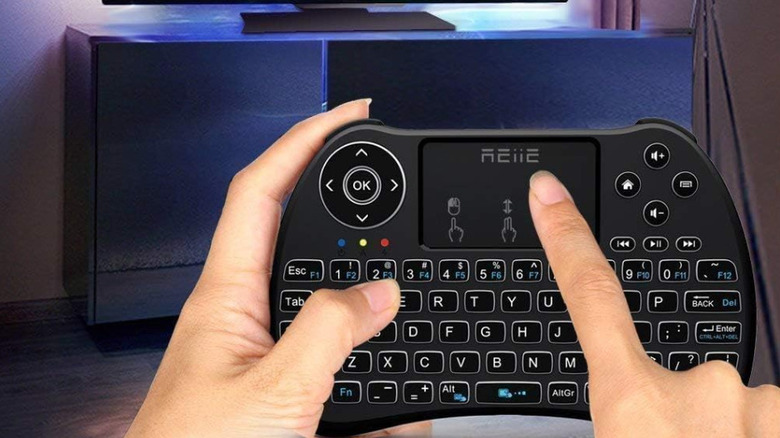
The Reiie H9+ Mini is, as its name implies, a mini keyboard that you can hold in your hands. It has a form factor similar to a video game controller, so you can comfortably wrap your fingers behind it and grip the textured sides. It also costs just $20, which puts it right up there with some of the cheapest ways to upgrade your TV setup. The main caveat is that it only connects via wireless USB; there's no Bluetooth option.
On the plus side, the H9+ Mini has a directional pad with arrow keys that you can use to navigate on-screen menus. It also has a touchpad that you can use like a mouse, as well as several dedicated media buttons. The actual keyboard is laid out so you can type with your thumbs, much like the way many of us have gotten used to with the virtual keys on our smartphones. Perhaps most convenient is that it comes with a rechargeable battery, so there's no need to worry about having to fish for extras when you need them most.
How we selected these physical keyboards

To create a varied list of physical keyboards that you might find convenient for use with a smart TV, we found models at various price points and with a range features. We made sure to pick models with a variety of connection options, including wireless USB connectivity via a dongle, Bluetooth, or through a direct cord. We also selected keyboards with different ways to navigate on-screen interfaces, such as touchpads, arrow keys, and media keys.
Each product on our list holds at least a 4-star user rating on Amazon at the time of writing. We read through customer reviews to make sure there were no frequently reported defects that would likely affect your experience if you decide to buy any of these wireless keyboards for yourself.
We also tried to pick the most broadly compatible devices as possible, but that's not guaranteed. We recommend checking with your manufacturer for keyboard support before attempting setup. As a general rule, many TVs powered by software like Google TV, or its predecessor Android TV, do work with keyboards, as do those powered by Amazon's Fire TV. Apple TV boxes also work with keyboard and mouse, as do some TVs made by LG and Samsung. Roku recommends using its official mobile app to replicate a keyboard and mouse experience.