

8 Phone Blocking Apps You Should Try Instead Of Brick

It is too easy to lose a couple of hours each evening to doomscrolling. You open a social media app to check on your friends, and minutes later, you're already lost in a marathon scrolling session. And these aren't highbrow art movies, or even a Marvel film. It's mostly content you won't even remember tomorrow.
Sure, you can set up screen time limits on your iPhone or Android smartphone, but they can be easily ignored or extended. However, if you make the addictive apps harder to access, you might actually find that your smartphone usage goes down. This method was popularized by the Brick app, which comes with a physical device that you must scan to unblock apps. The concept is great, but it costs $59.
Don't want to spend that much? There are other ways to get there, with apps that have strict modes to make unblocking impossible until the focus time runs out. You can't just uninstall these apps to get around the block either.
Foqos
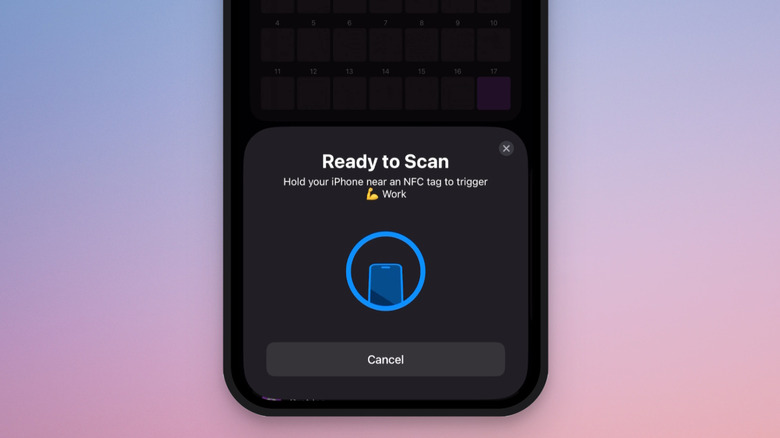
If you're an iPhone user looking for an alternative to Brick that doesn't require paying for an expensive physical device, Foqos is a good place to start. Foqos is completely free and open source, and offers similar phone blocking features as Brick. Foqos integrates directly into the native iPhone blocking experience using the Screen Time API. But instead of using a $60 device, you use free tools and a combination of software features to make sure that the distracting elements of your phone are locked away.
Foqos uses NFC tags and QR codes as the physical replacement for a separate device. NFC tags are quite cheap to buy online, and QR codes can be printed for free. In Foqos you can create custom profiles based on which apps or websites you want to block, creating a routine for different parts of your life. For example, you can block Instagram and TikTok when you're working, and Gmail and Slack when it's evening time.
Once the profile is enabled, make sure that the QR code or the NFC tag is away from your reach. When you're done focusing, scan the QR code or the NFC tag using the Foqos app to unlock app access. The app also offers a timer based option, where the apps will stay blocked until the time is up.
Switchly
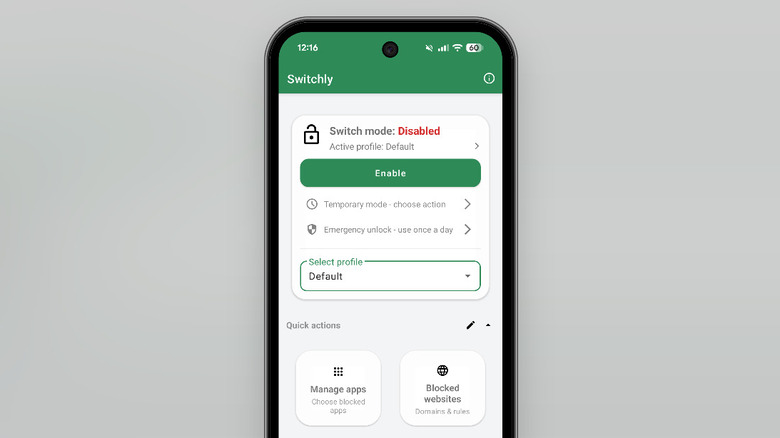
Switchly is a free and open-source phone blocker app designed for Android. It offers native integration for blocking apps and websites, and you can even block addicting features inside social media apps (like Reels in Instagram or Shorts in YouTube). Similar to Foqos, you can set it up so that the only way to unblock apps is using NFC tags, QR codes, or a barcode.
The app also takes advantage of Android's background processing to help you create custom blocking routines using schedules, Wi-Fi networks, Bluetooth, and location tracking.
You start off by creating a profile, adding apps and websites you want to block, and then setting up a blocking method. This can be a simple schedule, or a mixed approach, including NFC tags and QR codes for unblocking content early. You can even automate this process, so that profiles (and blocking) are enabled based on the Wi-Fi network you connect to.
Bloom
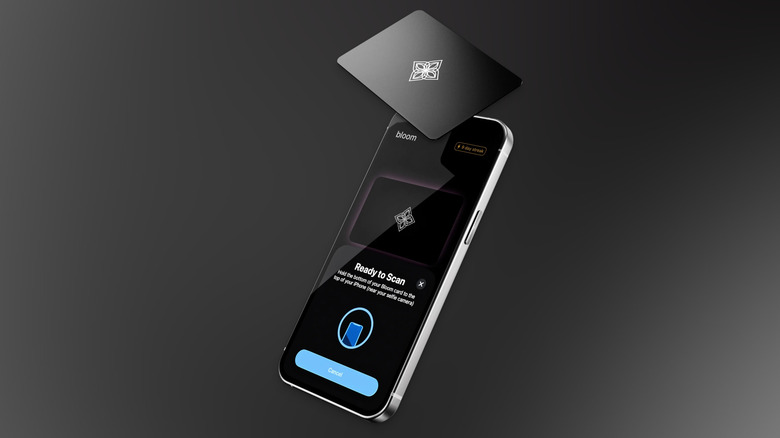
If you want dedicated hardware for blocking apps, but don't want to spend $60, Bloom is a good alternative. Unlike the Brick, it comes in the form of a metal card that's discreet and easy to store. The concept is similar to Brick. You tap the Bloom card on your smartphone to lock the device, and then tap it again to unlock the restrictions. Once it's locked, hide the card, give it to your spouse, or leave it in a different room.
The Bloom card and the Bloom app work on both iPhone and Android, and the app itself is free, with no subscriptions or in-app purchases. The card costs $39. While deleting the Bloom app from your smartphone can unblock apps, Bloom offers a strict mode that stops you from deleting any app from your smartphone until the time is up, or it's unlocked using the card.
Unlike Brick, which is a total block, Bloom offers breaks. You can take up to three five minute breaks, directly on your smartphone without touching the Bloom card. For emergencies, or for quickly checking in, this can be useful, although it may prove to be a slippery slope for some.
Jomo
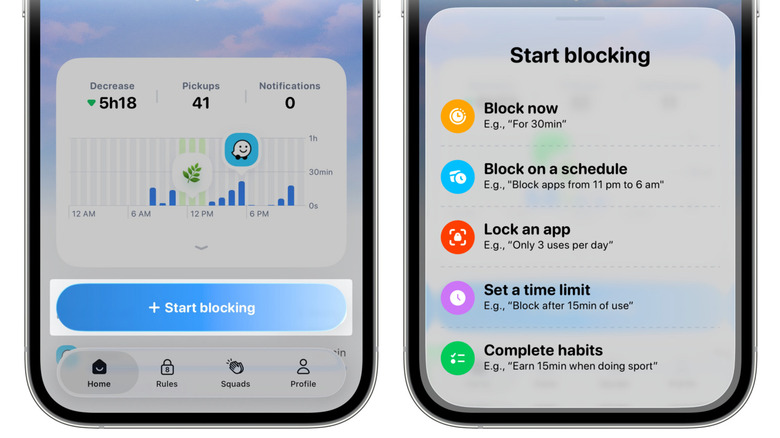
Jomo is a feature-rich screen time app designed for iPhone. The free app offers a single blocking session, and it might be enough for most users. The $29.99/year subscription unlocks up to 10 sessions, a strict mode, and Apple Health integration. Jomo offers multiple modes and options for blocking apps.
It works on iPhones, iPads, and Macs, and uses the Screen Time API for a native integration. What sets it apart, though, is its customizable barrier. Jomo adds an extra step before you can unlock an app. You might have to scan a QR code, enter a password, or a long string of text, solve a puzzle, and more. There's also an AI feature that asks for a selfie before it will unlock the app.
When it comes to app and website blocking, Jomo offers many different options. Using the Rules feature, you can block an app for a particular amount of time — such as one hour, or set limits — like only three opens in a day, or set a cut-off time — perhaps to exit the app after 15 minutes of use. The app is highly customizable, and you can easily mix and match rules and unlocking features to create the perfect setup that works for you.
ScreenZen
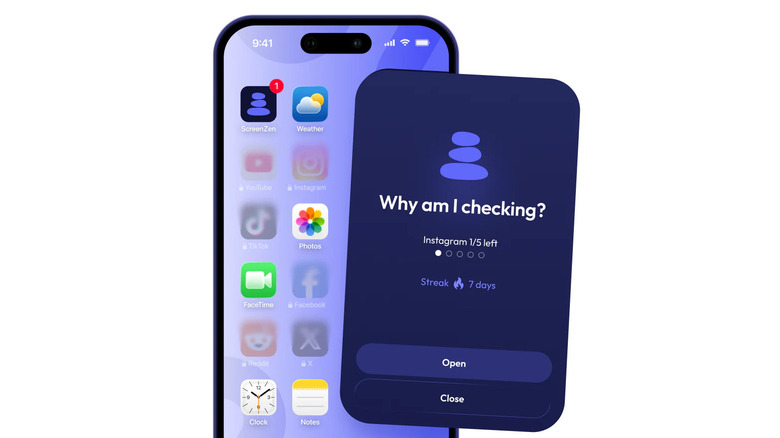
If you're on the hunt for a truly free screen-time utility that works across major platforms like iPhone, Android, Mac, Windows, and iPad, take a look at ScreenZen. There are no premium tiers here, though you can donate to show your support for the developer. ScreenZen is not technically an app-blocking utility, but it will annoy you into submission.
ScreenZen offers a delay-based system. When you first open an app, it will show a countdown before you can actually open the app. This serves as a bit of a pause, and is itself customizable. The pause can be a couple of seconds, or can be extended to minutes. The clever bit is that you can set it up so that the delay time increases each time you open the app. First time you open Instagram? Wait for 10 seconds. The sixth time? Wait for a minute.
You can push it further with Interventions, which makes you solve math problems or complete a task before you can unlock the app. ScreenZen also offers a Lock mode to prevent you from uninstalling it.
One Sec
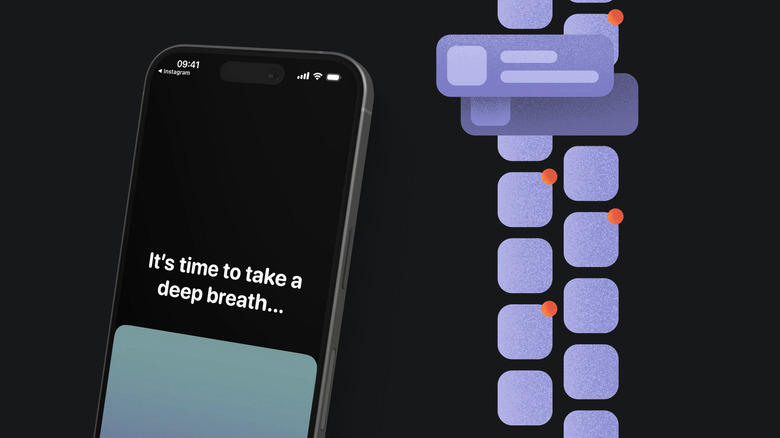
If blocking and hiding apps feels like a bit too much, you could try a gentler approach with One Sec – available on iPhone, iPad, Android, and major browsers. One Sec takes a science-backed approach and according to research conducted in association with the Max Planck Institute and Heidelberg University, users reduce app usage by around 57% on average.
Much like ScreenZen, it works by interrupting the opening of a distracting app. However, when One Sec takes over the screen it's with a slow-breathing exercise, before a confirmation of whether you do indeed wish to open the app in question. If so, you can go ahead and open it, no guilt necessary. Of course, the idea is that as you use the app more and more, that answer shifts to a no instead.
The interruptions are customizable. If deep breathing isn't working for you, you can try a 4-7-8 breathing exercise, box breathing, mood journaling, or even a math problem. Additionally, you can ask One Sec to interrupt you while you're already using the distracting app, such as five minutes after opening Instagram, or even at every five minute mark of use — this way you can annoy yourself into quitting a doomscrolling habit. One Sec is completely free to use with one app or website, but to block more apps and to unlock customization options, you'll have to upgrade to One Sec Pro for $19.99 per year.
Opal
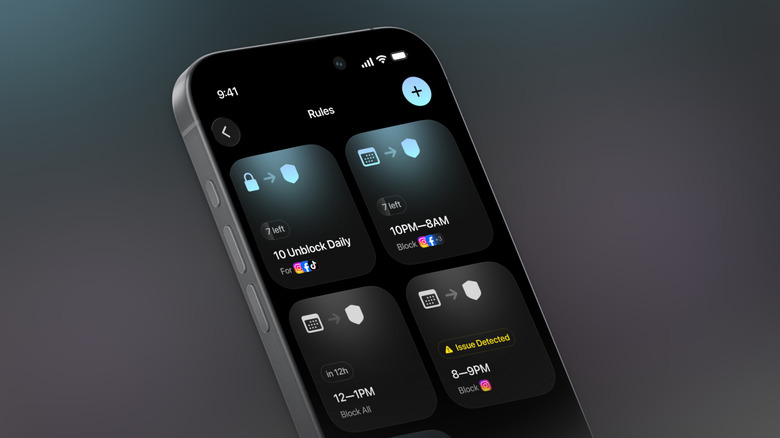
When it comes to design and features, Opal is quite a polished and mature app, for iOS, Android, and Mac. It's also the most expensive service on this list, with a subscription costing $99.99 per year. Though, to reap the benefits, you don't necessarily need to pay up. For free, Opal will let you run what it calls a single rule for blocking apps and websites — such as a scheduled session, a time limit, or an open limit. On top of this, you get access to basic timers and soundscapes, and the day's Opal score. To unlock all limits on rules, and introduce harder unblocking steps, you'll have to spring for the Opal Pro upgrade.
Similar to the Whoop app, Opal combines three key metrics — sleep, focus, and rest — to give you an overall score for your digital well-being. You can set a custom focus timer when you really want to focus on work, but it's the automation rules that sync between devices that are the main draw. For example, you can set a week day mode to block all social media apps, or a weekend mode for all your work apps. As Opal's rules are quite customizable, you can add in a set number of unblocks for apps like Instagram and TikTok, if you so wish.
Session
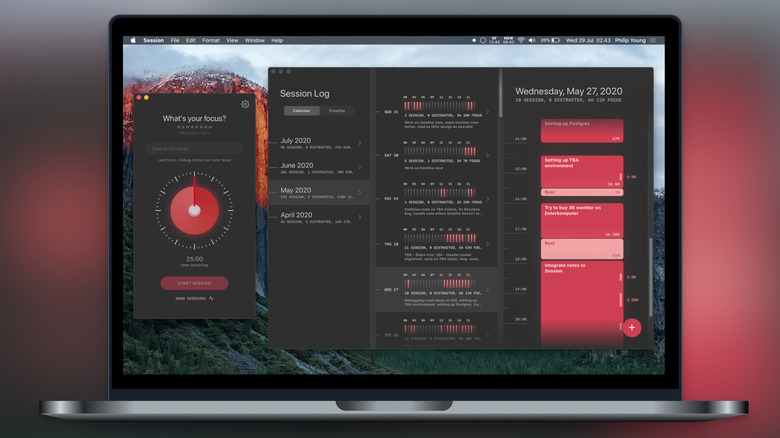
Session's aim is to get you to a focused life, but it does that via the Pomodoro route. It's an Apple based app and website blocker, but only when you're in a Pomodoro session. Pomodoro is one of those tech habits that can make you more productive, and help you save time, with a 25 minute session where you focus on the task at hand and then a five minute break. When you're focused on work, you can't access YouTube, or scroll through the news websites. And a Pomodoro session is customizable, so you can initiate a 40 minute session, with a 20 minute break, if you please.
If you're all in on the Apple ecosystem, Session syncs your timers, sessions, and blocklist across your iPhone, iPad, and Mac. This means that you won't be tempted by Instagram on your iPhone when you're trying to work on your Mac. However this, and other features are only available on the paid Pro version of the Session app. It comes with a seven day free trial and then costs $4.99 per month, or $39.99 per year. It's also available as a part of the Setapp Mac app subscription.
Methodology
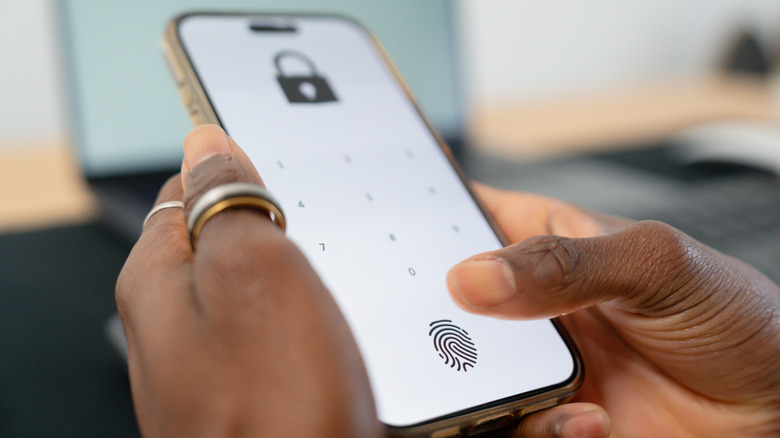
The apps listed here all offer ways to block distracting apps for a certain time, helping you focus. These apps make it difficult or impossible to unlock distractions for a predetermined time, offering multiple ways to authenticate, including the use of physical objects, NFC tags, QR codes, puzzles, selfies, and more. App store ratings, user feedback, and expert reviews underlined the quality and utility of the apps we've recommended as worthy alternatives to try, instead of Brick.