

4 Ways To Turn Your Android Phone Into A Portable Computer

We may receive a commission on purchases made from links.
If your workflow consists of light tasks, such as web browsing, Zoom calls, or creating simple documents, you might not need a laptop. Modern smartphones, especially the ones with larger displays like the Samsung Galaxy S26 Ultra, Google Pixel 10 XL, or Motorola Razr Fold, can handle these needs effortlessly.
However, it's understandable that phones aren't built for serious workflows, especially when multitasking is involved. Luckily, with a few cheap accessories (maybe even one moderately priced but optional one), you can turn your phone into something that can easily handle your productivity needs. These will serve you extremely well when you're on the go.
With phones being the mini-computers that they are today, it would be a shame to let all that power go to waste. As long as you have a stand (preferably one that allows for vertical orientation), along with a good mouse and foldable keyboard, you pretty much have all you need. You can make your phone a portable computer almost anywhere you go with these accessories and get down to business.
Get a phone stand
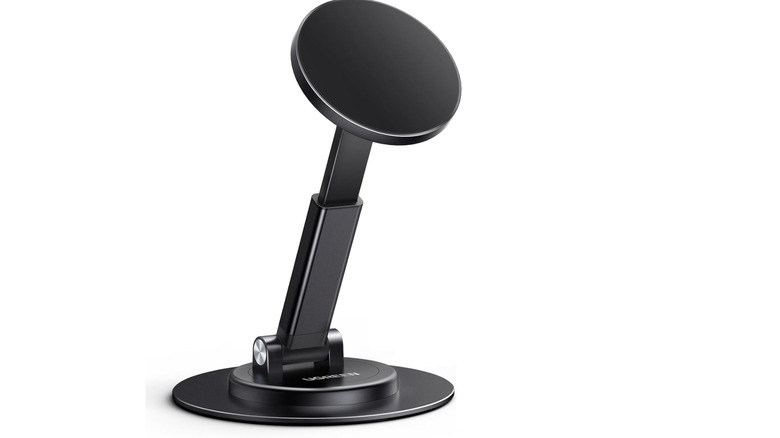
When you're using a laptop, it's easy to adjust the screen so you can see properly. That's how it should be when using your phone as a portable computer. A stand comes highly recommended because of this. Without it, you'll be forced to find less-than-ideal ways to prop up your phone or place it flat on the table with you looking down at it from an angle that can hurt your neck. For this setup to work effortlessly, it's a good idea to get a phone stand that supports magnetic alignment.
Most Android phones, outside something like the Google Pixel 10 or newer, don't have built-in magnets, meaning you'll have to rely on magnetic cases and metal adapter rings. The latter is cheaper since you don't have to switch phone cases. There are also some magnetic stands bundled with cases, like the Ugreen Magnetic Phone Stand, which costs $13.99. It's built with MagSafe technology, but you can use any Qi2 phone case since the two technologies are compatible. Just stick the included magnetic metal ring on the back of your phone's case, and you're good to go.
The stand's shaft can be rotated 180 degrees, and the base can swivel 360 degrees, allowing you to find a comfortable viewing angle. You can place your phone on the stand vertically or horizontally, depending on your needs needs. When folded, it's 1.06 inches thick, making it portable enough to place in a bag.
Connect a keyboard and mouse

Another essential part of a portable computer is a good keyboard and mouse combo. Sure, touch and virtual keypads can get the job done, but having a dedicated physical mouse and keyboard can be faster. For a keyboard that needs to fit a portable setup, something like the ProtoArc XK01 Full-Size Foldable Bluetooth Keyboard can work best. It's a QWERTY keyboard that costs $44.99. It has function keys, a numpad, and a slim profile that can easily fit in a backpack or briefcase.
It can also work effortlessly in a multi-device workflow since you can connect to three devices simultaneously, including your laptop and tablet. That way, you can switch to either device with the press of a button. You can also easily connect something like the Logitech M196 Wireless Mouse to your Android device by pairing it via Bluetooth. When you do, a cursor will appear on the screen, allowing you to control it like a computer.
If you already have a mouse that you love and it's wired, you can plug it into the USB-C port of the phone, and it'll work as well. But if the wired mouse has a USB-A connector, you need a USB-A to USB-C adapter to be able to plug it into a modern smartphone. The same applies if you have a wireless mouse that uses a USB dongle, which usually has a USB-A connector, instead of Bluetooth.
Connect all your peripherals to a USB hub
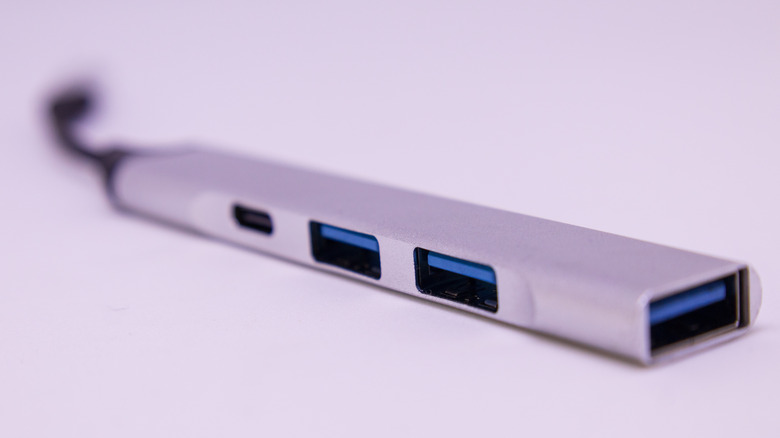
Computers usually have multiple ports, making it easy to connect a wide range of peripherals that allow you to be productive. There are several gadgets you can connect to your Android phone's USB-C port, including a USB-C hub that expands the number of available ports. A good option is the Ugreen Revodok 6-in-1 USB-C Hub, and it costs $18.99. It has three USB-A 3.0 ports for connecting various peripherals and accessories, such as mice, keyboards, and flash drives.
The hub has a USB-C port, but it's only a passthrough port, meaning you can only use it for charging your Android phone through the USB-C hub. It supports USB Power Delivery (USB-PD) charging up to 100W, which is great because the hub will keep your phone's USB port hostage. If you need to connect a USB-C device to it, you can use a USB-C to USB-A adapter for that.
On top of the USB ports, it also has an HDMI port that supports video output of up to 4K at 30FPS. This can be perfect for online meetings and showing presentations on a bigger screen. There's also an Ethernet port that allows you to use the fast, reliable, and stable internet that Ethernet provides, with blazing fast gigabit speeds supported. That's great for HD video calls that can easily be interrupted when a Wi-Fi network slows down due to congestion or signal interference.
XR glasses are good for on-the-go desktop mode
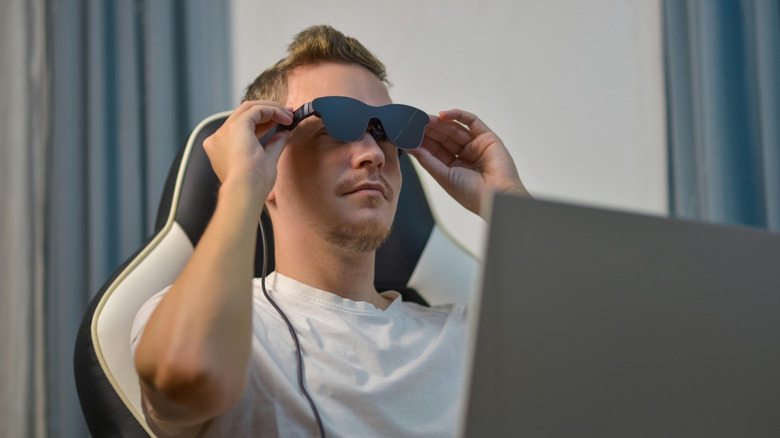
These days, phones have features that can replace a computer if you have a light workflow. Newer flagship phones, such as a Samsung Galaxy S26 and Motorola Razr 70 Ultra, have desktop mode, which switches the phone's mobile interface into something similar to a desktop experience for better productivity. However, the phone needs to be connected to an external monitor. Since those aren't particularly portable, you can use extended reality (XR) glasses instead.
XR glasses have integrated displays in each lens that project images and videos from various devices, including phones, computers, and video game consoles. Using them for your Android's desktop mode when you need a bigger screen seems fitting when you can't carry a monitor with you. Also, when using the desktop mode on some Android phones and you don't have a mouse, you can turn your phone's screen into a virtual trackpad.
XR glasses don't come cheap, but you can get yourself an entry-level pair like the RayNeo Air 3s Pro for $299. They have RayNeo's patented HueView Micro-OLED display, which boasts impressive color accuracy, a large area, a 120Hz refresh rate, and 1,200 nits of brightness. On top of that, they have built-in speakers with surround sound and spatial audio. They have no myopia correction for short-sighted people, so if you wear glasses, you need to purchase custom lens inserts from an optician.