

The Pros And Cons Of Using Portable USB Monitors For Your Laptop
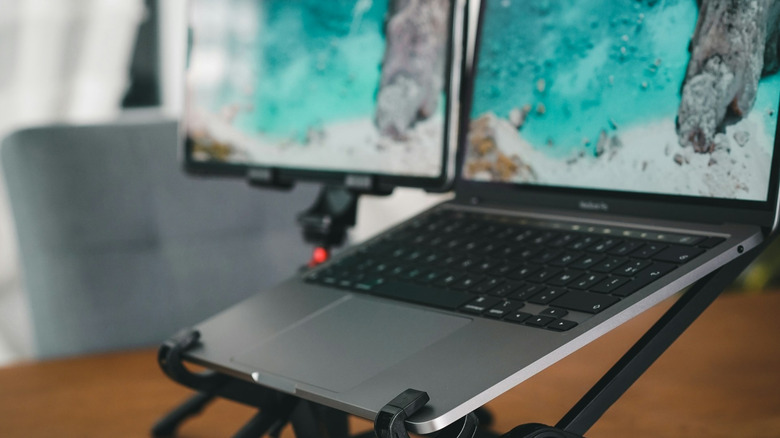
Sometimes, we just need more space to work with. It can be that your documents, and all the comments and revisions in them, need room to spread out on the screen. Or maybe your chat needs its own little place next to the game you're streaming. They're little things, but they add up. Well, the great thing about modern tech is that buying a second screen is cheap and easy. Even if you're on the go with your laptop, USB-powered portable monitors can change the work and game for as low as $50. Of course, you can pay upwards of $200, $300, even $500 or more for elaborate multi-panel models with 4K HDR too.
If you're on the fence about making an investment in a portable USB monitor, we don't blame you. Aside from the cost, it takes some effort to integrate a portable monitor into your everyday carry and workflow. But there are different ways of thinking about these panels and you might be interested to hear about their benefits and drawbacks.
More screen size, but more problems too
When it comes to computer screens, there are two types of space to consider. There's the digital space you get with an extra 1920×1080-or-so pixels across however many inches to work with. There's also the physical space of the real world, where you have to set up your computer, plug in your screen, and have enough room for it all. Those of you who use their laptops on wide open surfaces that you're familiar with, you know your spaces and you know yourselves. But for the freelancers in coffee shops, on-the-go crews that need to hop between rooms, and managers carting around their laptops to different meetings, we all know that space can be limited sometimes.
Portable monitor warriors face aggravations such as small tables, loose cables, mean side-eyes, and derogatory labels (we're talking about you, booth hogger). There's also nonstop anxiety that an errant drag, trip, or knock can be the literal downfall of an entire setup. And on top of all that, you're also taking up a valuable USB-C port on your machine to power and feed your portable monitor. Some even require you to use an HDMI port for display, and USB for power — that's two cords plugged into two ports! And even if you've got a laptop with a long-lasting battery, going off the wall with an extra monitor may mean hitting empty sooner than you'd like.
Adding touch capabilities

Thanks to the humble smartphone, touch input has become the primary way many people interact with computers now. You might have seen people attempt to press buttons on a public information screen, only to find out that it's just a boring display. Despite that popularity, only about a quarter of Best Buy laptops on sale in the summer of 2026 had touch displays. It's not like it's a particularly expensive feature to implement — Chromebooks have touchscreens, and each go for as little as $500. That said, for many people, there's simply no need for a touchscreen laptop, and that's can be a bit of a shame.
If you prefer that touch experience, there are portable monitors that can fill the gap. Most of the ones in the $100 to $200 ballpark come from brands you almost certainly won't know, but they are the cheapest way to add a decent-sized interactive canvas to your mobile computing setup. Heck, you could even get a stylus and sketch up a storm if you wanted to, though that experience might not be as fun as with a dedicated drawing tablet.
Are premium portable USB monitors better than multi-screen laptops?
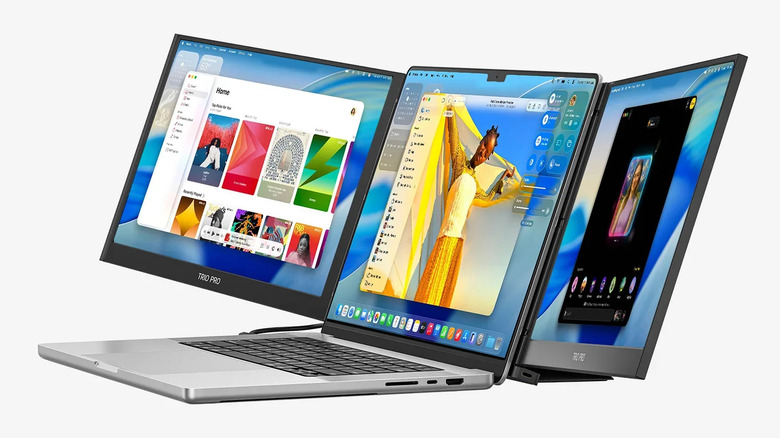
If you have money to spend, your choices for portable USB monitors get a little crazy. You can add two screens stacked on top of one another. You can add two screens as "wings" around your laptop. You can even flank your setup with three screens if you wanted to. These options cost anywhere from $200 up to $1,000 and, for what they lack in grace, they do provide experiences unique to their respective form factors.
On the other hand, if you have a Windows machine, you could use something like use the Microsoft's Mixed Reality Link app to pair a device like the Meta Quest 3 VR headset to your computer to gain tons of virtual space to move your Slack threads, YouTube videos, and Excel sheets around. Meta's entry-level "Quest 3S" variant starts at $350.
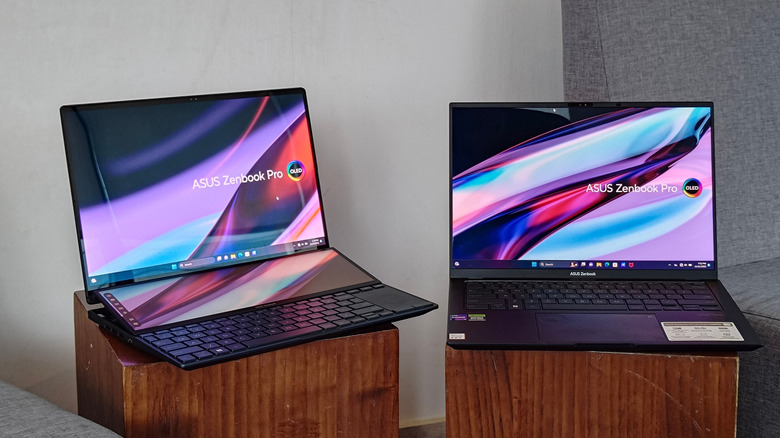
Mac users can extend their screens with an iPad and Apple's Sidecar function. Or, for those in the market for a new laptop, consider any of Asus's dual-screen Duo laptops or Lenovo's two-pane Yoga Book 9i.
A great upcycling idea
You don't have to buy a new devices to get extra screen space. It's relatively easy to build one yourself out of old parts and a few modifications. There's a reason why.
You'll see plenty of portable monitors tend to be sized out at laptop display dimensions: 15.6 inches, 16 inches, 17.3 inches, and so on. As with many complex electronics, popular products with long support timelines will often have their components available for repair shops, warrantors, or even direct-to-consumer retailers to purchase and displays are, indeed, such a component. That means accessory manufacturers down the line have the option to acquire a bulk load of these displays, install some I/O, housing, and firmware, and then turn them around as portable USB monitors.
Now, you could go and pick up a 15.6-inch 1080p LCD monitor for 60-ish bucks and call it a day. But if you're looking for an interesting uses for your old electronics, like an old laptop in a drawer, you could rip out its display, and do what the likes of Arzopa, Mobile Pixels, and other portable display makers do. Tons of people have posted their own DIY conversions on YouTube and it's possible for you to do it for even less than $50.
An essential part of a mini PC
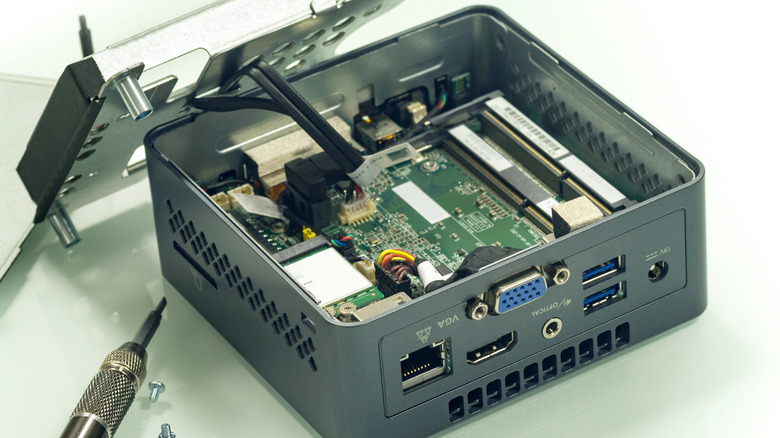
I can personally attest to seeing a couple of brave souls go all out in pursuing a desktop-like experience outside of the office and home. The big move at the heart of it is switching away from a laptop and switching to a mini PC. Sure, you lose out on the integrated display, keyboard, and trackpad, but you also aren't locked to component combinations that a manufacturer dictates for a notebook. It's some of the same freedom and variability that makes desktop computing so interesting.
On cost and value, mini PCs powered by a newer processor will beat out a laptop with similar specs. An all-new Beelink SER10 MAX featuring AMD's Ryzen AI 9 HX 470, 32GB of RAM, and 1TB of storage has an MSRP of nearly $1,700 (with pre-sale pricing of $1,349), which can seem like a steal next to Asus's Zenbook S16 at a whopping $2,300. Mind you, that extra thousand bucks can get you one of those triple-flanking portable monitors. That said, the older the stock, the more likely you're able to find better deals on laptops rather than mini PCs after factoring in those extra accessory purchases — of which, a portable battery back to charge your laptop might need to be one of them.