

10 Obsolete Ports That Just Refuse To Die
We may receive a commission on purchases made from links.
Ports are the lifeblood of any electronic device that has to connect to something else. While we may be heading to an ever-more-wireless world, not even smartphones have gone completely portless yet. In the end, at least until now, nothing is as reliable, performant, and simple as a wired connection.
But there are many ways to design a wired connection, and so there are a huge number of ports you'll find on devices all over the world. Some have become obsolete or at least highly outmoded as newer, faster ports and cables are developed. Yet, there are a few ports that, on paper, should have disappeared long ago. Yet they persist for various reasons that are often quite unexpected.
You might still be interacting with some of these ports every day of your life without sparing a thought for how strange it is to still use them. But, as the old adage goes: "If it ain't broke, don't fix it." How many of these creaky old ports do you still use?
USB-A is still everywhere
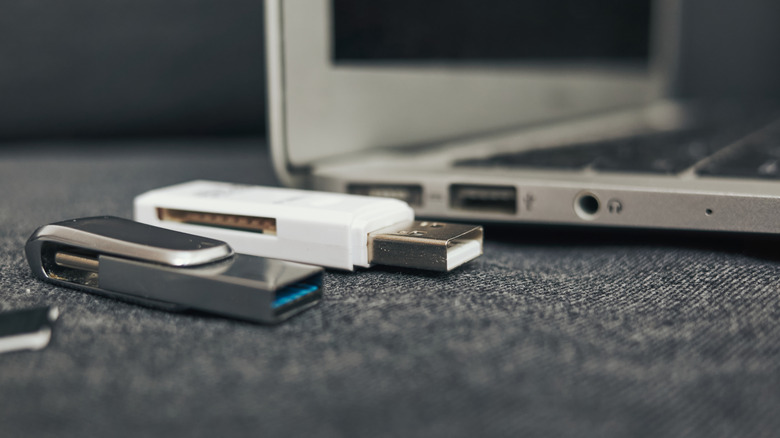
In the late '90s, the world was introduced to USB, or "Universal Serial Bus," connectivity with the rectangular USB-A port. Since then, there have been several USB port types, such as Type-B and micro USB, but it seems the world has settled on USB-C as the standard for the foreseeable future.
USB-C connectors are smaller, thinner, and reversible. Which means you don't have to worry about the "right" way to plug them in. If you want the fastest connection with the most available power, then the latest and greatest iteration of USB-C is what you need. However, you'll still find USB-A ports everywhere. USB-C has become something largely found in mobile devices like phones and thin-and-light laptops. You'll probably find just one or even no USB-C ports on your desktop PC.
The simple fact is that while USB-C's physical properties make it a necessity in small mobile devices, as soon as size limits aren't a factor, USB-A ports are cheaper, backward compatible with devices going back decades, and still more than fast enough for what the vast majority of people need those ports to do. Despite its age, you'll still find black USB 2.0 ports on modern computers. The 480 Mbps speed of that port is far more than a mouse, keyboard, or even most USB hard drives need to perform at their best. Likewise, the fastest USB 3 ports handle all but the most bandwidth-hungry peripherals, so paying for more is pointless.
The 3.5mm headphone jack won't quit
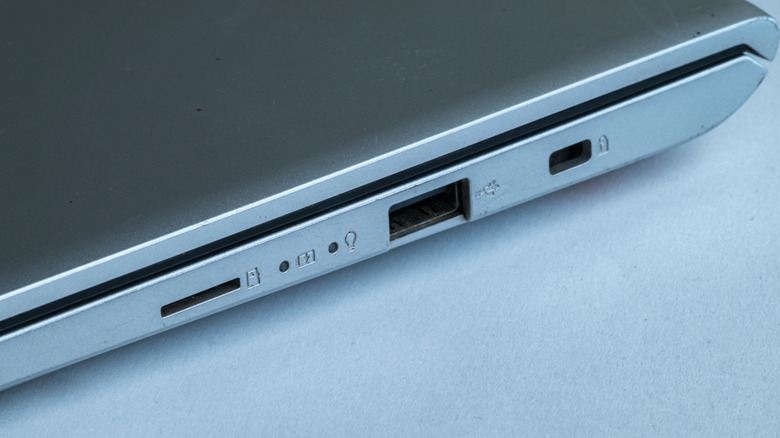
When smartphone makers stopped including headphone jacks, following Apple's lead, it was a controversial move. The official reasons focused on practical considerations like the internal volume the jack required and how removing it makes water- and dust-proofing a phone easier. However, the more cynical view was that Apple decided to walk away from the venerable 3.5mm headphone jack suspiciously close to the launch of its AirPods wireless buds.
It paid off, since AirPods are one of the company's most successful products ever. But, wired headphones are back, and other devices never lost their jacks to begin with. On the mobile side, the desire for wired headphones are driven both by cost (wired headphones are cheaper) and audio quality. With the rise of lossless audio from services like Spotify, a wired connection is the only way to take advantage of this pristine sound. It's why audiophiles always choose wired headphones over Bluetooth.
Not only are headphone jacks still around, some devices have upgraded them. For example, certain models of MacBook have high-impedance headphone jacks that automatically sense when you insert high-end headphones that need more juice to sound their best. While lossless quality wireless audio like aptX Lossless Bluetooth exists, it still has more latency than a wired connection and comes with a significant cost premium as of this writing.
Ethernet survives in a wireless world

Ethernet was invented in 1973, adapting a connector standard from telephone systems for use with computer networks. The first version ran at a mere 10Mbps, which is slow by today's standards, but must have seemed like it would never be saturated back in the '70s.
Chances are, most of the devices that need a network connection in your home use Wi-Fi. It's a convenient and almost universal feature on smart electronics these days. Everything from a smart lightbulb to a smart TV has Wi-Fi. The latest versions of Wi-Fi, such as Wi-Fi 6 and Wi-Fi 7, are faster than most people's home internet connections and have great latency. Making Wi-Fi suitable for live video calls and online gaming.
However, Ethernet hasn't just stuck around; it's also been improving at a massive rate. These days, Gigabit Ethernet is pretty much the norm, and 2.5GbE is becoming more common for home networking. 10Gbps Ethernet is also readily available, though still mostly used for business applications. Ethernet is still the best solution for backhaul between your access points and mesh units, and for devices like Plex servers, smart TVs, and Network Attached Storage.
PS/2 still appears on enthusiast motherboards
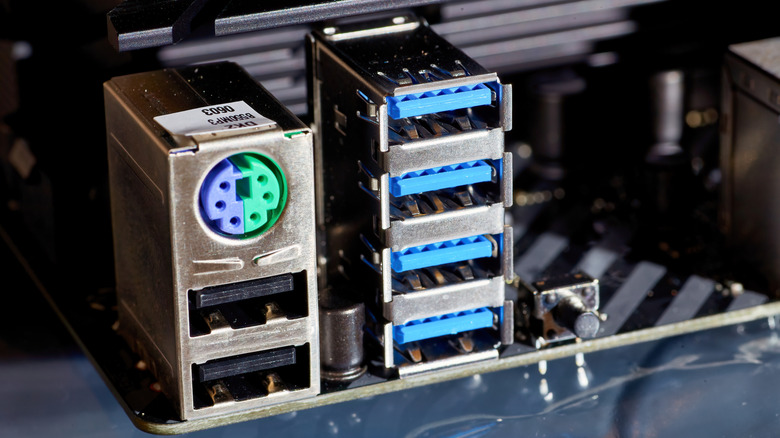
The PS/2 port is a remnant of the IBM PS/2 computer standard, meant to succeed the IBM XT PC platform, which was later cloned and became the basis for today's PCs. The original IBM PC used a large circular port to connect a keyboard and, usually, the serial port for a mouse, though mice weren't common during the DOS era of home PCs.
The PS/2 port miniaturized this concept, with one dedicated port for a keyboard and one for a mouse. PS/2 mice and keyboards were more popular than the PS/2 systems they were meant for, and so PC motherboards kept this port type well past the advent of USB in the late '90s. But with USB-A still being so popular and numerous on modern desktop PCs, why do some motherboards still have a PS/2 port?
There are more logical reasons for this than you'd think. PS/2 ports make sense on enthusiast motherboards that overclockers use, because USB puts a small but measurable dent in your CPU cycles. On top of this, PS/2 uses an interrupt system to tell the CPU it needs to send input. USB continuously polls peripherals. This is what's behind the extra CPU load, but it also means PS/2 ports have less latency. Finally, enthusiast boards are for tinkerers by design, and if things go very poorly, even your USB ports may stop working. The PS/2 ports serve as a reliable backup.
VGA is still used all over the world
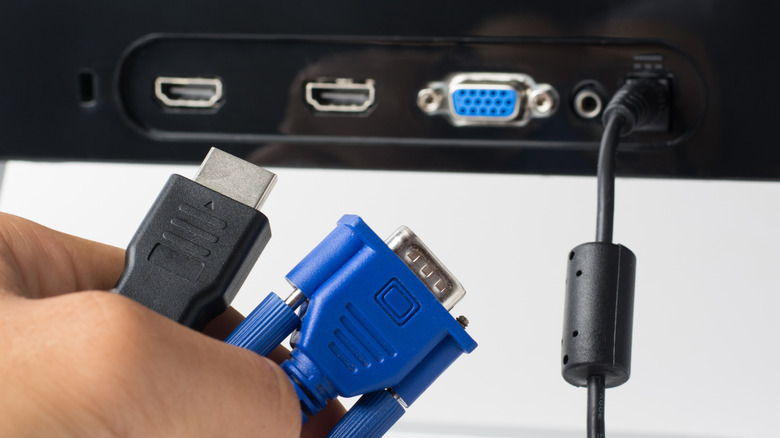
VGA, "Video Graphics Array", is an analog video transmission standard that, like PS/2 ports, was created for the IBM PS/2 family of PCs. VGA quickly became incredibly popular and has shipped in millions of products over the years. It persisted throughout the CRT (Cathode Ray Tube) era all the way to modern LCD flat panel technologies. However, VGA ran into its limits once monitors and TVs moved beyond 1080p at 60Hz.
It simply didn't have the bandwidth to handle much higher levels of image fidelity. For a while, DVI took over in both its analog and digital guises, but today HDMI and DisplayPort are the dominant standards. Allowing for incredible resolutions like UHD 4K and beyond. Yet, VGA isn't actually gone. You'll find it on AV receivers, projectors, low-end monitors used in Point-of-Sale (POS) systems, and more.
Part of this is sheer inertia. There are millions of monitors and projectors in businesses, schools, hospitals, and industrial spaces that still use VGA and don't need more than this interface can provide. Retro gamers, too, are keeping analog video alive, and VGA is a big part of that. As an analog video signal, there is effectively zero latency when playing video games on a VGA CRT and, to a lesser extent, a VGA flat panel. Even the latest and greatest digital displays can't process an image fast enough to match the low latency of analog video.
DVI is hanging on to the monitors HDMI left behind
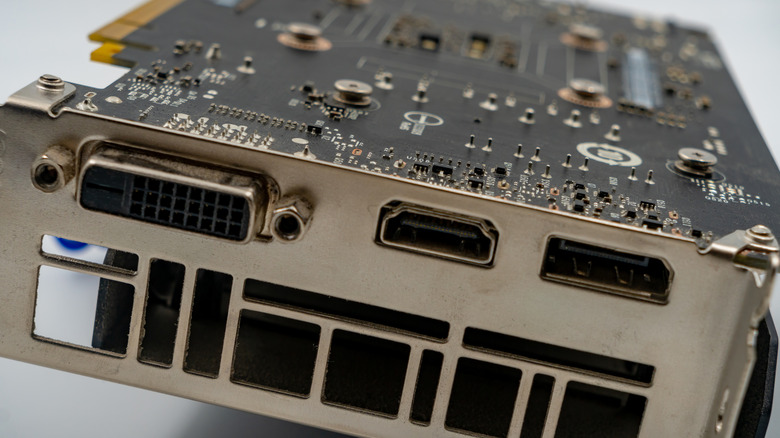
We briefly mentioned DVI above as the intermediate port between VGA and today's HDMI and DisplayPort connectors, but that's underselling its tenure just a bit. Digital Visual Interface ports arrived in 1999. The first generation of DVI allowed for more colors than VGA, but only a slightly higher maximum resolution. That was later pushed up significantly to 2560x1600 with the "dual-link" version of the port.
There are several variants of DVI ports, and they are not all cross-compatible, which was annoying. However, DVI is still around because there are millions of perfectly good flat panel monitors that only have a VGA and DVI port. GPUs with native DVI output are long in the tooth at this point, but it's trivial to get a cheap basic HDMI-to-DVI adapter, extending the life of all those monitors, projectors, and even some older TVs by a few years.
DVI's reign as the main video connection standard for high-resolution digital displays was remarkably short, since HDMI arrived just three years later, at the end of 2002, but during its mainstream run it ended up everywhere, and that inertia has kept it relevant today.
RS-232 silently runs the world
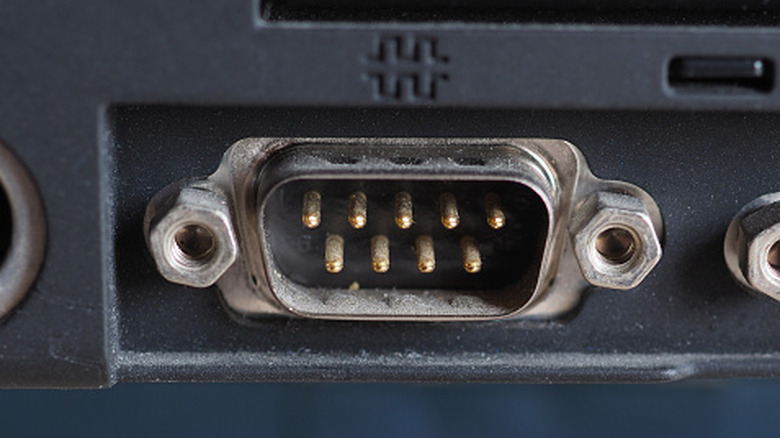
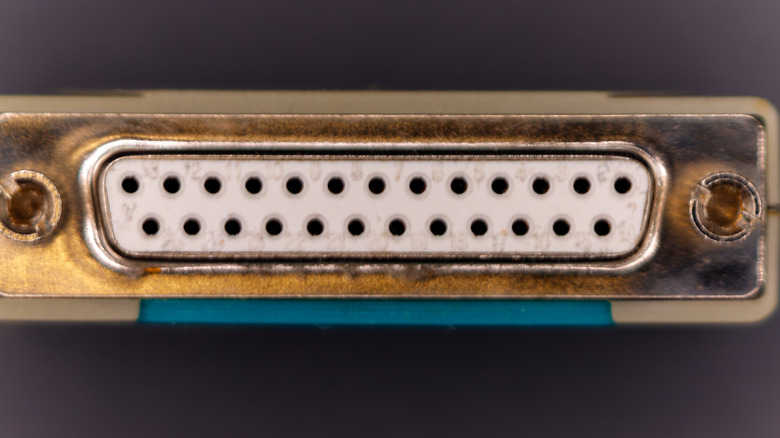
The RS-232, or "serial port," is one of the oldest digital communication interfaces. It was officially adopted in 1960, and the version most people know is the third revision, called RS-232C, which is what personal computers use. The actual connector can be a DB-25 or DB-9, like the one you see above. On PCs, a DB-25 port was most often used as a parallel port. Often referred to as the LPT port or "printer port" colloquially. However, this used a completely different protocol.
It's called a "serial" port because bits of data are sent one by one per circuit, which is slower than sending multiple bits in parallel, but is capable of sending data over longer distances without issue. The RS-232 standard specifies 15 m (50 feet) as the maximum length for serial communication, but in the real world it's used with much, much longer cable lengths.
Almost no regular computer users today have any need for a serial port, but it's still massively important for industrial machinery control, and USB-to-serial adapters are cheap and plentiful for those that need them. Considering how simple, reliable, and flexible RS-232 is for programming and engineering purposes, it wouldn't surprise us if this early computer interface ends up outlasting all the modern ports that currently exist. Most of the applications it's used for don't require high levels of bandwidth, and that will still be true a century from now.
Composite video is the last refuge of legacy AV equipment
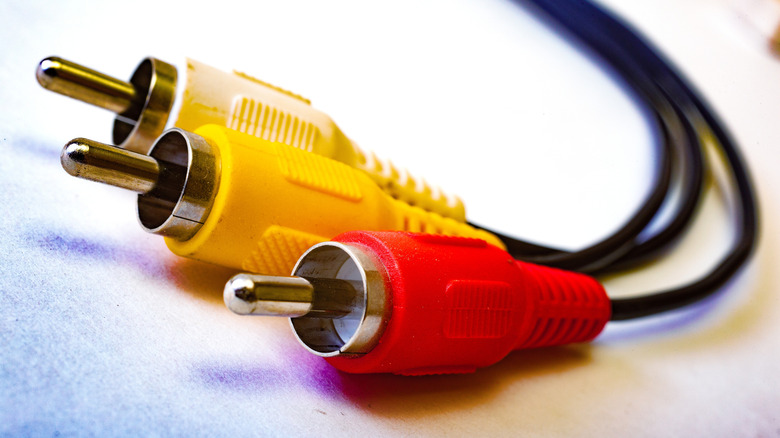
Anyone who grew up in the '80s or '90s is familiar with that set of yellow, white, and red cables running from a VCR, LaserDisc player, or gaming console to your TV. The actual RCA connector used by composite video was introduced in the 1930s as a single cable to carry a single channel of mono audio. Stereo sound simply required the addition of a second cable, and in the 1950s that same cable was used to carry a video signal, though really only used by the broadcast industry. After all, even if TVs had come with RCA inputs, people wouldn't have anything to plug into them. This was long before the advent of home video media players like VCRs or LaserDisc.
By the 1980s, these connectors were ubiquitous. A composite video signal carries both the "luma" (brightness) and "chroma" (color) information a TV needs to reconstruct an image. It also carries sync pulses so that the display knows where the lines and fields that make up the image begin and end.
That's a lot of work for one cable, and these different jobs could overlap a little, which is why composite video is known for image artifacts and some color inaccuracy. S-Video (Separate Video) uses separate cables to carry chroma and luma information, making for a sharper image, but it was rare. Today, RCA survives in millions of legacy and new devices as a fallback for standard-definition content.
TOSLINK optical audio keeps surviving newer HDMI standards
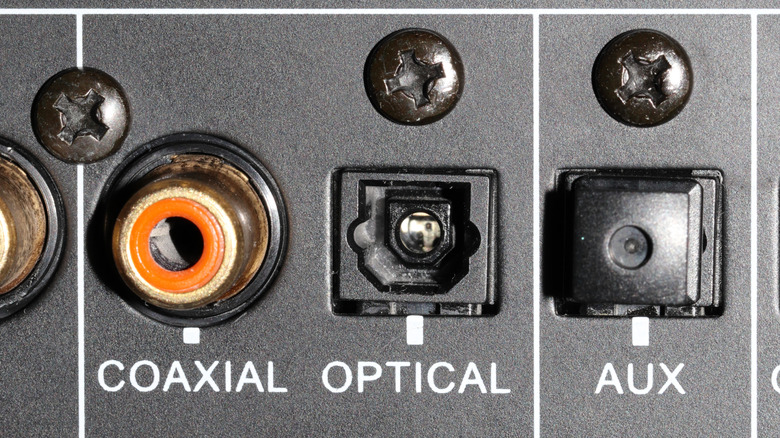
If we're looking for a port that just will not die, then the humble TOSLINK (Toshiba Link) optical connection might very well get the top prize. Toshiba introduced TOSLINK in the early '80s to connect its shiny new CD player to an audio receiver. Because the link was optical rather than electrical, the theory was that there could be no signal interference transferred from the CD player to the receiver.
TOSLINK is excellent at moving CD-quality digital audio, and it can even manage older surround-sound formats, but it can't handle modern surround-sound standards like Dolby Atmos. However, you'll find TOSLINK ports on just about every TV, soundbar, and AV receiver both past and present. It's the perfect fallback for CD-quality stereo, which is more than good enough for most people who aren't bothered with surround sound. It's cheap to include in devices, the cables are inexpensive, and it's a simple plug-and-play experience.
It actually seems paradoxical that TOSLINK should persevere like this, but because it's so simple and reliable, it's worth keeping when more complex connection standards like HDMI eARC have compatibility issues when you connect devices together. You can always rely on TOSLINK to give you crystal-clear stereo audio, at which point you might never bother to get your fancier connection working.
SATA is too slow for modern SSDs but perfect for hard drives
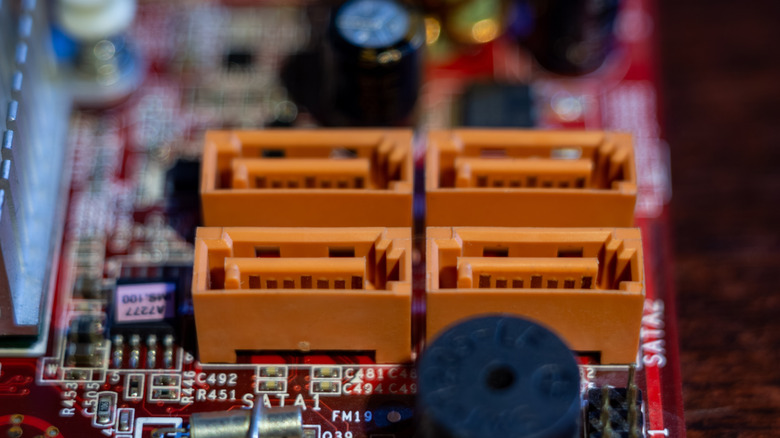
Modern NVMe SSDs are fast. Really, really fast. So it might seem surprising that virtually all desktop PC motherboards have a plethora of SATA III ports, and despite their relatively low speed, they remain incredibly relevant today.
For perspective, a SATA III port has a maximum theoretical speed of 6Gbps. That's equal to 750MB/s, which is significantly slower than even first-generation PCIe SSDs. A PCIe Generation 1.0 SSD has about 1GB/s of bandwidth if it uses four lanes. Common Gen 3 drives top out at around 3GB/s, with subsequent generations effectively doubling that number each time. Current Gen 5 drives exceed 10GB/s in real-world usage, with a theoretical 14GB/s maximum.
So, why does anyone still use SATA? For one thing, even the fastest mechanical hard drives you can buy today aren't fast enough to saturate SATA III, and these devices are still the best mass storage solution. There's no reason to buy an expensive SSD to store your video and audio files, or backups of work documents. These use cases don't benefit from more speed. Likewise, SATA SSDs are more affordable and more than fast enough for applications such as older games that don't see a benefit from PCIe. Besides, most computers only have one or two NVMe slots for cutting-edge SSDs, so SATA offers a way to increase your storage economically over time.