

6 MacBook USB-C Hubs That Just Work
We may receive a commission on purchases made from links.
MacBooks are great devices for basic computing, productivity, and creative work, but they're often lacking in ports. For example, the most affordable MacBook Neo only came with two USB-C ports and a 3.5mm headphone jack, and even the mid-range MacBook Air only gives you an extra MagSafe 3 charging port over that. The top-tier MacBook Pro laptops give you one more USB-C port, plus an SD card reader, and an HDMI port, but that's pretty much it. This might not be an issue for the average user who prioritizes mobility over everything else, but this could be a problem if you're a power user.
If you're looking for a home office upgrade, or simply just want to attach multiple accessories to your MacBook, you need to get a USB-C hub. There are a ton of options available on Amazon, though, with prices ranging from under $50 to as much as $200. So, we're here to help, with a list based on our own experience, other professional reviews, and feedback from customers — helping ensure that you get a device that will work to your needs.
Anker 555 8-in-1 USB-C Hub
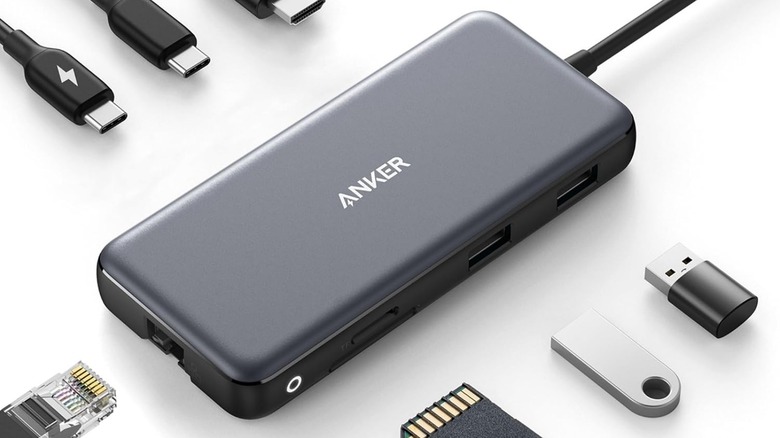
The Anker 555 USB-C Hub is one of the most affordable options you can get, at just $49.99, but it delivers a lot of what you could possibly want out of a USB-C hub. It comes with eight ports — one 4K@60Hz HDMI port, two USB-A 3.2 Gen 2 ports, one USB-C 3.2 Gen 2 port, an SD card reader, a 1-Gbps Ethernet port, and one 100-watt USB-C PD port for fast charging your laptop. This should be more than enough for basic tasks, or for when you want to physically attach your MacBook to your router, and maybe even use an ultrawide monitor.
Fstoppers found this USB-C hub to be a great solution for demanding workflows. Its tiny footprint and minimal weight makes it a perfect travel companion, with all the ports that you'll need. It can also deliver up to 85 watts of pass-through charging, provided you're using a 100-watt adapter with your MacBook.
Anker 547 7-in-2 USB-C Hub
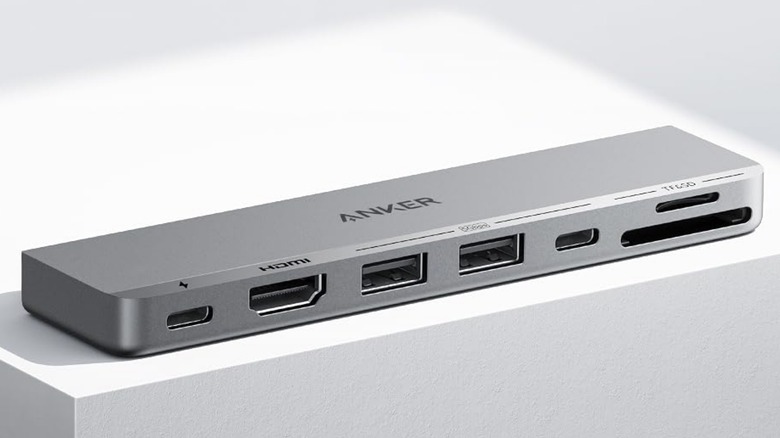
If you want a USB-C hub specifically designed for the MacBook, look no further than the Anker 547 USB-C Hub. This hub attaches directly to your MacBook via its two USB-C ports, making it perfect for the MacBook Neo and MacBook Air, while it's also designed to not interfere with the MagSafe 3 charging port of the MacBook Air and the MacBook Pro. However, its placement would block the 3.5mm headphone jack on the latter, so you'll either have to use a pair of USB-C headphones or pick a different hub altogether.
While this hub would take up two USB-C ports on your laptop, it gives you one USB-C port with 100W charging, one 4K@60Hz HDMI 2.0 port, two 5 Gbps USB-A ports and one 5 Gbps USB-C port, a microSD card reader slot, and an SD card reader slot. It's also quite affordable, costing just $54.99, although you can sometimes catch it at a steep discount. Despite all those ports, Gadgetoid says, "It's probably the thinnest, most compact hub I've tested ... and really pushes the limits to squeeze its seven ports into a device no thicker than a closed MacBook Air and no longer than its trackpad is wide." Unfortunately, it does not come with an Ethernet port, so it's not ideal if you want to use a physical connection for more reliable internet.
Baseus Metal Gleam II 10-in-1 USB-C Hub
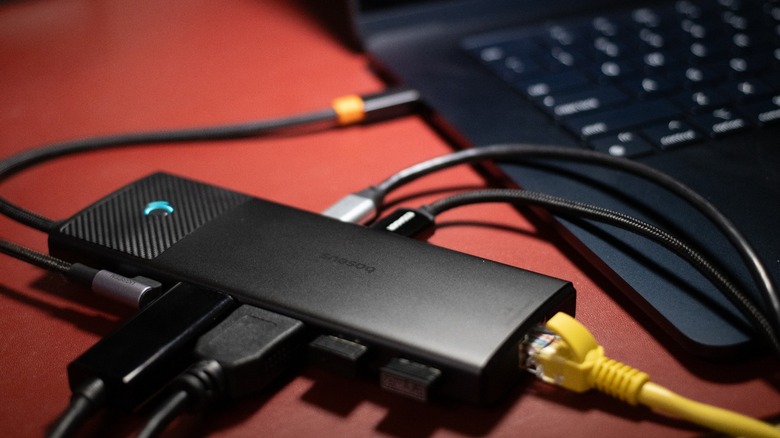
Power users who prefer two external monitors will need a USB-C hub that offers two video outputs. One such solution is the Baseus Metal Gleam Series II 10-in-1 USB Hub. You can get this USB-C hub for just $79.99, and it offers every port that many professionals need in their workflow. This includes two HDMI ports that output 4K@60Hz (or 4K@120Hz if you only use one port), a 1 Gbps Ethernet cable, an SD and microSD card reader, two USB-A 2.0 ports, one USB-A and another USB-C port both offering 10 Gbps transfer speeds, and a USB-C PD 100W port for charging. The hub itself has a premium metal finish and comes with a lock button to instantly secure your MacBook.
It's for these reasons that this particular hub lives inside my workstation luggage. I pair the Baseus Metal Gleam II with my M2 MacBook Air when I take working holidays, allowing me to enjoy a three-monitor setup with a portable HDMI monitor and my iPad via Sidecar. I can also attest to its durability — I've dropped it a few times while I'm setting up and it still works flawlessly. One thing you should note, is that even though it has two HDMI ports, it still relies on your MacBook's capability to output two displays. The MacBook Neo and older generations of the MacBook Pro and MacBook Air only natively support one external monitor.
Ugreen Revodok Pro 9-in-1 USB-C DisplayLink Docking Station
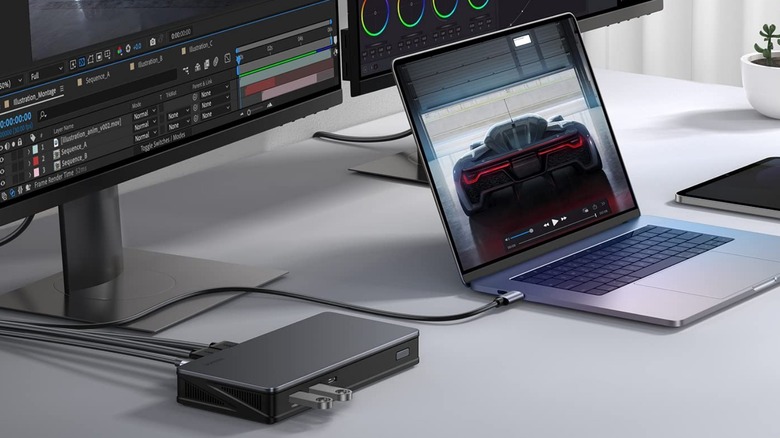
If you want two monitors but don't want to spend that much cash on a recent or high-spec model try the Ugreen Revodok Pro 9-in-1 USB-C DisplayLink Docking Station for $169.99. This hub offers a good number of ports: a 1 Gbps Ethernet port, two display out ports capable of 4K@60Hz in either DP or HDMI format, two USB-A 3.2 Gen 2 ports, a USB-C 3.2 Gen 2 port, a USB-C PD 100W port for power, and the USB-C port for connecting to your laptop.
Most importantly, it comes with DisplayLink technology, allowing you to increase the number of monitors your MacBook can output to, even if Apple says that it can only output video to one monitor. This makes it a great addition to our list of USB-C gadgets that will instantly upgrade your MacBook Neo or older MacBook Air. That said, you still need to install the DisplayLink driver to unlock multi-monitor capabilities with this hub — a minor inconvenience compared to spending thousands of dollars to upgrade your laptop just so you can use two external monitors with it. This feature, paired with its relatively affordable price and ample number of ports, puts it at the sweet spot when it comes to USB-C hubs and docks.
Baseus Spacemate 11-in-1 Docking Station
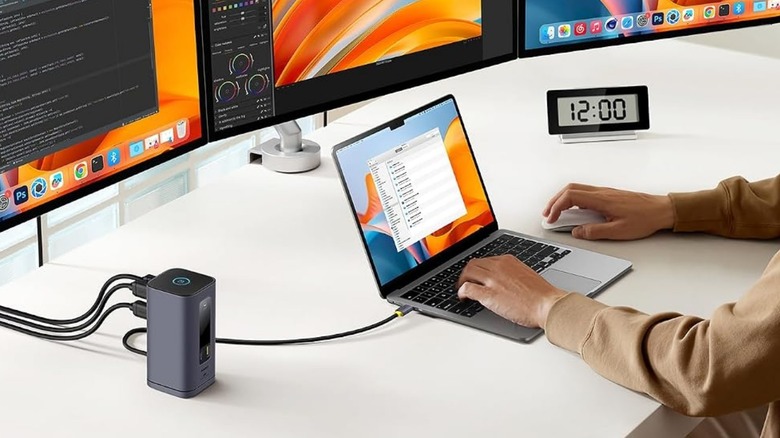
If you're building a proper workstation for your MacBook, so that you only need to unplug the device itself to work elsewhere, consider adding the Baseus Spacemate Series 11-in-1 Docking Station to your desk. Note that this is a pricey solution, coming in at $199.99, but you're getting a lot of high-speed ports and display outputs when you shell out the cash for this hub. The Baseus Spacemate Series 11-in-1 comes with three 4K@60Hz HDMI ports with DisplayLink technology. So, whether you have an M5 Pro MacBook Pro or a base MacBook Neo, you can take advantage of this hub's three video outputs to build a triple-display workstation for the ultimate in productivity. Aside from that, you're getting two 10 Gbps USB-A ports, one 10 Gbps USB-C port, one 480 Mbps USB-A port, a USB-C PD 100W port for passthrough charging of up to 85W, a 1 Gbps Ethernet port, and a 3.5mm combo jack.
I use this exact docking station to turn my M2 MacBook Air from a laptop into a certified powerhouse when I'm at my home office. When I plug my laptop into the Spacemate Series Docking Station, it gets access to my 24-inch and two 29-inch ultrawide monitors, integrated stereo speakers, wired Ethernet connection, vertical mouse, and mechanical keyboard, all via a single USB-C port. You must be careful, though, that you get the Mac version if you're buying this unit, as a similar looking Windows version of this hub is also available.
Plugable USB-C Docking Station for Mac
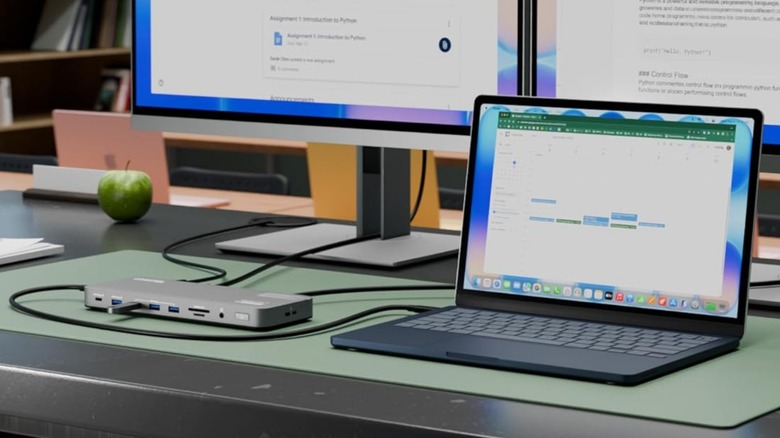
The Plugable USB-C Docking Station for Mac is another device that could be a permanent fixture you use to build your MacBook workstation. It's also priced at $199.99 and offers DisplayLink to work with the MacBook Neo and more. However, it only comes with two display outputs — either HDMI or DisplayPort — so you can't use it to build a triple-display system. Despite that, it offers a plethora of other ports, including four USB-A ports and one USB-C port — all of which deliver 5 Gbps, a 1 Gbps Ethernet port, a 3.5mm combo audio jack, a microSD and SD card reader, a 100-watt PD USB-C port that connects to your laptop, and a K-Lock Security slot to prevent it from getting stolen if you install this in an open office. This hub also comes with a power brick to ensure that you can fast charge your MacBook, even as you're using it on your desk.
Tom's Guide says that this dock is a "game-changer," with the docking station's 14 ports allowing connection to peripherals including a webcam, microphone, speakers, and two monitors, for a MacBook Air. Furthermore, it's still portable enough to easily slip into a laptop bag and use on the go.
How we picked these USB-C hubs
We chose these USB-C hubs and docks based on our years of hands-on testing and insights from other professional reviewers. As I said earlier, I actively use the Baseus Spacemate Series 11-in-1 Docking Station for my workstation, while the Baseus Metal Gleam II 10-in-1 USB-C Hub is a mainstay in my portable workstation.
We also ensured that all these items have a rating of at least 4.2 stars from 100 reviews, meaning buyers' experiences are similar to what reviewers see. Finally, the list is arranged by price, ensuring that there's an option for you no matter what your budget is.