

7 Digital Calendars & Clocks Perfect For Your Home Office
We may receive a commission on purchases made from links.
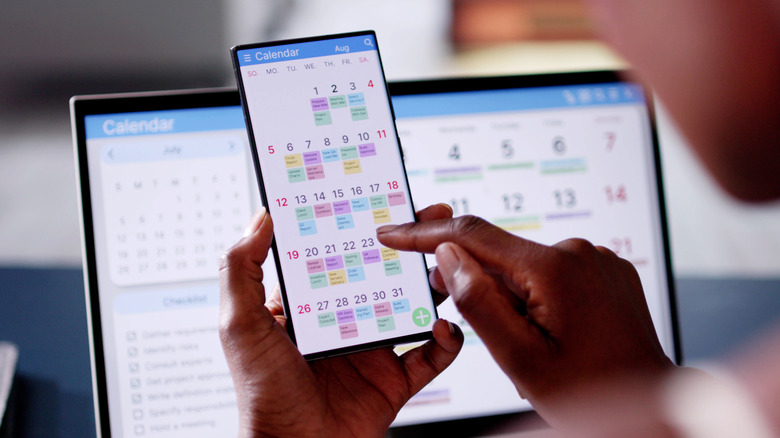
A digital clock or calendar is one of the most transformative upgrades you can get for your home office. Many people already rely on some form of digital calendar — usually one built into their phone or email service — to boost their productivity, using it to plan meetings, keep their schedules straight, and stay on top of deadlines. Having a dedicated clock or calendar can take these benefits to the next level, ensuring that your schedule is always visible and keeping you aware of time-sensitive information.
But there are a lot of digital calendars out there, and the top of the line options can be expensive. You want to make sure that your chosen digital calendar or clock is good for everything it's advertised to do, and that you're getting the most value possible for the money you've spent. To that end, here are seven recommendations for digital clocks and calendars that'll soon become an integral part of your home office.
Selections were based on a mix of amateur and professional reviews, with all of the below recommendations available on Amazon with a rating of 4.4 stars or more. A full description of the methodology used is below.
The Skylight Calendar
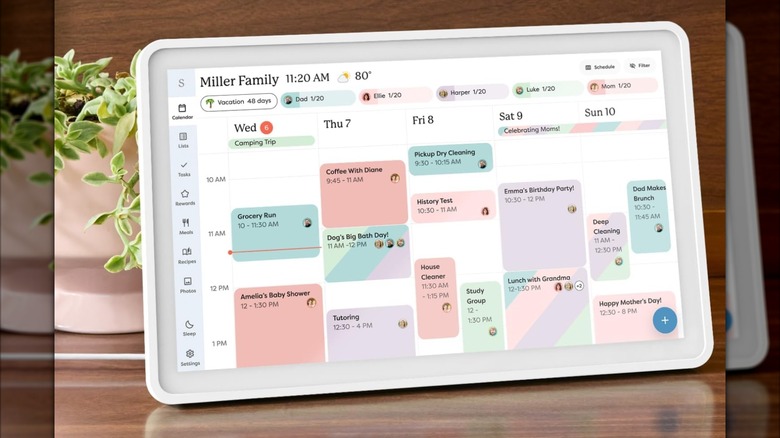
The first thing you're likely to notice about the Skylight digital calendar is just how sleek it looks. It comes in multiple frame colors — a variety of gentle pastels, wood finish, or metallic edges — so it's easy to match it with the décor in your home office. Its simple user interface manages to cram a ton of information onto a clean, color-coded display. A reviewer for Bless'er House praised the Skylight's beautiful display, saying its bright colors made it "impossible to ignore."
The Skylight also comes in three sizes, ranging from a compact ten-inch model that can fit comfortably on cluttered desks, to an oversize 27-inch model designed to be mounted on the wall. The 15-inch version might be ideal for home offices, though: it has a generous widescreen aspect ratio that can display an entire workweek at once.
What's really great about the Skylight calendar, though, is its automation. The Skylight will sync with your Outlook, Apple, Google, and other popular calendar apps, automatically adding meetings, events, and deadlines as they come in. For its ease of use and helpful reminders, one New York Times review compared the Skylight to "a second brain."
With prices that range from $169.99 to $629.99 and a subscription required for some features, the Skylight isn't exactly a budget option, but it is a comprehensive one. It includes just about everything you could ask for in a digital calendar, and, with nearly 7,000 Amazon reviews averaging 4.4 stars, is well liked across the board.
Cozyla Plus 2
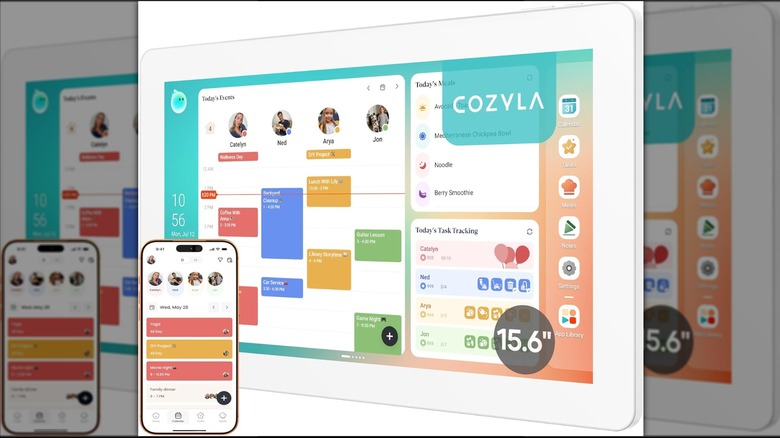
A solid alternative to the Skylight calendar, available at a similar price point is the Cozyla Plus 2. This digital calendar comes in a wide variety of sizes — 15.6 inches, 24 inches, and 32 inches — with a comparable, color block display that's easy to read at a glance. Like the Skylight, the Cozyla Plus 2 also auto-syncs with a variety of different calendar apps. Good Housekeeping praised it for making it easier to plan your own schedule, with the reviewer asking, "How did I survive without this tablet before?"
The Cozyla line of digital calendars have an AI-assisted voice agent. This is great for multitasking — if you've got your phone in one hand and are typing an email with the other, you can add an event to your calendar by simply speaking it aloud.
In addition, Cozyla calendars run on Android, which means customizable widgets on your home screen. If you want to display a to-do list or stock prices alongside your calendar, it's as easy as dragging and dropping. In addition, this calendar has full access to the Google Play Store, so you can download a wide variety of Android productivity apps to expand its functionality. A Forbes reviewer praised the Cozyla for its extensive customizability, and noted a marked decrease in clutter accompanied by an increase in productivity after using it.
Linkdaze digital calendar
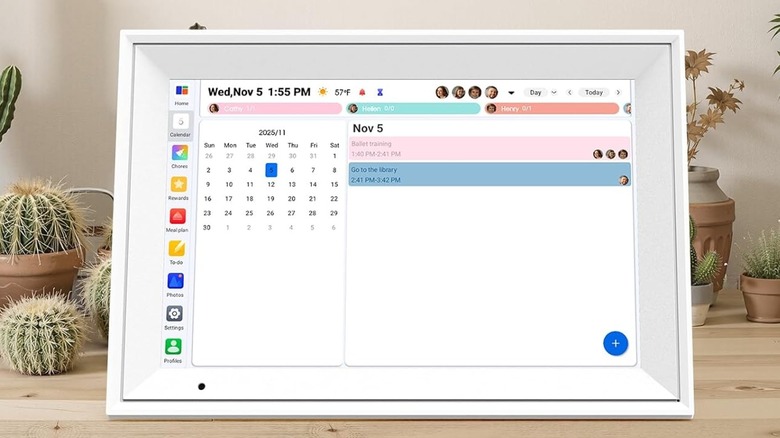
If you don't want to drop hundreds on a Skylight or Cozyla calendar there are also budget options available. The Linkdaze is a well equipped digital calendar that goes for just $79.99, but includes a very similar suite of features to boost your productivity and keep your home office organized.
Much like the aforementioned digital calendars, the Linkdaze will automatically sync with a variety of different calendar apps to keep your schedule up to date. You can color-code different tasks or, if you share your home office, different household members to create a comprehensive schedule that's readable at a glance. Although you don't have full app store access, you can customize your home screen with a few built-in widgets, like a to-do list and meal planning center.
TechCrunch noted that the Linkdaze calendar is a great tool for running a household, not just staying on schedule — but it'll make a great addition to your home office, too. With a compact 10.1-inch screen and an affordable price tag, it's the perfect addition to your desk.
Dragon Touch digital calendar
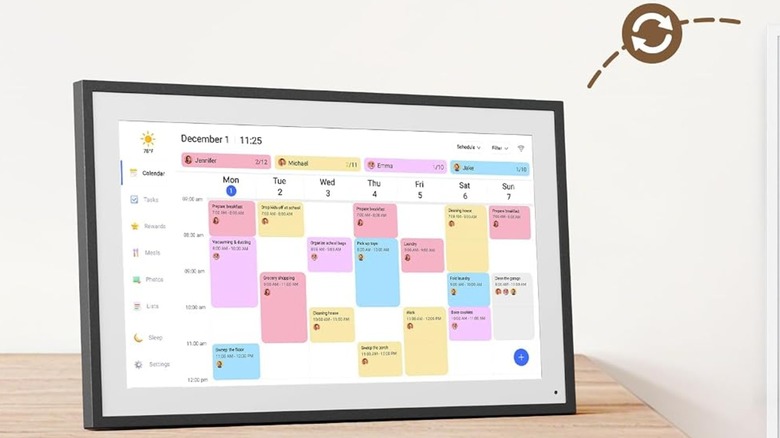
Visually, you could mistake the Dragon Touch digital calendar for a Skylight, with its muted neon color palette and sleek frame. But it's much more budget-friendly, and will run you just $129.99. The Dragon Touch calendar also doesn't require a subscription for a very similar set of features, which includes a to-do list, meal planning system, auto-syncing, and a photo screensaver.
Similar to the Cozyla Plus 2, the Dragon Touch digital calendar also has a highly customizable home screen, which you can adjust with different widgets: day, week, or monthly calendar view, shopping or to-do lists, etc. You can even create a variety of different widget profiles so every member of your household can see the information most pertinent to them. As an added bonus, the Dragon Touch digital calendar can be used in either portrait or landscape mode, so it's much easier to fit in a variety of different desk layouts.
In a glowing review, one Amazon customer said, "It has been such a great addition to helping me stay organized and keep track of everything in one place." They also praised its looks and ease of setup and use.
Yemsd digital calendar
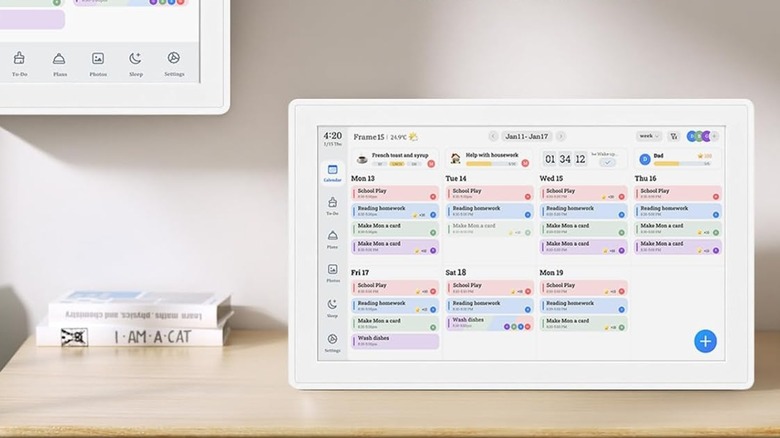
At 15.6 inches, the Yemsd digital calendar uses an especially compact calendar display, representing all the different events on your schedule as blocks of equal size instead of stretched-out rectangles on a timeline. In that way, it's a lot more like a traditional analog calendar, allowing you to see your whole day (and week) at a glance. When you're not using it as a calendar, it also works as a digital picture frame.
This digital calendar has all the usual bells and whistles: real-time syncing with the most popular calendar apps, a built-in to-do list, and meal planning functionality. Pricing-wise, it's in the mid-range of the spectrum, coming in at just $249.99 with no subscription required. One Amazon user praised the Yemsd calendar for its ease of use and noticeable improvements to their organizational efforts: "It keeps everything organized and makes planning much easier. Great product and definitely worth it!"
La Crosse Technology Advanced Weather Station
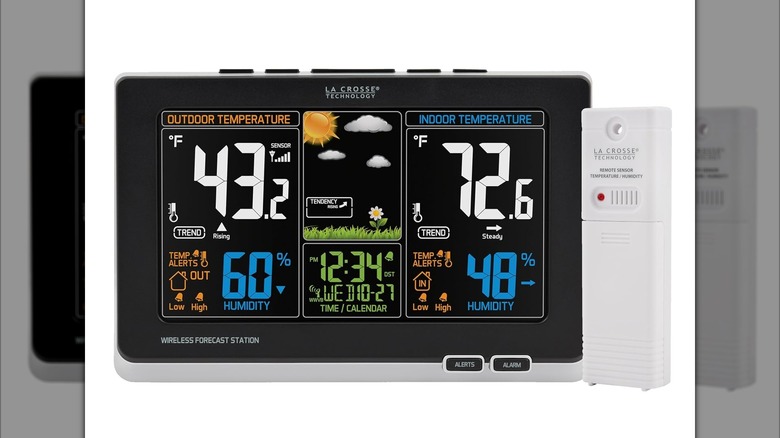
Now, onto the digital clocks. If you work a hybrid structure where you have a home office, but often have to venture outside, a La Crosse weather station will provide you up-to-the-moment weather reports while also functioning as a helpful digital clock. It uses a self-set atomic clock with all the usual additions, including date, day of the week, and alarm.
The included weather sensor transmits data back to the screen, giving you the current indoor and outdoor temperature and humidity — a forecast visually represented by a set of visually pleasing, multi-colored weather icons. Not only will the La Crosse digital clock keep you on-time — it may also help keep you dry.
Amazon reviews for this weather station average 4.4 stars. One reviewer sang its praises in all categories, including its $56.76 price tag, calling it easy to set up, easy to read, and unobtrusive.
Amazon Echo Spot
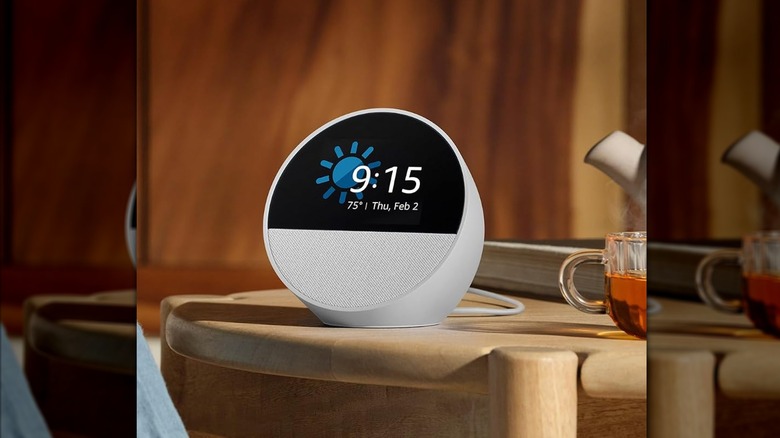
Most people know the Amazon Echo Spot as a smart speaker, but it also functions perfectly well as a home office clock. It has a relatively small footprint, so it won't take up too much space on your desk, and a customizable home screen that can show you at a glance weather, day, and date in addition to time.
As an Amazon device, the Echo Spot also comes with the Alexa voice assistant, which adds a ton of functionality. With an Alexa+ subscription, you can do things like get an overview of your daily calendar, add events to your schedule, or get notifications of upcoming meetings.
The Echo Spot also functions as a smart home hub, so you can use Alexa to control your smart home from the comfort of your desk chair. And of course, it's a smart speaker at heart, so music lovers can use Alexa to play their favorite songs and discover new music while they work.
Methodology
In order to determine the best digital clocks and calendars for home office use, we specifically selected devices that have a wide range of organizational features, are easy to display on a desk or mount on a wall, and/or include lots of information that would be particularly helpful in a home office setting. We selected devices at a wide variety of prices to suit a range of budgets.
All recommendations have an average Amazon rating of at least 4.4 stars. We also looked for digital calendars and clocks that were well-reviewed by professional sources. We specifically looked for devices that reviewers praised for their ease of use, improvements to productivity, and general helpfulness in a home office.