

Raspberry Pi 5 Vs. LattePanda Mu Ultra — Which DIY Computer Board Should You Buy?
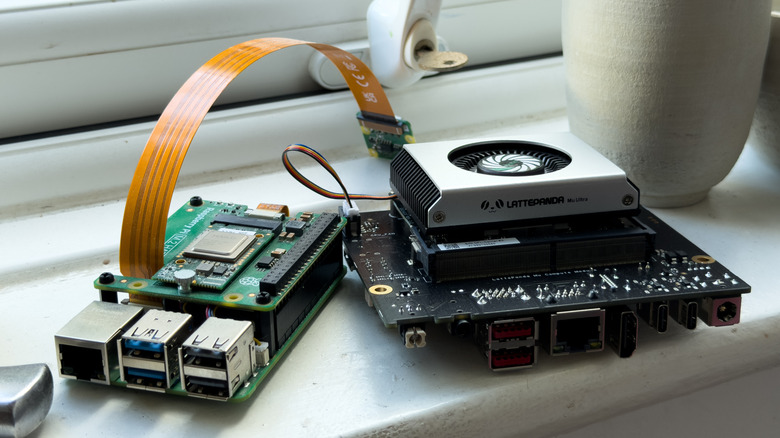
We've seen products hyped as "Raspberry Pi killers" for years, but beyond the clickbait headlines and marketing claims, that just hasn't quite materialized yet. The case for the Pi is that it's just so well supported and can pretty much be implemented into almost any project, within reason. It might not have the most cutting-edge hardware, but when the project requires something with a more physical touch, or even just to run a small server, there's usually no better place to turn than the Pi. However, LattePanda, with its Mu line, has wedged its way into being one of the more powerful Pi alternatives, but its relatively high price for what was effectively a mini PC chip on an SBC wasn't 100% appealing as a replacement.
Mu's major benefit is that it runs x86 hardware, meaning that easy access to Windows, the entire breadth of the Linux distro lineup, and pretty much any software is at the Mu's disposal. The Pi is heavily supported, and there's a wide variety of software with specific versions dedicated to the Pi lineup. That said, the Mu Ultra and its carrier board sport the same kind of inputs and outputs (I/O) the Pi 5 has, but further bolstered. Namely, the Mu Ultra can seemingly be fit into hardware projects that perhaps require GPIO pins (general-purpose input/output), a staple feature of the Pi. We can obviously pit the two against each other, but the argument about which is best will ultimately come down to the scope of what you want out of the device.
LattePanda Mu Ultra benchmarks and hardware
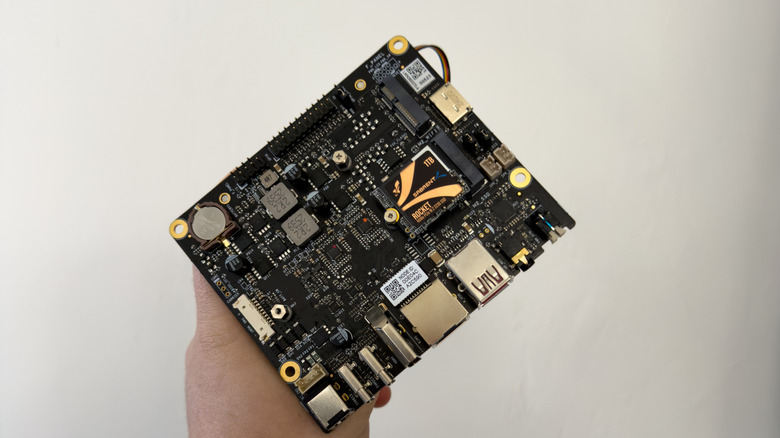
The LattePanda Mu Ultra is the sixth in the LattePanda family and the third in the Mu line, offering boosted performance thanks to the addition of the Intel Ultra 5 226V and Ultra 7 256V. These chips might now be last-generation chips, as the Series 3 has begun to populate laptops, mini PCs, and gaming handhelds, but they're still nothing to be scoffed at.
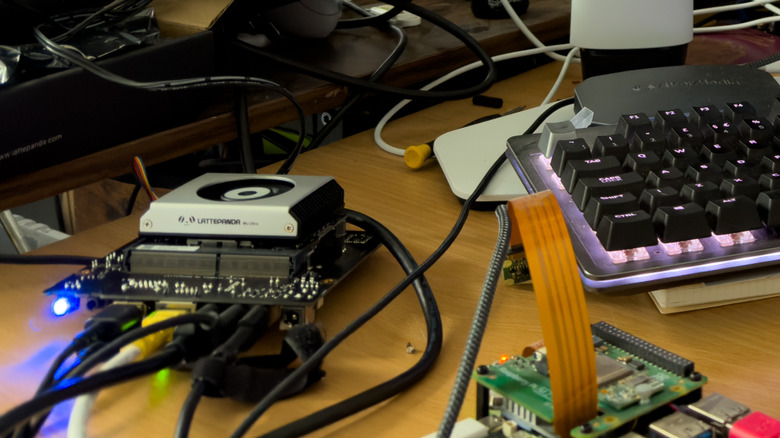
We got hold of the 226V model with its max CPU clock speed of 4.5 GHz, which also features Intel's model 130V integrated GPU clocked at 1.85 GHz. This setup sports 16 GB of LPDDR5X RAM rated at 8533 MT/s (Mega Transfers) and is entirely contained on a small, credit card-sized device that slots into a carrier board to gain inputs and outputs. LattePanda sent over the standard carrier board, which allows for USB power delivery or a barrel jack, two USB-A 3.2 Gen 2, USB-C full HDMI, and an Ethernet port.
In synthetic benchmarks using Geekbench, the Panda Mu Ultra set to "balanced" performance scored 2,224 for single-core performance and 8,602 for multi-core. With the default fan for the carrier board, the Mu screamed through the benchmark, but remained cool and at a low wattage using CachyOS. When the same tests were run at maximum power settings, it scored 2,288 and 9,358, but we saw the temperatures rise to 95 degrees Celsius during intense single-core loads, and wattage increased to between 9 and 10 watts, with spikes to 11 and 12 in some cases. This began hitting the low to mid 20s in the multi-core tests.
Raspberry Pi 5 benchmarks and hardware
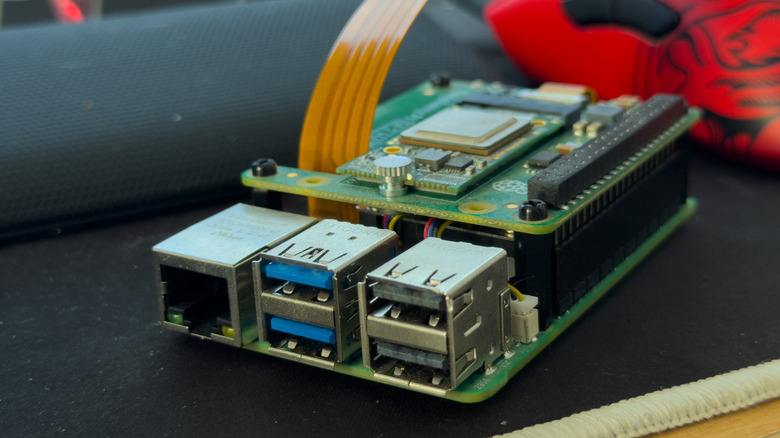
The king of the single-board computer world, the Raspberry Pi 5, feels a little lackluster in comparison, but makes up for it in a lot more ways than its hardware lets on. While the Mu Ultra is x86-based, the Pi 5 is ARM-based, using a Broadcom BCM2712 2.4 GHz, quad-core Arm Cortex A-76 CPU. In plain terms, the Pi 5 is piddly in comparison. Its hardware I/O offering still remains frustrating.
The four USB-A ports, split into USB 3 and 2, and the Ethernet port are staples of the design, offering everything you need to use the Pi as a computer (well, you might also need to dig out a micro HDMI cable). The Pi 5 features a custom PCIe connector, which is supported through various accessories, like the Pimoroni NVMe Base or the Pi's AI Kit, to attach an NPU via M.2 to bolster AI or machine learning tasks (the Mu Ultra's is baked into the Intel CPU).
It should come as no surprise that the Pi 5 scored 805 and 2,084 in single- and multi-core benchmarks with its 8 GB of LPDDR4X RAM and ARM Cortex processor. Pitting the two against each other is fairly pointless in the grand scheme of things — again, your choice will come down to what you need. If you're someone looking for maximum compatibility, the Mu Ultra is providing enough power and more in that sense. However, if you need a low-powered PC to act as a Home Assistant or in-home server for backups, you might want to consider the actual electrical power needed. The Mu Ultra requires 50 W minimum, with enough overhead for peripherals. The Pi 5, meanwhile, is 27 W maximum.
LattePanda Mu Ultra vs. Raspberry Pi 5: Gaming benchmarks
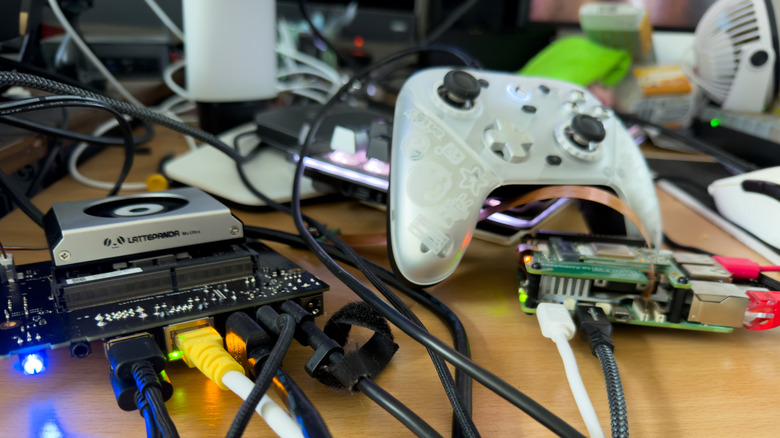
For gaming without jumping through a million hoops, the Mu Ultra is clearly the winner here. Not only is it packing a punch with the Intel 226V, but the Raspberry Pi 5 needs layers of software before you can even consider running a native PC game. Obviously, there are gaming fronts the Pi 5 excels at that can be easier to set up, depending on the OS you opt for on the Mu Ultra. Here, we're running Linux (CachyOS) for maximum support out of the box in terms of gaming needs. On the Pi 5, it's Raspberry Pi OS, but there are beginner-friendly frontends like RetroPie that will handle a majority of the heavy lifting for you.
We can't test native PC games on the Pi 5, as it's pointless — imagine trying to get "Cyberpunk 2077" to run. However, it was still neat to see what the Mu Ultra can do, and it's surprising. The onboard Intel 130V GPU really pulls its leg out to provide something that resembles a playable frame rate in "Cyberpunk 2077" and "Black Myth Wukong." However, as these rely heavily on frame generation to reach those more playable frame rates, you'll have to consider input lag.
| "Black Myth Wukong" 1080p | Low/FG/FSR | Medium (100% Super Resolution) | High/FSR/FG |
| Average FPS | 40 | 12 | 26 |
| Minimum FPS | 39 | 9 | 14 |
| "Cyberpunk 2077" 1080p | Steam Deck preset | Low/FSR FG/XeSS | Low/FSR FG/FSR | Medium, Native | High/FSR/FSR FG |
| Average FPS | 33.55 | 55.34 | 63.89 | 23.41 | 50.56 |
| Minimum FPS | 26.7 | 43.65 | 49.61 | 19.32 | 40.7 |
LattePanda Mu Ultra vs. Raspberry Pi 5: Retro gaming
On the retro end, something the Pi is excellent for, the Mu easily beats the Pi in terms of what kinds of consoles can be played. RPCS3, the PS3 emulator, runs just fine at native resolution, with "Skate 3" hitting 60 FPS and running smoothly. The same story can be told about the Xbox 360 emulator, Xenia, as well.
Lower on the retro spectrum, the Raspberry Pi 5 runs GameCube games at full speed, but only at native resolution. Turning up the internal resolution to scale to 1080p immediately causes performance issues, and even at 720p, the system hits some snags. Of course, the Mu Ultra can play these at full speed up to 1080p just fine, and even "Rogue Squadron II," known to be a little difficult to perfectly emulate, remained steady at 60 FPS. Both systems play everything prior to that generation perfectly.
Ultimately, the Mu Ultra is an excellent little emulation box, but is it really worth the asking price? That's something we'll have to look at in more detail, given today's climate.
LattePanda Mu Ultra vs. Raspberry Pi 5: Pricing

As of right now, it's hard to recommend either the Pi 5 or the Mu Ultra based on pricing. The Pi 5 has been inundated with price increases as RAM scarcity continues, and shoppers can't easily get around those prices by buying a cheaper model and upgrading its RAM because the Pi 5's firmware blocks that. The 8 GB Pi 5 launched in 2023 with what was, at the time, an eyebrow-raising $80 price tag — but it now sits at $174.99, with the 16 GB model at $305.
Even back when the Mu line debuted, SBC aficionado Jeff Geerling stated that its high price is partially why it'll never knock the Pi off its block. That's even more true here, as the Mu Ultra starts at a minimum of $643 (regularly $683), and that jumps to $733 (regularly $783) for the Ultra 7 variant. Sure, it's the full kit, but that's still a lot of cash to blow on something like the Mu Ultra when similarly priced mini PCs will give you the whole PC, storage included, with roughly the same power or more.
This isn't either of the two companies' faults, as the RAM and hardware supply crisis essentially snuck up on everyone. Without any way to lower the costs, neither piece of hardware is really recommended at this point, unless you absolutely need to use a computer like this in your day-to-day life.