

5 Samsung Galaxy Wireless Accessories That Will Get Rid Of Cables For Good
We may receive a commission on purchases made from links.
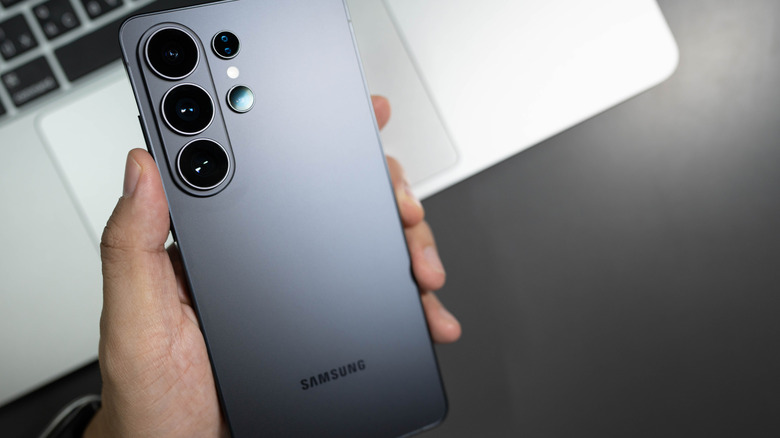
Over the last decade, the tech world has made an effort to provide consumers with products that use as few wires and cables as necessary. This is true of both flagship devices and secondary products, with Bluetooth connectivity available in mobile devices and major tech companies like Samsung committed to making first-party accessories across its lineup of Galaxy devices. Samsung does a great job designing Galaxy phone accessories that just work alongside the rest of its device ecosystem, as well as providing users of other Galaxy products with a variety of wireless accessory options.
Music lovers can connect a Galaxy phone to wireless earbuds and wireless speakers, and wireless charging technology is one way to keep cable clutter at bay around the house. But there are even more accessories on the market for Galaxy users who haven't yet weeded cables out of their commute, work day, or quiet time, as well as some for Galaxy users who simply want to integrate their phone or tablet into a larger wireless setup.
From wireless earbuds to smart monitors, these accessories are first-party products manufactured directly by Samsung. Here we're looking at which of them best contributes to creating a wireless experience both at home and at work, and to getting rid of cable clutter in a number of different setups and scenarios.
Samsung Galaxy Buds 4 Pro
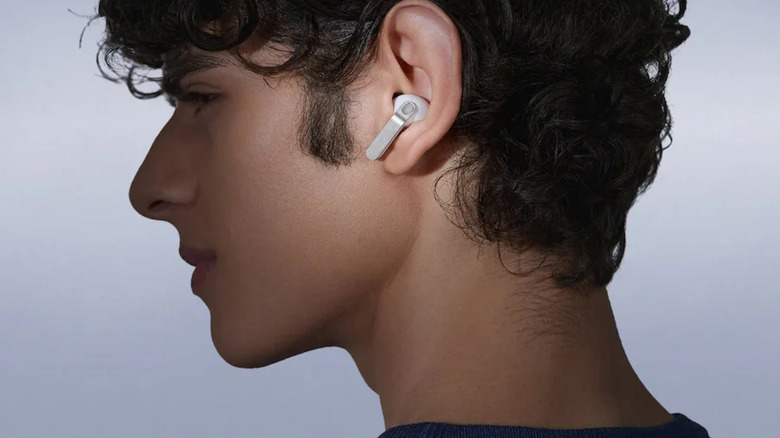
A life on the go is made much more convenient when you can keep your phone in your pocket along the way. Wireless earbuds supplanted their wired counterparts as a go-to listening option some time ago, making the Samsung Galaxy Buds 4 Pro a necessary accessory for Galaxy device users. The earbuds are priced at $250, though you can catch them discounted frequently at Best Buy and Amazon. They come in both black and white color options.
These are Samsung's top of the line, flagship earbuds, and there's a lot that's new to the Galaxy Buds 4 Pro over previous generations. In regard to convenience, they have touch controls built into their design that allow users to play and pause music, skip tracks, change the volume, and answer or decline calls without ever having to take their phone out of their pocket. Additionally, voice commands can be used for much of the same kind of functionality.
There are a number of models in Samsung's wireless earbuds lineup. For Samsung Galaxy users looking to get rid of cable clutter on a budget, the Galaxy Buds 3 FE are a more affordable option. But the Galaxy Buds 4 Pro are a much more recent release. They come with newer technologies and even have some hidden features for better audio quality. Third-party wireless earbuds are also out there to consider, but aren't likely to include as many features unique to pairing first-party Samsung devices.
Samsung Music Studio 5
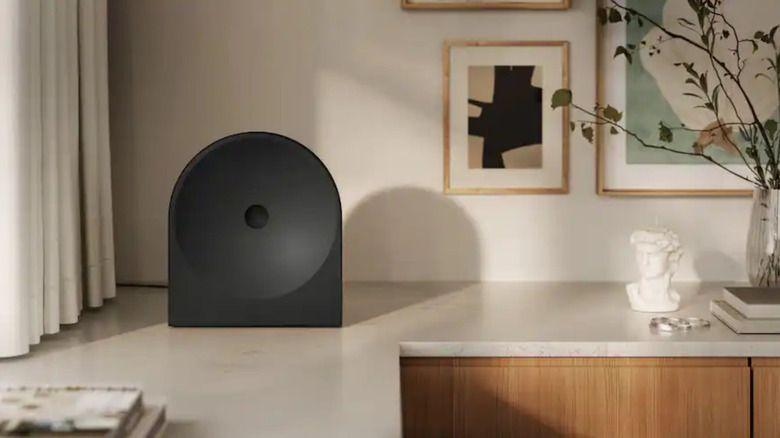
For Samsung Galaxy users preferring to listen to their music out loud, a smart speaker like the Samsung Music Studio 5 is an alternative to wireless earbuds. This speaker has the capacity to produce room-filling sound, so music can stream from a Galaxy phone or tablet over Bluetooth or over the user's home Wi-Fi connection with no need for cables in between. The Music Studio 5 can sit alone on a shelf, a desk, or a TV stand, and the Galaxy phone or tablet can move freely throughout the house.
The Music Studio 5 includes Bixby, Samsung's voice assistant, and Amazon Alexa is built into the smart speaker as well. Each of these AI assistants are accessible over voice commands, as are music controls like playing a specific song, skipping tracks, and adjusting the volume. The speaker is also capable of controlling other smart home devices, such as lights and smart TVs. All this creates a wireless smart home and entertainment setup that can, at least in part, be controlled directly from a Galaxy phone or tablet.
As wireless speakers go, the Samsung Music Studio 5 is somewhat expensive. It's regularly priced at $300, which does compare well to models from some major smart speaker brands, though more affordable wireless audio is available with standard Bluetooth speakers. Smart capabilities will be limited with such options, however, and among the Music Studio 5's top features is Dolby Atmos 3D sound and Q Symphony for an immersive listening experience.
Samsung Charger Pad Trio
Desktops and tabletops are some of the most easily cluttered areas when it comes to wires and mobile device cables. In a full house, living room tables can quickly collect devices that need charging, and each will need its own cable and wall charger to power up. Bedside tables can run into the same issue when users have additional devices like a Samsung Galaxy Watch. Office spaces are susceptible to being the place where all these devices collect to cause clutter at the same time.
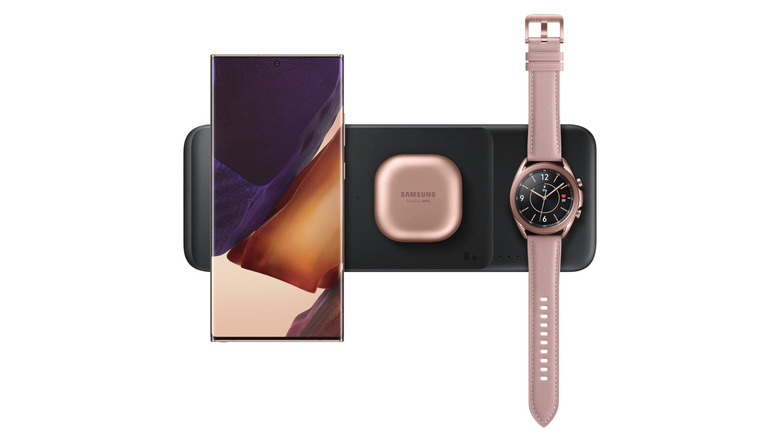
A wireless charging pad can be positioned anywhere around the house to help alleviate a lot of that clutter. But standard wireless charging pads are generally limited to charging one device at a time. The Samsung Charger Pad Trio is capable of powering up a Samsung Galaxy phone, a set of Samsung Galaxy wireless earbuds, and a Samsung Galaxy Watch all at once. The charger is Qi compatible and even has fast-charging capabilities for compatible devices.
While the connections between the Charger Pad Trio and the devices it's charging are wireless, the charging pad itself does need to be plugged into the wall. The pad is somewhat expensive at $90, but includes a 25-watt wall charger and USB cable with purchase. The Charger Pad Trio makes a great option for Samsung Galaxy device users looking to consolidate charging sources while at the same time eliminating cables in workspaces and gathering areas.
Samsung Smart Monitor M5
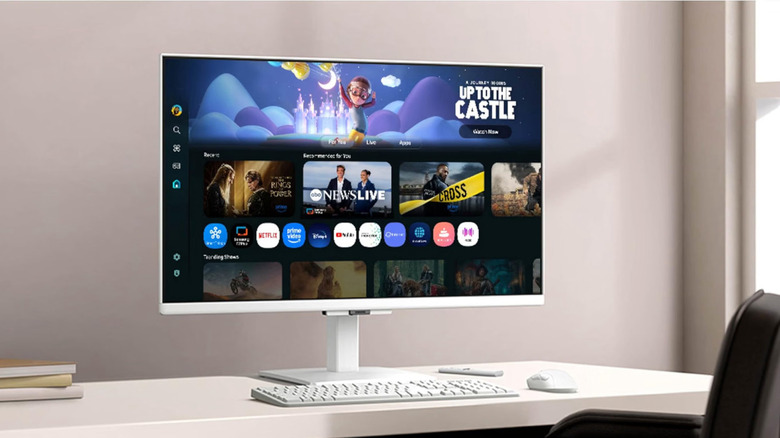
Anyone who uses a Samsung Galaxy mobile device for work projects knows it can handle things like keeping up with email, productivity management, and basic note-taking all on its own. But for larger work-related tasks like presentations, a Samsung Galaxy phone or tablet can connect wirelessly to a Samsung smart monitor. The Samsung Smart Monitor M5 is available with a 27-inch screen for $230, while a 32-inch version of the smart monitor is priced at $270.
Both versions of the display feature Full HD 1080p resolution, and even come with numerous apps installed just like a smart TV. This means you can watch streaming services right on the monitor without any need for a PC or other source device. But for Galaxy phone or tablet users, the Smart Monitor M5 can be used with Wireless DeX. When doing this, additional apps are displayed on the monitor in a desktop-like view, and among them are things like Gmail and PowerPoint.
A smart monitor may seem like an odd pairing for Galaxy phone users. But in addition to allowing users to run a presentation directly from a Samsung Galaxy phone, when connected over Wireless DeX, the phone can be used as a mouse or touchpad. There are several other uses for Samsung DeX worth knowing about, and several other ways to use a Galaxy phone or tablet with the Smart Monitor M5. These include watching video content through Smart View, which mirrors the phone's screen on the monitor.
Samsung 360 Stand Magnet
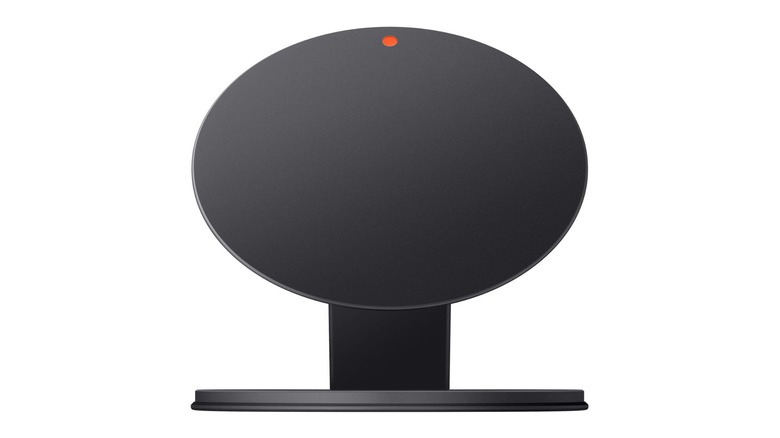
Whether you plan to create a wireless setup around a workspace, an entertainment area, or around your life on the go, another must-have accessory is a stand. Wireless setups tend to be most convenient when a Galaxy phone is immediately available to access, and that's not the case when it's tucked away in a pocket or backpack. The Samsung 360 Stand Magnet connects to Galaxy phones in a compatible magnetic case and allows users to stand the phone upright just about anywhere.
The 360 Magnet Stand is priced at $50, and in addition to standing a phone upright, it can swivel into numerous different angles so that the phone can be re-positioned without having to move the stand. Phones can be positioned vertically or horizontally, and the stand can also be used as a grip when holding the phone. Samsung has engineered the 360 Magnet Stand to be lightweight yet sturdy enough to support even some of its larger phones.
One drawback to the 360 Stand Magnet is that it does require a Samsung Galaxy phone to be in a Galaxy magnetic case. That adds some cost to the setup, though a magnetic case would also be a requirement for using third-party MagSafe mounts, as Samsung Galaxy phones don't have magnets built into their design. But the 360 Stand Magnet is compatible with all Samsung Galaxy magnetic cases, so just about any Galaxy phone is able to be mounted to the stand.
Methodology
There's no shortage of accessories available to those looking to get rid of cables alongside their Samsung Galaxy devices. Here, we focused solely on first-party options, knowing some of Samsung's most unique features are only available within its own ecosystem. In making our selections, the only requirement was that each of these accessories contributes in a major way to creating a wireless experience for Samsung Galaxy mobile device users.