

5 Essential Apps To Download On Your Nvidia Shield TV Pro
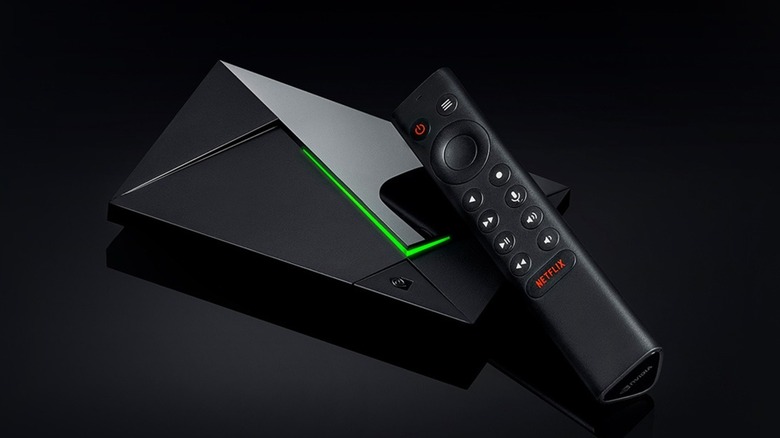
If you want to stream shows and movies onto your TV, Consumer Reports claims that the Nvidia Shield TV Pro is the best streaming device on the market. The Shield TV Pro scores top marks for its picture quality and ease of use, but it also edges out the competition thanks to its built-in GeForce Now app — a service that lets you stream games from a selection of digital storefronts.
Out of the box, the Nvidia Shield TV Pro includes just about every app and feature most users will need. Major streaming apps such as Netflix come pre-installed, and each model is compatible with advanced audiovisual systems such as 4K HDR and Dolby Atmos; you only need to set them up. And make sure your TV (and soundbar or surround sound setup) are compatible with these formats. However, the Nvidia Shield TV Pro can use plenty of other apps via the built-in store that will improve your experience. Some provide more streaming options, while others let you experience all the Nvidia Shield TV Pro has to offer while saving you a few bucks (legally, of course).
Here are all the apps we think are worth a try. These entries are in no particular order, and many include multiple apps that provide similar — but not identical — services.
Gamepad for Android TV
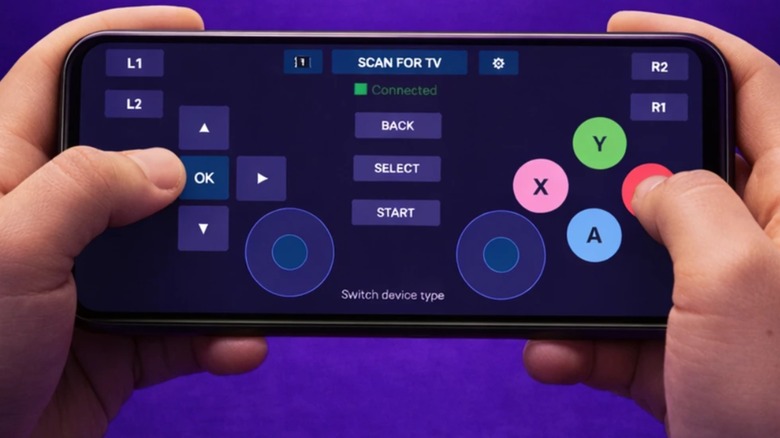
Thanks to the GeForce Now app, an Nvidia Shield can serve as an alternative to home gaming consoles. However, while the provided controller lets you navigate menus and watch movies and shows, you need to supply your own controller for actual gaming. I recommend an 8BitDo (one of the best controller brands you can buy), but you can get by with an Android device.
GamePad for Android TV is exactly what it sounds like: A program that turns your phone or other compatible device into a virtual controller for an Android streaming platform. While the app says it is for Android TV, it works with the Nvidia Shield TV Pro since it runs on the same OS.
Unlike most apps in this article, you need to install GamePad for Android TV on both the Nvidia Shield and the device you want to turn into a controller. Then you need to pair the Shield with whatever other gadget has GamePad for Android TV. While the app can run in the background on the Nvidia Shield, you need to open it on your phone or other device and press the "Scan for TV" button at the top of the screen. Since the app is free, it includes ads and locks some features behind a paywall, and you might need to customize button layouts and inputs depending on the game you play. But at the end of the day, GamePad for Android TV lets you play games on your Nvidia Shield TV Pro until you save up enough money for a proper physical controller.
VPNs
Plenty of streaming services are worth your hard-earned cash, but no one service is perfect. Sure, you can stream plenty of sci-fi action movies on Netflix, such as "Spectral" and "Project Power," but fantasy classics like "The Lord of the Rings" and "Harry Potter" are nowhere to be seen. Unless you watch Netflix in Japan or the UK, respectively, or use a VPN.
The Nvidia Shield TV Pro's app store offers a wide selection of VPNs. These apps hide your IP address and route your activity through various servers across the globe, which not only fends off would-be hackers but also lets you access content you normally can't watch in your country. Just download the VPN you want, set it up, select a server in the country of your choice, and suddenly you're watching "Wicked" and "Five Nights at Freddy's" on your Nvidia Shield's Netflix app. Well, almost.
While you can download VPNs for free, you still need to pay for their services. Plus, not all VPNs are equal. ExpressVPN lets you access the foreign libraries of services such as Amazon Prime Video and Disney+. Meanwhile, NordVPN provides faster streaming speeds, whereas Surfshark costs less money than other services. Picking the VPN that's right for you (and that you should download onto your Nvidia Shield TV Pro) isn't as easy as installing the first app you find. Research your options and their shortcomings first.
Your favorite streaming service
While the Nvidia Shield TV Pro ships with the most popular streaming services already installed, it doesn't include every streaming service on the market. Blame content bloat. It doesn't help that many streaming channels hold exclusive content, so if you want to watch a specific show or movie, you might need to download certain apps.
When you set up Nvidia Shield, the device will include platforms such as YouTube, Netflix, Amazon Video, and Plex. You only need to link the apps to your accounts to use them. But if you visit the built-in app store, you can download just about every other video streaming platform you can think of. Anime fans will want to download Crunchyroll, whereas movie buffs will want apps like Starz and Fandango. You don't even need subscriptions to stream content on an Nvidia Shield; you can just use two of the most-watched free streaming services: Tubi and the Roku Channel.
If you work from home and feel that music playing in the background increases your productivity, Nvidia Shield has no shortage of music apps. You can download subscription-based music platforms such as Pandora and Amazon Music, as well as freemium services like Spotify and YouTube Music. And if you have supplemented your TV audio with a soundbar or a sound system, all the better.
Alternative cloud gaming apps
GeForce Now is the Nvidia Shield TV Pro's main selling point. Granted, some gamers still can't stand cloud gaming, but when GeForce Now works, it works (speaking from experience). But it isn't your only game streaming option, especially if you already have a gaming PC.
Steam Link is one of the Nvidia Shield's better alternative streaming apps that you can find on the app store. Unlike GeForce Now, which streams games off a server, Steam Link streams them directly off your computer. Why would you do this? Because you can use Steam Link to remotely play a game on a big screen — such as a TV connected to an Nvidia Shield. You still need the game downloaded onto a local gaming PC, but at least you can play every game you own instead of sticking to GeForce Now's unfortunately restrictive library.
Nvidia Shield's app store also includes a rival, albeit somewhat obscure, game streaming service known as Boosteroid. This app basically functions the same as GeForce Now. Just link your accounts, select the game you want to stream, and start playing. While Boosteroid's connectivity isn't on par with GeForce Now's servers, it offers cheaper plans at €7.49 ($8.51) a month for an annual subscription, all without session time limits. Boosteroid also has a wider selection of titles — including the Yakuza," "Lego," and "Persona" franchises.
Local games

When you play games on the Nvidia Shield TV Pro, you should mostly rely on streaming apps since the device's internal components put it on par with a smartphone. If you tried to run games like "Cyberpunk 2077" off a Shield TV, the streaming device would probably catch on fire. But the Nvidia Shield still has a small library of dedicated titles.
If you explore the Nvidia Shield's app store, you will quickly find a games tab that includes a small collection of games that don't require a ton of processing power. These are the only games the Nvidia Shield can run on its own hardware, so they are the only ones you can actually download onto the device.
The games on offer in Nvidia Shield's app store are a mix of paid and free/freemium titles. You can buy games such as "Oddworld: Stranger's Wrath" and "Dandara: Trials of Fear Edition," whereas games such as "Oceanhorn: Monster of Uncharted Seas" and "Batman: The Telltale Series" let you sample the opening levels and then require you to buy the rest. Just keep in mind that, like streamed titles, you need a controller to play these downloaded games, so either buy one before downloading or install the Gamepad for Android TV app first.
Methodology
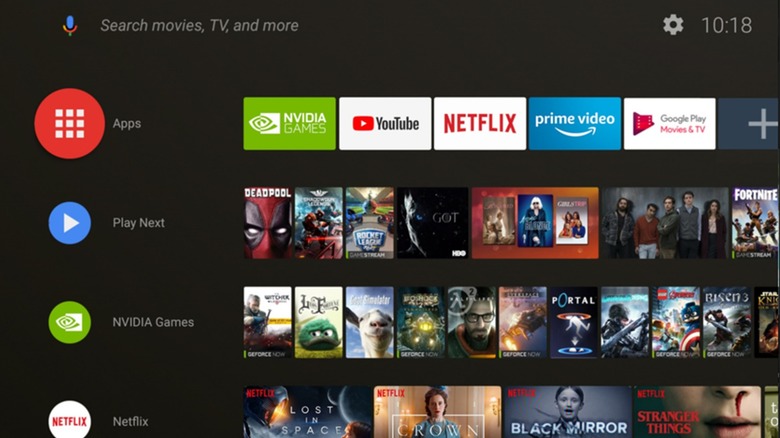
For this article, we focused on apps that tie directly into the Nvidia Shield TV Pro's primary functions, i.e., streaming. Moreover, all entries had to be readily available through the app store. While you can sideload apps, i.e., install programs that aren't available through the built-in store — the Nvidia Shield even has a dedicated app to sideload other apps — we wanted to concentrate on programs users could install without needing lengthy walkthroughs.
After combing through the app store, we collected a list of apps that focused on the Nvidia Shield's key features and ignored ones that added new or superfluous features such as alarm clocks, screen mirroring, and internet speed tests. The Gamepad was a shoo-in since it provided a decent solution to one of the Nvidia Shield's biggest problems: Its lack of a controller. Then came streaming apps that let users play shows and games that weren't included out of the box. For the sake of brevity, we gathered similar apps under singular entry umbrellas.
After we were finished, we still had one entry to go, which is where the VPNs came in. We included them since they can work with other apps mentioned in this list and give users an even wider variety of shows and movies (and games) to enjoy. Like with the game and movie streaming app entries, we collected multiple programs into one entry instead of having numerous entries dedicated to single programs.