

5 UGREEN Accessories That Can Level Up Your MacBook

We may receive a commission on purchases made from links.
If you have a light workflow that consists mostly of activities like web browsing, typing documents, or streaming videos, then you'll find that the MacBook's out-of-the-box experience will suffice. But if that is not the case, you can definitely take it to the next level with a few accessories. There are several things you can improve. For instance, at some point, the trackpad could slow you down or be imprecise. Also, its non-ergonomic nature can start to show, requiring you to seek a more comfortable pointing device.
You might also find the MacBook's USB-C ports and unupgradable internal storage limiting. And even if it comes with a USB cable, you might find that your bandwidth needs are more aligned with a Thunderbolt cable. These are just examples of where a MacBook's experience can be leveled up. And the popular accessories and electronics brand Ugreen has what you need, including a mouse, stand, a Thunderbolt 5 cable, a high-speed enclosure for SSDs, and a USB-C hub.
These accessories address several areas for improvement for the MacBook, including comfort, input, connectivity, and storage. We made sure to list Ugreen items that have at least a four-out-of-five-star rating with hundreds of ratings on Amazon, ensuring that there are real-world benefits to these accessories.
Ugreen Ergonomic Wireless Mouse
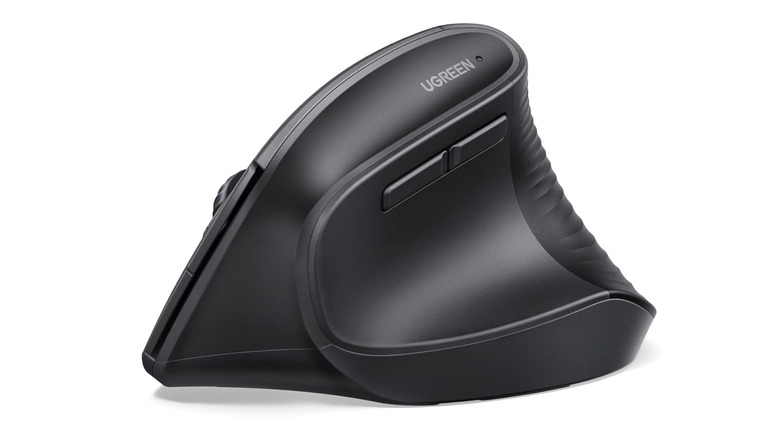
The MacBook's trackpad is widely praised for handling day-to-day tasks, such as browsing, window management, file organization, and even creating short presentations. However, with Apple Silicon MacBooks being the powerhouses that they are, it's not uncommon to use them for long sessions of photo and video editing, vector art illustration, and music production. You might even want to game on your MacBook, and it can be kind of hard to pull off fast mouse movements with a trackpad.
Some scenarios render the trackpad inaccessible, like when you connect it to an external monitor and then put it in clamshell mode. That's when a mouse like the Ugreen Ergonomic Wireless Mouse helps, and it only costs $21.99. The Ugreen Ergonomic Wireless Mouse has a 2.4 GHz receiver, but it has a USB-A connector. Since MacBooks don't have USB-A ports, you will need a USB hub or a USB-A to USB-C adapter to make it work.
Luckily, it also has Bluetooth if you just want to use it right away without an extra accessory. It has four dots per inch (DPI) settings that allow you to adjust your level of sensitivity. Its ergonomic design is what lends itself well to use for long periods of time. You grasp it as if you're giving someone a handshake. This design is intended to minimize rotating your wrist, which can happen during long editing sessions. Furthermore, its five-button layout helps boost productivity.
Ugreen Portable Laptop Stand for Desk
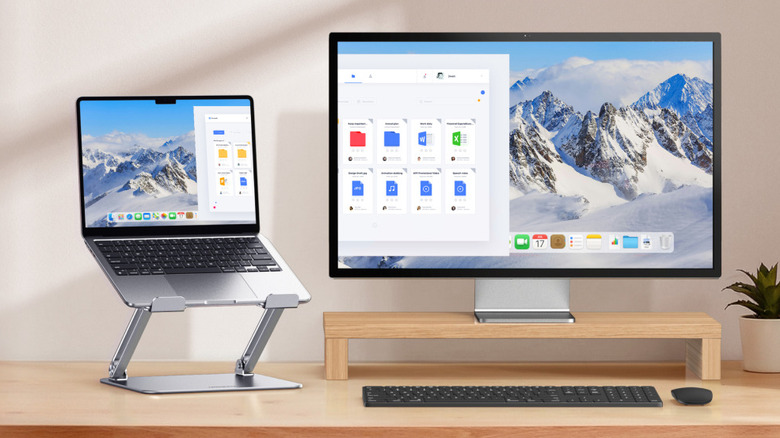
If you're constantly massaging your neck and shoulders due to pain after a long session of using your MacBook, ergonomics are the problem. An accessory that is good for that is the Ugreen Portable Laptop Stand for Desk, which costs $29.99. It has a wide base that can support every kind of MacBook, from a MacBook Neo to a 16-inch MacBook Pro or Max. It can raise your MacBook to about 4 cm to 30 cm and tilt it so you can find the perfect viewing angle to prevent neck and shoulder strain due to poor posture. Also, keep the 1-2-10 rule of ergonomic viewing in mind, as this will help you prevent eye strain while using your MacBook.
The portable stand's top-to-bottom aluminum build, which includes the axis and the reinforced pivot joint on the base give it great stability. It's capable of holding up to 5 kg; with a 16-inch MacBook Max M5, for example, weighs only 2.15 kg. It also has rubber grips on the base and stop bars that prevent the laptop from sliding off. Below the base, there are vents that help with heat dissipation and can actually improve its cooling. The stand is also foldable, so you can easily put it away in your desk drawer or bag when you need to carry it with you.
Ugreen 240W USB-C Thunderbolt 5 Cable
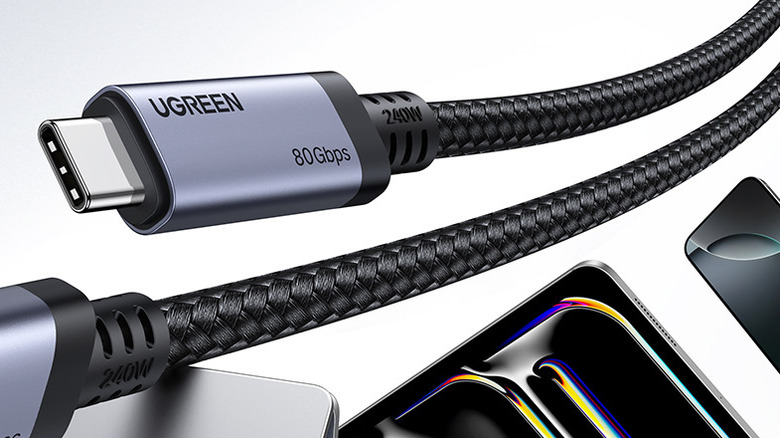
Your MacBook has a Thunderbolt port for high-bandwidth activities. It would be a shame not to take advantage of it, which is why you also need to have the Ugreen 240W USB-C Thunderbolt 5 Cable. Being a Thunderbolt 5 cable doesn't mean that you should expect Thunderbolt 5 performance on MacBook models that don't support it. The only MacBooks that can fully take advantage of its capabilities are MacBook Pros and Max from 2024 and later. So if a MacBook only supports Thunderbolt 3 and 4, it will only work at that level, which is still incredibly fast.
The $26.99 cable supports up to 240 watts of USB Power Delivery (USB-PD) 3.1 fast charging. It can charge a 16-inch MacBook Pro from 0% to 56% in 30 minutes. It has data transfer rates of up to 80Gbps, which is great for transferring files between the MacBook and high-speed storage devices like SSDs. It also has a maximum video output of 16K/60Hz. All these high-bandwidth capabilities make it a great future-proof cable, considering it also supports USB4. Furthermore, the cable is made from durable nylon braiding that ensures it doesn't fray easily and has been rated for a maximum of 10,000 bends.
Ugreen 10Gbps M.2 NVMe SSD Enclosure

There may come a time when you need to expand the storage of your MacBook, but there's no way to upgrade its internal storage because it's soldered directly to the motherboard. You can, however, use an external drive. It's highly recommended to use an NVMe SSD, even though it can be a little more expensive than its SATA counterpart, as it can provide speeds of up to 4,000 Mbps per lane. This is significantly faster than the 600 Mbps per lane of SATA SSDs.
But taking advantage of these high speeds requires the right enclosure, which is something that the $21.99 Ugreen 10Gbps M.2 NVMe SSD Enclosure can handle. It has a USB 3.2 Gen 2 USB-C port, which is why it's capable of speeds of up to 10 Gbps. It even comes with a USB-C to USB-C cable that supports those speeds. The best part is that everything is backward compatible with older USB standards.
It's encased in aluminum, with a thermal pad that effectively moves heat to the surface for heat dissipation. This is important when it's transferring data at such high speeds. It also has a specialized chip for overcurrent and short-circuit protection. To extend the lifespan of the SSD, the enclosure goes into sleep mode after 15 minutes of inactivity.
Ugreen Revodok 7-in-1 USB-C Hub
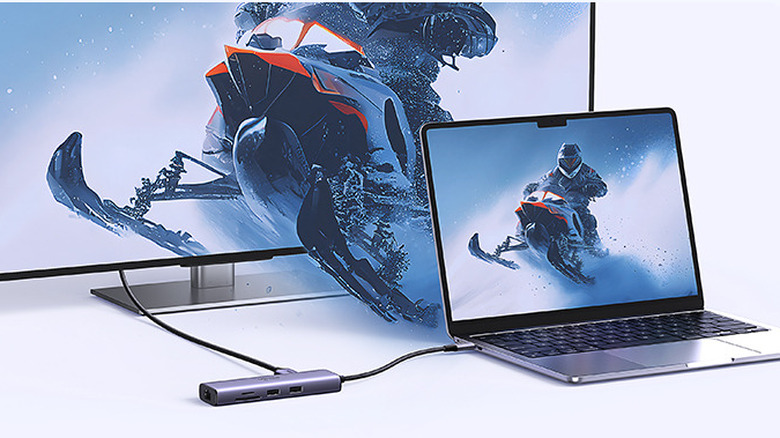
The issue with modern MacBooks is that they lack a lot of necessary ports, making it difficult to fit comfortably into a setup that uses old USB devices. These include USB flash drives, external hard drives, cameras, and even printers. MacBooks also lack an Ethernet port, and while Wi-Fi 6 and newer can deliver incredibly fast speeds in gigabytes per second, those who prefer the reliability of Ethernet might not be able to simply plug in the cable and get to work.
But with the Ugreen Revodok 7-in-1 USB-C Hub, you can easily add extra ports to the MacBook for wider device compatibility for $39.99. With this USB-C hub, you get two USB-A 3.0 ports for connecting accessories and peripherals. It also has one USB-C port for passthrough charging, but it doesn't power peripherals or transfer data. It can deliver a current of up to 85 watts, which is enough to fast-charge a MacBook Air, but not a MacBook Pro or Max (these will charge slowly).
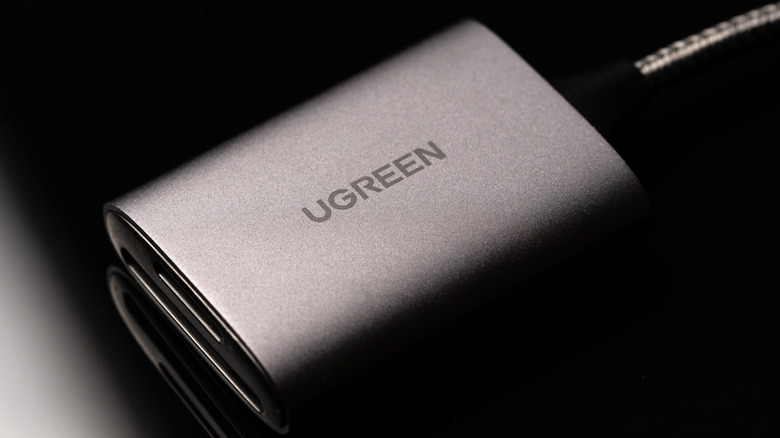
It also comes with one SD card reader and one microSD card reader, as well as an RJ45 Ethernet port that supports Gigabit internet up to 1,000Mbps. If you have a MacBook without an HDMI port, like a MacBook Air or Neo, the USB-C hub has one, expanding your computer's functionality. That brings the total number of ports to seven.
Methodology
Instead of filling this list with several of the USB cables and hubs Ugreen makes, we opted for variety to touch on the various pain points that people have with MacBook usage. We also made sure that every product we picked is available on Amazon and is in stock. We also made sure it has a minimum of four out of five stars. On top of the ratings, we made sure that each product has at least hundreds of ratings provided by people who bought the product off of Amazon. Since the MacBook offers a portable experience, we chose products that are tailored to that instead of something like a NAS. Luckily everything seemed to cost less than $40.