

TCL P80 Ultra Review: Almost Better Than A Kindle
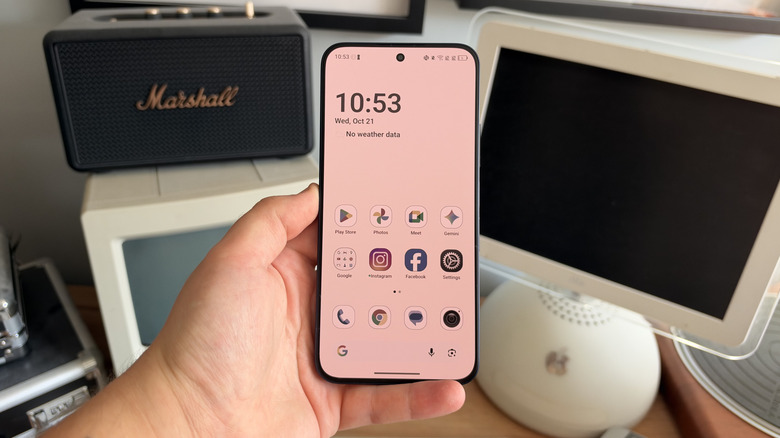
TCL launched the P80 Ultra at €549 for the 256 GB model and €599 for the 512 GB model, which converts to roughly $640 and $700. U.S. pricing hasn't yet been announced, though Android Authority has confirmed the P80 line is U.S.-bound. This device is TCL's first Nxtpaper phone built on an AMOLED panel instead of an LCD one. TCL has featured its matte color nano-etched coating on dim LCD screens for years, but moving it on to this 6.83-inch 1.5K panel finally makes this display tech worth looking at as a daily handset.
I've spent just over a week with a Midnight Blue 256GB TCL P80 Ultra as my main phone, reading articles on it most evenings and using it for ordinary phone tasks such as messaging, navigation, taking photos, and listening to music during the day. It also entirely replaced the Kindle I typically read on for the duration I've been using the phone, which is one of the specific tasks TCL claims its device is best at. In fact, smartphones like the P80 Ultra are one of the reasons some believe there's no need for a Kindle anymore.
The Nxtpaper screen delivers on its promise, and reading on this phone beats reading on any other phone I've used so far. But ask the phone to do something more demanding, and the Dimensity 7400 Elite processor inside begins to struggle. The result is a phone that's excellent to look at but is probably best suited for only a few people, unfortunately. Anyone who reads on a daily basis and would like to stop carrying a Kindle around should pay attention to this phone, though; it's probably one of the most interesting handsets that's come out this year around this price. For anyone that wants a capable mid-range phone that happens to have a nice screen, the P80 Ultra is a little harder to recommend.
Design
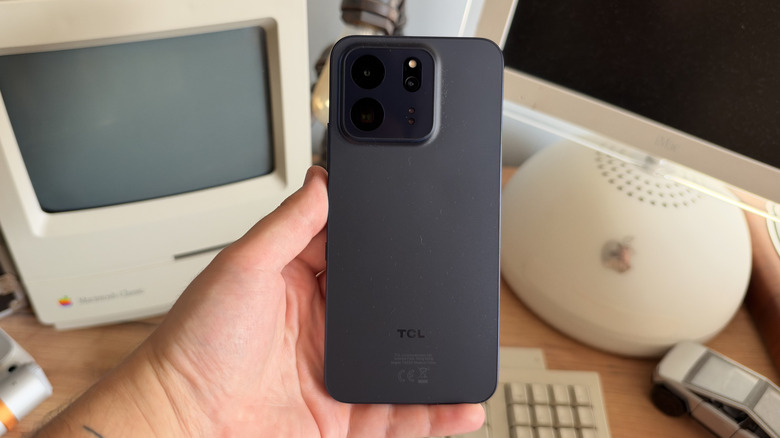
The Midnight Blue finish on the P80 Ultra I've been using is nice enough, but almost entirely forgettable. The matte rear panel hides fingerprints well but feels remarkably plasticky under the thumb. Nothing about the rear panel makes this device feel worth €549, though the aluminum frame helps to make this device feel a little more premium. That being said, you'd probably still struggle to pick it out of a lineup of other mid-range Android phones. Burgundy and Sunlit Gold are the two other color options, which are probably the more interesting choices.
At 163.3 x 77.7 x 8.26mm and 197g, the P80 Ultra is a big — specifically, tall — phone. Long reading sessions never left my hand aching, which matters more on this device than on a typical smartphone. The 19.5:9 aspect ratio does mean a taller, narrower page than a dedicated e-reader such as a Kindle would give you, so expect more frequent page turns if you're reading a long book. The handset managed to survive a full week without a case and didn't pick up any marks on the screen or the body.
One of my biggest complaints about the P80 Ultra is the vibration motor, which is noisy, tinny, and imprecise. Every notification feels more like a rattle than a buzz, and it makes the phone feel really cheap every time you type or receive a message. The side-mounted fingerprint sensor works reliably, but the front-facing display sensor would be slightly faster. The dual stereo speakers go loud, but that doesn't necessarily mean they sound good. DTS processing adds depth to the soundstage, but there's certainly no bass. If you're listening to anything at length, definitely opt for a pair of headphones.
Display
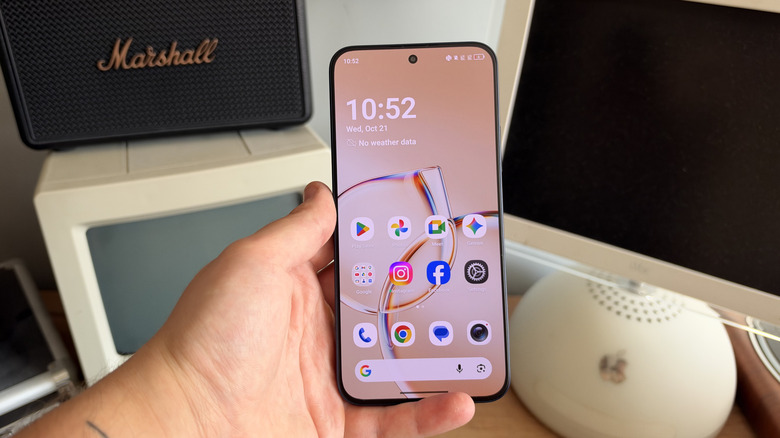
As I've already alluded to, the Nxtpaper display is the reason to buy this phone. The 6.8-inch AMOLED runs at 1.5K, 2,772 x 1,280 resolution, with a 120 Hz refresh rate and up to 3,200 nits peak brightness. Perhaps more useful on a device like this is how dim the display can get, which is just 2 nits — ideal for if you're reading in the dark. Colors are vivid, blacks are properly black, and text is sharp enough that you stop noticing any pixels after using the device for just a while. Touch sampling runs at 2,560 Hz, which is one area where the phone does always feel quick.
 Connor Jewiss/BGR
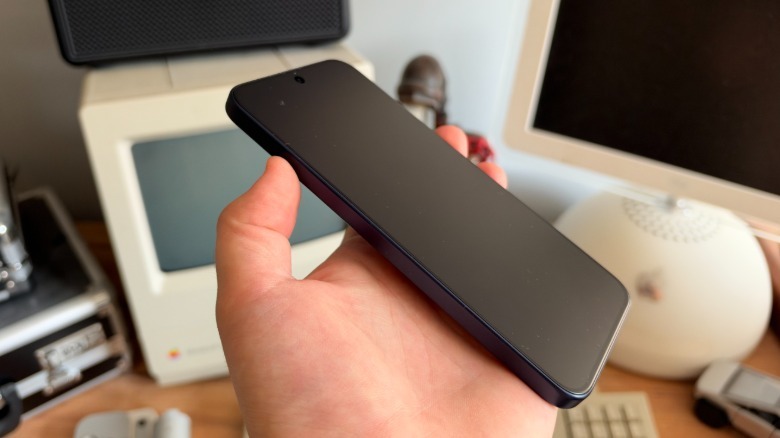
The nano-etched matte coating is what makes this display different from any other panel on a mid-range phone at this price. Reflections essentially disappear entirely, and TCL backs this claim with an SGS low-glare certification. I could read anything on this display outside indirect sunlight without once having to angle the phone to avoid glare. The difference between this and a glossy display on a regular smartphone is immediately noticeable. There is a top layer on the display, which TCL calls the Nano Crystal Shield glass cover, and it's designed to protect the display from damage. After having this phone in my pocket and my backpack for a week, nothing has left a mark.
Underneath those layers, TCL has put some real effort into eye comfort. The display panel uses DC dimming when it gets brighter and 3,840 Hz PWM dimming in darker situations. It also carries a TÜV Rheinland Full Care Display certification. I regularly use my phone in the dark, and after a week of late-night scrolling or reading, my eyes probably felt a little less tired than they usually would.
Nxtpaper features
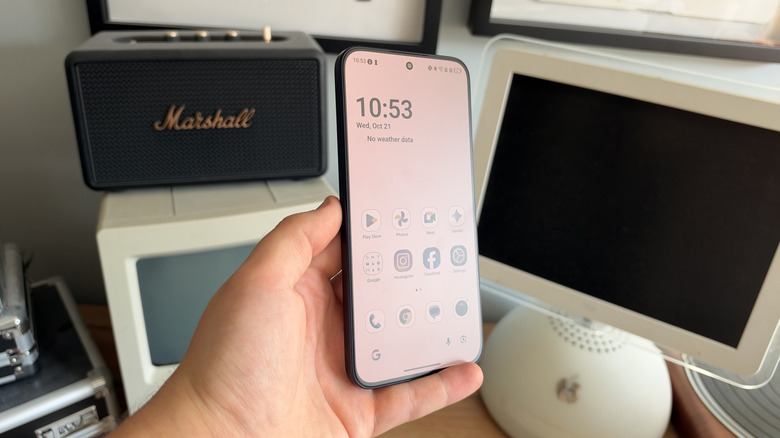
The Nxtpaper display comes with two dedicated modes. Paper Mode handles color reading while Max Ink Mode strips away all color to just a monochrome display for distraction-free reading. Both modes are excellent, and I imagine comics would be a particularly good experience in Paper Mode. In fact, sometimes I just like using the device normally in this mode rather than the full-color display.
However, customization is slightly buried compared to earlier versions of the Nxtpaper lineup that I've used. Previous Nxtpaper phones let you pick between more modes for the display with ease, whereas, on the P80 Ultra, you have to dig through the settings menu to change anything beyond the two quick toggles from the switch. It's a minor irk, but a frustrating omission nonetheless.
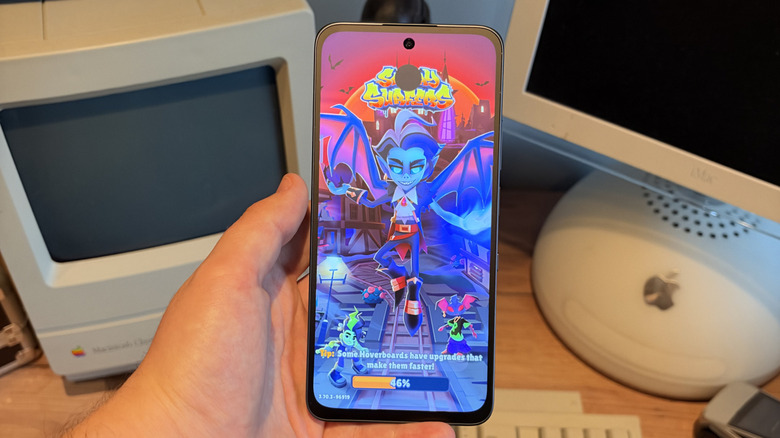
Interestingly, you can run any app in Paper Mode or Max Ink Mode, including games. I played "Subway Surfers" in black and white, and while it dropped a few extra frames compared to usual play, it was still remarkably responsive. Hats off to TCL for this impressive feat — I didn't think the P80 Ultra would be able to do this.
 Connor Jewiss/BGR
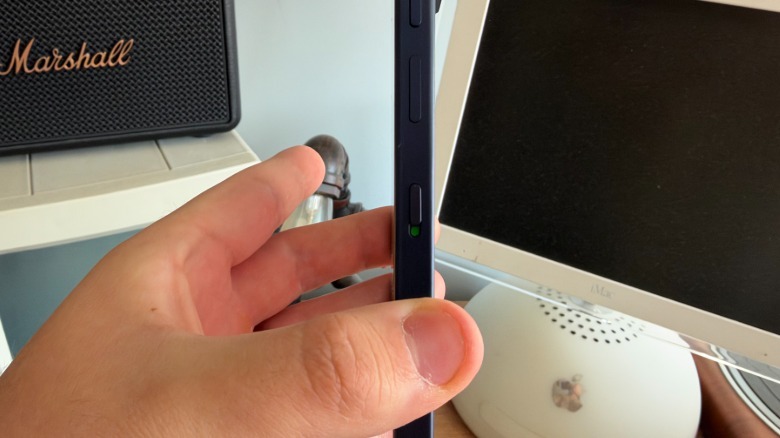
One of my favorite hardware decisions on the P80 Ultra is the Nxtpaper switch on the side. This is a dedicated switch that converts the display from its regular mode to e-reader mode in either color or full black and white. For example, you can go from the regular display to Max Ink Mode to lengthen the battery with a black-and-white-only display, which is perfect for reading. It's much easier than diving into menus or settings panels, and I think every device featuring an e-ink display with color should steal this (I'm looking at you, Kindle Colorsoft).
Performance
The Mediatek Dimensity 7400 Elite processor is where this phone starts to fall apart. It's a 4nm chip paired with a Mali-G615 GPU, 8GB of RAM, and up to 512GB of storage. On a €549 smartphone, that's less power than you might expect, and in practice, it's noticeable. Reading, messaging, browsing a few tabs, and playing music all run smoothly on this device. Primarily designed to be an e-reader, the P80 Ultra is far more responsive than a Kindle would be. Page turns, library navigation, and loading the store to buy books feel instant by comparison. Push past that and the device begins to struggle.
I hit stutters when switching between multiple apps, the camera lagged while opening if I had another app running in the background, and the device just froze up entirely a few times — though that did resolve itself after a few seconds of waiting. All of these problems are minor on their own, but the frequency at which they appear is what will wear you down if you use this phone on a daily basis (particularly when other phones for this price can handle the same workload or more with ease).
Gaming is almost off the table entirely. Even playing something as simple as "Subway Surfers," the phone just didn't feel particularly smooth and started to heat up a fair bit. If gaming is important to you, I'd skip this phone. Running the phone with its display near its 3,200 nits max brightness for any length of time also leaves the phone feeling uncomfortably warm to hold, though this probably isn't a problem you'll face on a daily basis, given this handset is primarily built around reading.
Connectivity holds up without any problems across both 5G and Wi-Fi, helped partially by TCL's 360-degree antenna design. Dual nano SIM and eSIM are both supported, and there's no microSD slot. That's pretty common on smartphones these days, but for such a media-focused device, the ability to add external storage would be nice — though e-books don't take up much storage space.
Battery life and charging
The P80 Ultra has a 5,800 mAh battery cell, and my experience with it has been rather mixed. It can last through a normal day of messaging, navigation, a couple of hours of reading, and some camera use with some charge to spare. Treat it more gently than that and you'll probably be able to stretch it to two days, which is rare for a phone with a display this large. At the same time, I charged the phone to 100% a few times after I'd finished testing, left it overnight, and woke up to a dead phone that needed plugging in. That's when I felt the battery really needed to be better.
Reading is arguably the best use case for the battery. That being said, its battery also drains much faster than a Kindle's would, since it's still a phone with background processes running. Max Ink Mode helps, though nobody should expect Kindle-class endurance here. Anyone sitting on a long-haul flight may wish they had a Kindle anyway (or at least a charger). TCL rates the phone for up to 45 hours of continuous voice calling, 23 hours of streamed video, and 15 hours of gaming (all measured at 200 nits). From my experience, these figures are more of a goal than a realistic expectation.
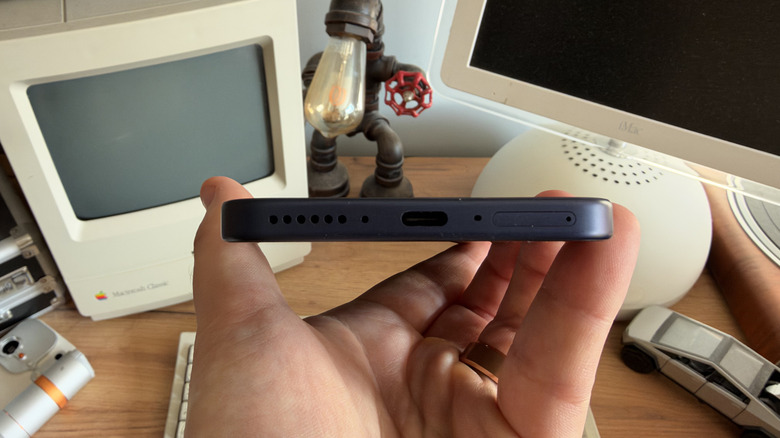
Charging runs at 45 W over USB-C, with a compatible charger included in the box — which is a nice touch for a mid-ranger. I'd get just under 50% charged in around 30 minutes, and a full charge would take somewhere between an hour and 90 minutes — though I didn't time either precisely. That's competitive with other mid-rangers rather than fast, but a battery this large would have benefited from faster charging. There's no wireless charging either, which is a really odd omission given that the plastic back should have made it easy to implement.
Cameras
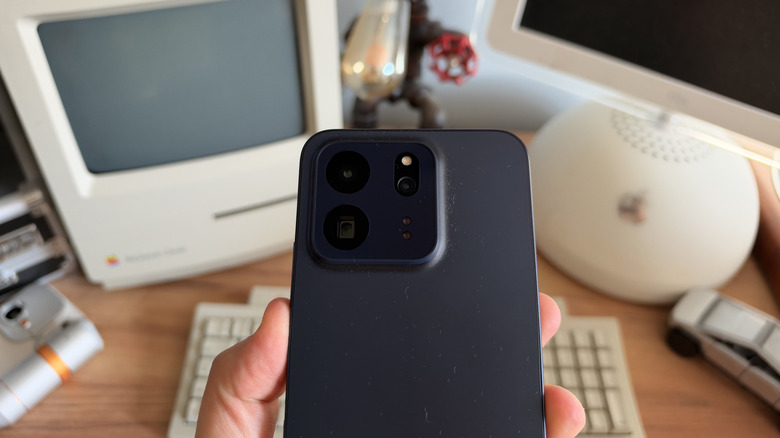
The periscope telephoto lens is one of the best camera features on the P80 Ultra. TCL fits a 50-megapixel 3x periscope telephoto lens with optical and electronic image stabilisation, alongside a 50-megapixel main camera on a 1/1.56-inch sensor, an 8-megapixel autofocus ultra-wide, and a 32-megapixel front selfie snapper. Having a dedicated zoom lens on a handset at this price is unusual, though its results justify TCL's decision to include it rather than try to make up for it.
 Connor Jewiss/BGR
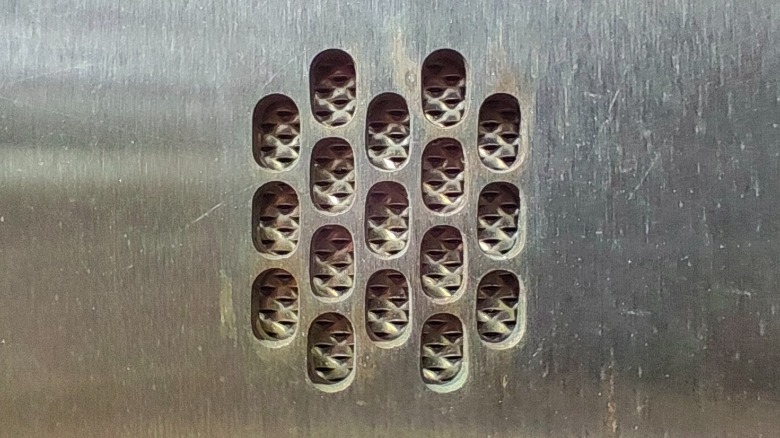
Shots at 3x zoom managed to hold detail properly. Buildings, signage, and tight portraits all come back looking rather sharp, and TCL's claimed 6x lossless mode seems to stay usable in good lighting conditions. The telephoto macro mode is a pleasant surprise, with close-ups that maintained focus better than I expected from a device at this price point.
The main camera produces natural color in images rather than the oversaturated look that many mid-rangers often default to. An f/1.88 aperture gives it plenty of light to work with, and low-light shots are usually acceptable rather than impressive. The 32 MP selfie camera is also sharp in daylight color but gets noisier once you enter low-lit conditions.
 Connor Jewiss/BGR
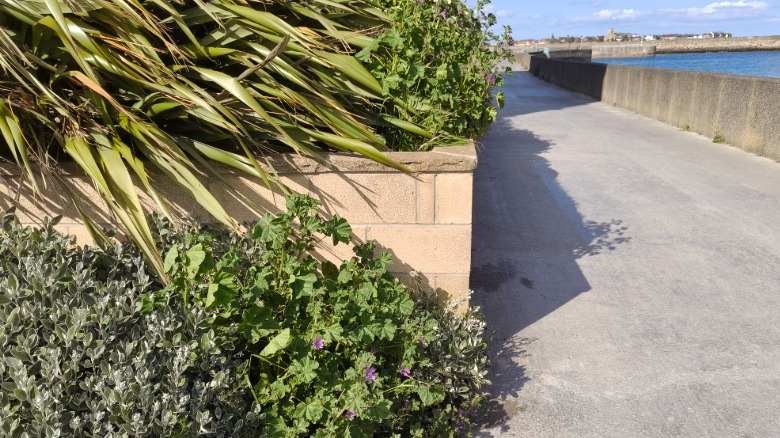
The 8-megapixel ultra-wide camera, however, is not so good. The shots it takes are soft at the edges even in daylight and close to unusable in low-lighting conditions, with detail that collapses into mush. The telephoto lens also struggles in darker conditions, and pushing past the 6x zoom produces smeared, over-sharpened results that have obviously come from excessive image processing that's trying to make up for what the sensor can't quite handle.
Software
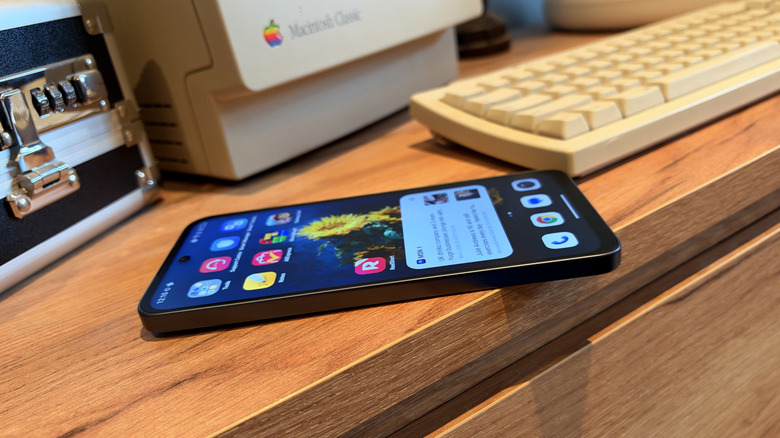
The P80 Ultra ships with Android 16 and TCL UI 9.1, which stays remarkably close to the stock Android experience. TCL's own apps sit alongside Google's stock apps rather than replacing them like Samsung would, and the overall feel is clean in a way that mid-range Android phones often aren't. However, shipping on Android 16 in late 2026 is a curious decision, given that Android 17 reached its stable release back in June, nearly three months before this phone launched. You're buying a device that starts a generation behind, and TCL hasn't said when Android 17 will arrive.
TCL has promised four major Android upgrades in the P80 Ultra's lifetime and seven years of security batches for this model. That's fairly strong for a mid-range phone at this price (though it doesn't quite reach the seven years of full software support that Google offers for the Pixel 10a). Anyone planning to use this phone for more than a year or two should consider those two numbers carefully.
The P80 Ultra also commits one of the biggest sins a smartphone can commit in my eyes, which is having preinstalled bloatware. It arrives with AliExpress, a couple of games, and some TV app I've never heard of called ReelShort. It's not the worst bloatware offender I've ever seen, but any amount is just not acceptable in 2026.
AI features
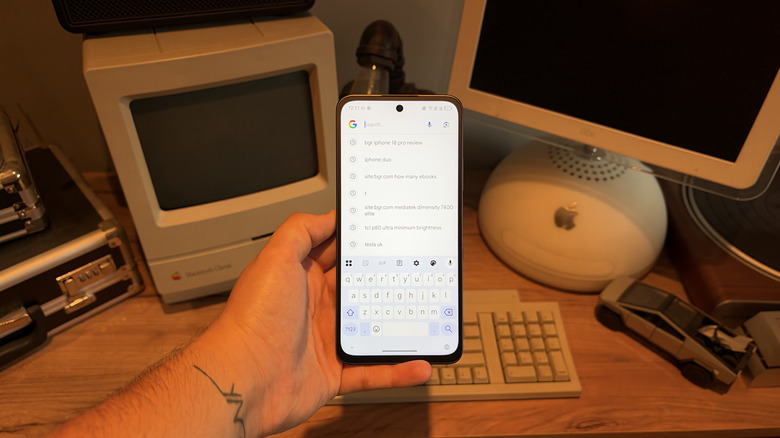
AI is present, as is inevitable in 2026, though it's mercifully restrained. Gemini and Circle Search are built in, and TCL also includes an AI smart translator powered by Microsoft Azure's speech models, transcription, writing assistance, and an Ask AI gesture that activates on a three-finger swipe up.
While these features are present, they aren't shoved in your face. For example, I can use the Google Search widget on the home screen to make just a normal search, which the Pixel 11 series can't do, as it forces you to use Gemini instead (yuck). I use the transcription feature fairly often, and it managed to work rather well without demanding much manual intervention.
TCL also offers a few non-AI features that are interesting, mainly designed around eye care. Circadian tone warms the display throughout the evening, matching the sun's movements for a more naturally lit display. A smart eye care assistant offers several different alerts and will let you know if you're holding the phone too close or if the ambient light conditions aren't ideal. It's more of a nagging feature than one I'd typically have switched on, but some people might find it useful.
Conclusions
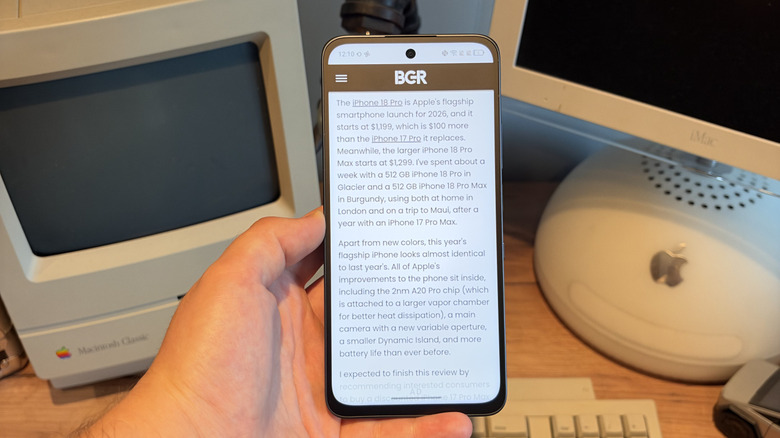
The TCL P80 Ultra is a smartphone that tries to double as a specialist device. As a reading phone, it has no real competition. The massive AMOLED display, the Nxtpaper Key, the eye comfort engineering, and the battery combine into something that could almost replace a Kindle for many people, though hardcore readers will appreciate just how much longer a Kindle can last.
The periscope telephoto camera lens and the IP68 dust- and water-resistance are other features that help to make this feel more like a smartphone than an e-reader. But the Dimensity 7400 Elite chip is a major problem, and no amount of screen quality can disguise a phone that stutters during ordinary multitasking at this price. If you're buying the P80 Ultra, you're buying it solely for the screen, so don't expect to swap this out for your Galaxy S26 or iPhone 18 Pro without resetting expectations.
Inside TCL's own range, the P80 Pro for €429 gives you the identical Nxtpaper AMOLED panel and ditches the periscope lens, making it better value (unless zoom shots matter to you). The standard P80 at €349 skips the Nxtpaper feature entirely, so is a lot harder to recommend. Looking elsewhere, the $499 Google Pixel 10a is the stronger all-around phone, with better sustained performance and 7 years of software updates. Our full Pixel 10a review covers why it keeps coming out on top of other mid-rangers.
If raw speed is your priority, there are many budget Android phones that are more powerful than the Pixel 10a, which are worth looking at. If endurance matters to you more, there are mid-range Android phones with better battery life than the Pixel 10a as well. Anyone put off by the P80 Ultra's size should start with these budget Android phones worth buying if you hate huge phones.