

12 Devices You Can Actually Power With Just Ethernet
We may receive a commission on purchases made from links.
In a world filled with wireless technologies like Wi-Fi and Bluetooth, it's easy to forget that plain old wires still offer the best reliability, latency, and speeds. It's one reason wired headphones are making a comeback, and it's also why you're often better off using Ethernet to connect your fixed network devices.
Ethernet is inexpensive and fast. You can spend hundreds or even thousands of dollars upgrading to a Wi-Fi 7 router or spend single- or double-digit figures installing some CAT6 Ethernet for 10-gigabit-per-second (Gbps) network speeds. It may be an initial hassle to install that Ethernet, but the benefits are numerous, and you're unlikely to need faster speeds for any years to come.
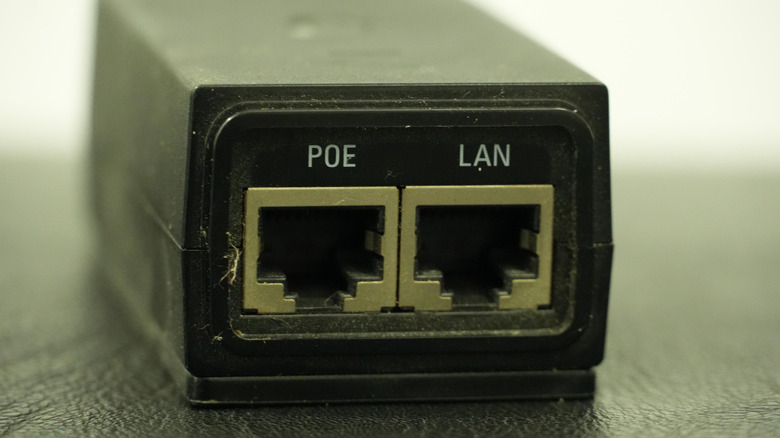
But Ethernet cables don't just carry data. Thanks to an Ethernet standard called Power-over-Ethernet (PoE), it's possible to also send electrical power to operate a device while also communicating with it. It's just one of the cool things you had no idea Ethernet ports could do, though you must have a PoE switch to enable this feature. Though the idea of powering devices through an Ethernet cable may sound pretty out there and fringe, the truth is, the variety of gadgets that can make use of PoE is surprisingly diverse. Here are a dozen that you might not have known about.
Motorized window shades

You might remember those old TV programs from the '80s and '90s showing us how everything in the house of the future would be motorized and centrally controlled by a computer system. While not every house is like that today, modern smart home technology has made some of that a reality. But most of us probably still open and close our shades using our hands.
However, with the PowerShades TruePoE, you don't need to lift a finger. What makes these remarkable is how a mere five watts of PoE power is enough for a motor to operate shades. It's as much a testament to modern electric motor technology as it is to the wonders of PoE. Since each shade only needs a single PoE cable to operate and receive commands, it becomes possible to have a highly-simplified setup, no harder than a regular Ethernet installation. There is no separate power wiring to worry about at all.
There's a web-based dashboard and mobile app which shows you all the shades that are connected to the network and lets you operate them or set up automations. Of course, these wouldn't be all that useful if they didn't work with third-party smart home platforms. PowerShades supports big mainstream solutions like Amazon Alexa and Google Home, as expected, but also various more niche options like Crestron and RTI, some of which are oriented more toward businesses than toward home use.
Outdoor security cameras
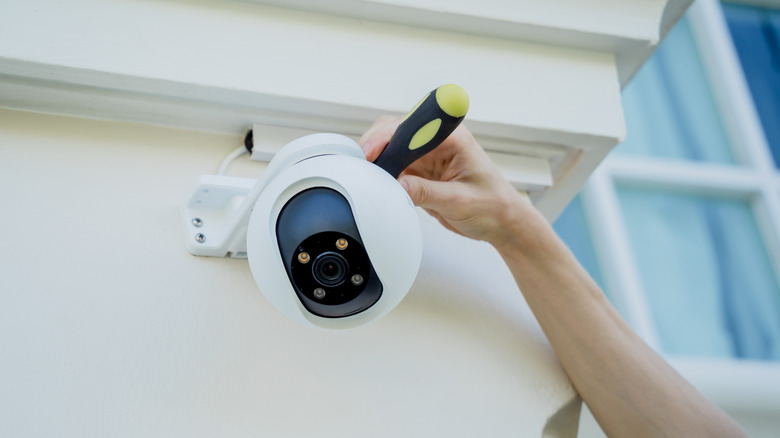
This may seem like a mundane use for PoE, but there are plenty of people using cameras that need a battery recharge every few months (like Ring cameras) or that connect to a nearby AC outlet. That makes PoE a perfect option for installing cameras in outlying parts of your property, like the back of a garden shed or an outer wall near the roofline.
It's often not practical to take down the cameras in these locations for a battery recharge, and it's difficult and expensive to install power cabling in addition to the Ethernet you often have to install in these remote reaches, anyway. Of course, you can also install Wi-Fi cameras, but if you're installing a camera to play a serious security role, Wi-Fi might be a little too unreliable for the job. Inclement weather or radio interference could render you blind just when you need to know what's going on.
Ring sells a PoE converter mount that makes it simple to convert the Outdoor Cam Plus and Pro, or the second-generation Spotlight Cam Pro, to PoE. Of course, there are plenty of inexpensive PoE security cameras to choose from, not just pricey premium brands like Ring. Connect your cameras to a PoE network switch, and your security software should have instant access to them all.
Video doorbells
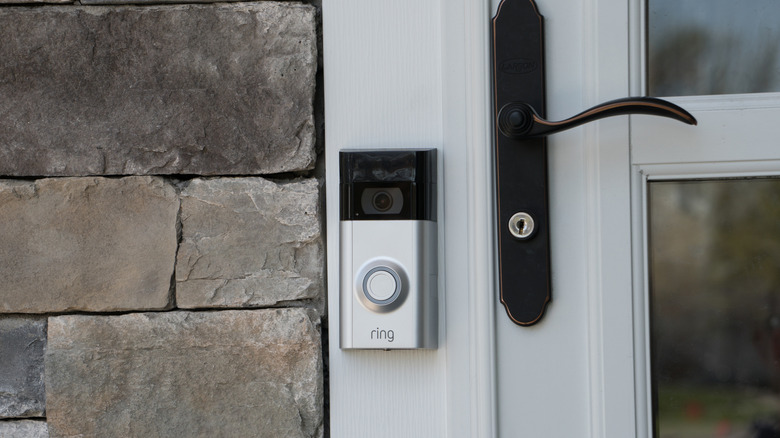
It's not just security cameras that get the PoE treatment. Video doorbells are also a prime use case. If you already had an old-style bell wired in before replacing it with a video doorbell, then battery recharging woes probably aren't on your list of issues. However, unless you put in an Ethernet cable, you're also at the mercy of Wi-Fi.
In some cases, Wi-Fi is reliable enough for doorbell use, but often the bell is at the edge of your Wi-Fi footprint. That can lead to spotty performance or a substantial delay between pressing the doorbell button and the chime actually going off. If you have the double whammy of running on battery and Wi-Fi, it might be worth keeping your old bell right next to your new one, because there could be plenty of situations where your fancy smart video doorbell just doesn't perform.
PoE solves all of these problems in one go. There should never be any delay with the chime going off, video should be crisp and low-latency, and the only job for the battery should be to keep the bell going in case the wired power fails. Some video doorbells need a PoE adapter, but models like the Ring Doorbell 4K Elite have native PoE (though it's fairly pricey at $499).
Outdoor floodlights
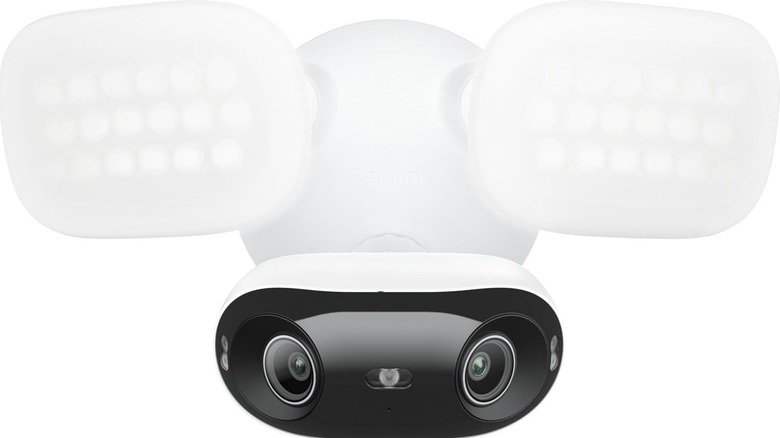
You may have noticed earlier that one of the Ring cameras that work with PoE is its second-generation spotlight camera, but there's actually a whole world of dedicated motion-triggered floodlights that also work with PoE. A good example is the UniFi Floodlight that offers 550 lumens of LED light and motion detection.
That's not a ton of light, but 550 lumens are more than enough to light up the front of your garage or your back porch. There are much brighter options, however, such as the Reolink PoE Security Camera Elite Pro. This model promises 2800 lumens, which one customer review says is enough to light up their driveway like a ballpark.
This also highlights a major benefit of PoE: it can help centralize power backup. As long as you provide power to the PoE network switch using something like a portable power station, all of the connected PoE devices — like outdoor floodlights — remain operational. That's independent of your home's power grid. So security cameras, doorbells, and indeed floodlights like the ones we just discussed are perfect for PoE just from the perspective that you don't want them to stop working during a blackout.
Wall clocks

While it's probably overkill for a typical home (unless you're very serious about time), having wall clocks powered by Ethernet makes a lot of sense in places like schools and other institutional buildings. How things used to work (and probably still do in some places) was that you had an authority clock somewhere, and every other wall clock was connected to it using a wired connection. Changes made to the central clock would reflect on every child clock.
This made things like adjusting the time for daylight saving time, or correcting the time on a slow clock, much easier. You only had one master clock to adjust. Now, you can buy something like the American Time PoE Surface Buzzer Clock, which gets its time (and power) over a single Ethernet cable.
Specifically, this clock gets its time directly from an internet time server, and American Time says it will be within one second of that time, which should be accurate enough for all but the most fanatically punctual people or mission-critical applications. It even has a battery in case the Ethernet connection goes down for some reason. Again, a Wi-Fi connection is good enough to sync with a time server now and then for most people, but it is undeniably cool that you can have a network of clocks all powered and synced using nothing but Ethernet.
Wi-Fi access points
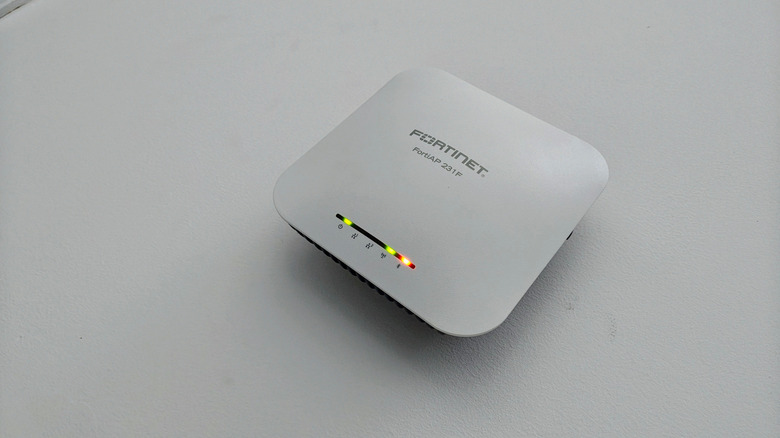
Like security cameras, using PoE to power network equipment like Wi-Fi access points is one of the more obvious use cases, and partly why PoE exists in the first place. Wi-Fi access points are often installed in places where there is no ready access to power, and since you're going to run an Ethernet cable to that access point one way or another, why not send some power down the line, too?
In the past, this sort of setup would be something used in businesses or on college campuses. However, people have been using access points to extend their Wi-Fi networks at home for years, and these days, mesh Wi-Fi systems are a commonplace solution to seamlessly spreading a Wi-Fi footprint across a home and property.
Wi-Fi mesh units communicate with each other over some sort of network backhaul connection, which is how they form a network mesh. This can be wireless, but if you connect two mesh units together with Ethernet, they'll use wired backhaul instead. Now take something like the TP-Link AX3000 PoE Mesh Wi-Fi 6 that can form a multi-gigabit network all over your house using PoE, and you have the best of all worlds. You'll get super-fast Wi-Fi and the freedom to place those mesh units anywhere you like, regardless of whether there's a power outlet nearby.
Raspberry Pi computers
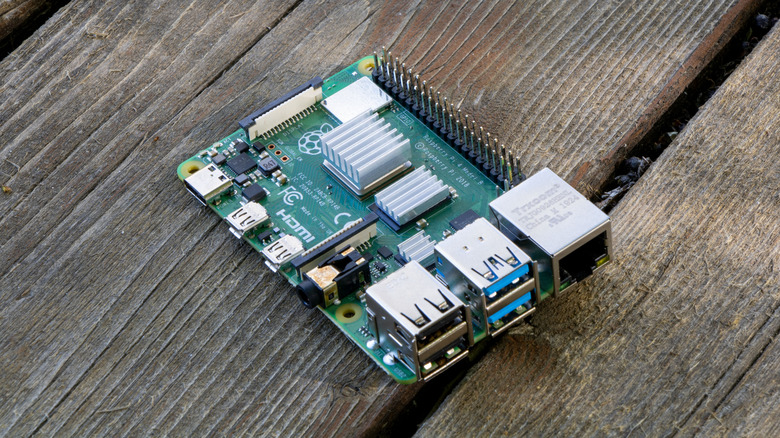
There are many cool and creative ways to use a Raspberry Pi single-board computer, and these little machines have found their way into more niches than you can imagine. Some people use them as DNS filters (using Pi-Hole, for example) or as a home media computer, using software like the LibreELEC Linux distro.
But, powering a Raspberry Pi can often be a real annoyance. You can, of course, use a USB wall adapter if there's an outlet nearby, and nothing stops you from using a battery power source if your project needs are compatible with that. Nonetheless, if you have old Raspberry Pis lying around, figuring out how to power them all for your separate projects can be an issue.
If you're using your Raspberry Pi for a network-connected function anyway, then you may have the option to use PoE to power it. The official PoE+ HAT works with the Pi 4 and Pi 3V+, and there are various third-party options for the latest Pi 5, like the GeeekPi P33 M.2 NVME M-Key PoE+ HAT. Just imagine having all sorts of Pi-based network appliances all over your house, woven together with a web of PoE cables. It definitely sounds like a fun project.
Air quality monitors

A combination of changing climate and persistent air pollution issues all over the world has made air quality something that everyone worries about. An air quality sensor has become one of those smart home sensors every homeowner should have, and knowing when to purify the air in a space occupied by people can have health benefits down the line.
While the home air quality sensors you're likely to buy just plug into the wall or work with a battery, schools, office buildings, and other places you and your family frequent can set up a network of PoE air quality sensors and get instant alerts when certain levels get out of whack. Just like security cameras and lights, using PoE for air quality monitoring makes it possible to easily get these sensors where they need to be, regardless of Wi-Fi footprint or electrical wiring.
PoE sensors are relevant for smart home users too, since it's becoming more common to have sensors detect whether someone's in the room, what the air temperature is, and so on. This information can be used by a smart home's management system to save power or ensure the environment is comfortable for the residents.
A smart home hub
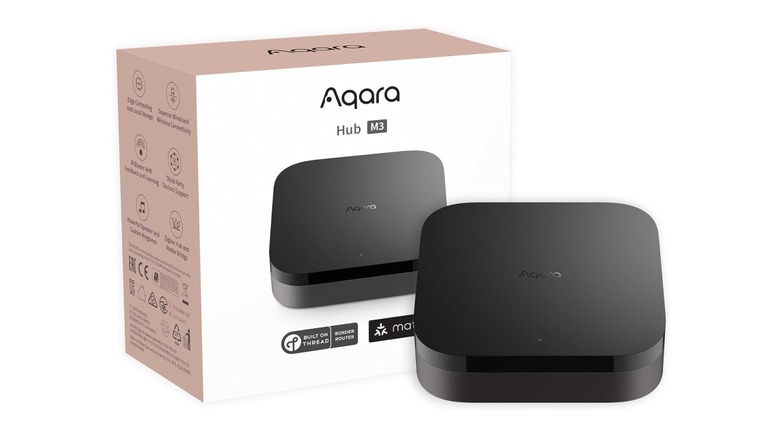
Speaking of smart home management systems, smart home hubs are another class of device that can receive power via Ethernet. Consider the Aqara Hub M3, which can act as the backbone of a home automation system using the Matter and Thread protocols.
While you can power the M3 using USB-C, by using PoE, the device can be installed minimally and in practically any position. This matters because the hub's position determines how well it can mesh with your other smart home devices, and since this model includes IR (infrared) control, too, line-of-sight can also be an important factor.
It's not just these hub devices that can be powered by PoE, but also smart home touch panels. These are effectively Android tablets that have been designed to mount on or in your wall. With PoE, you have a much wider range of choices for where to place panels, since electrical wiring doesn't have to be present for them to work.
An Elgato Stream Deck
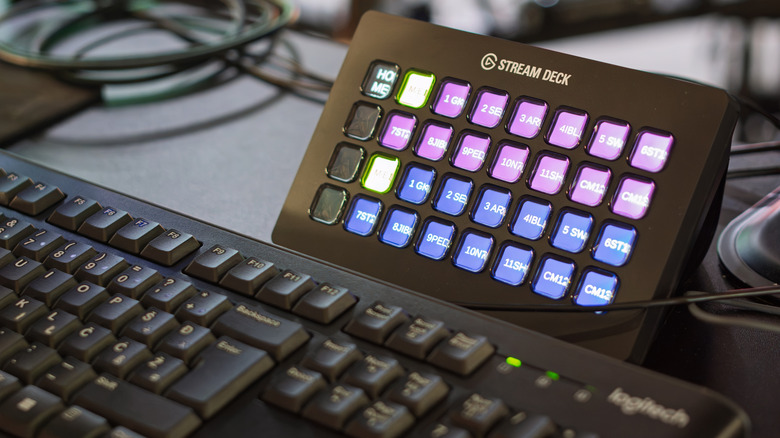
The Elgato Stream Deck (not to be confused with the Valve Steam Deck) is the gold standard among professional streamers when it comes to managing a stream. It's a USB controller that can be customized using its LCD keys to let the streamer (or someone behind the scenes) trigger an almost infinite variety of actions.
It can be as simple as switching between different camera angles or muting microphones, but you can also control lighting or send commands to specific apps such as Discord. Using the accompanying software, a single key press can trigger a long and complex sequence of events, all customizable by the operator.
The problem is that, as a USB device, you can only place the Stream Deck so far from the computer before USB cable length limits come into play. Using the Elgato Network Dock, though, you can benefit from PoE's 100-meter maximum distance before you need to add a repeater. That's right, you can be up to 330 feet away from the computer running the Stream Deck software. This opens up a huge number of options for any streamer and makes the Network Dock a bit of a steal at just $79.99.
Aquarium water-monitoring equipment

The aquarium hobby has come a long way from throwing a filter in a tank and hoping for the best. These days, you can buy smart aquarium equipment that can give you continuous feedback about water quality, show you what's going on in your tank, and even allow you to remotely perform functions like feeding your fish while you're away from home.
Terra Aqua sells a PoE pH sensor that constantly checks how acidic or basic your tank is. It's designed to integrate with a controller to form part of an aquarium network. As a bonus, it also measures the tank temperature.
It's not just water-quality sensors either, as you can also get a PoE marine camera with up to a 98-foot cable. People use these to keep an eye on their outdoor koi ponds to ensure their (very expensive) carp are still happy and healthy. Think of it like a baby monitor, but for fish.
A KVM
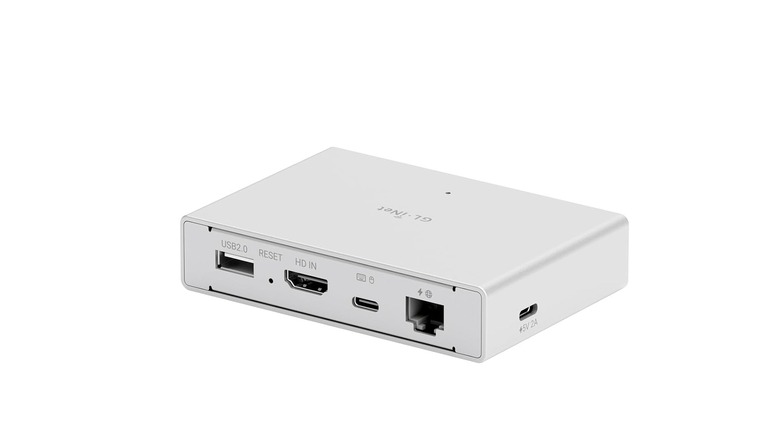
A KVM (Keyboard, Video, and Mouse) switch is a handy gadget that easily lets you use one set of peripherals seamlessly with multiple computers. Some monitors have a limited built-in KVM feature, but most people who need this functionality just buy a dedicated KVM switch. But what if the computer you want to control is really far away? Like on the other side of your house? Or the planet?
Remote desktop software is a fine solution, but a remote KVM is even better. You hook up your remote computer to the KVM device, give it an internet connection, and connect to the KVM using another computer on the network, accessing that remote computer just like it was in the room with you.
Within the realm of network KVMs, you get models like the GL.iNet Comet PoE Remote KVM GL-RM1PE, which does it all over one cable as long as that cable uses PoE. It has serious advantages over using a remote desktop app, too, including the ability to remotely reboot the computer using an optional motherboard accessory and even to perform UEFI (Unified Extensible Firmware Interface) or BIOS (Basic Input/Output System) operations.