

10 Common Home Office Problems And How To Fix Them

We may receive a commission on purchases made from links.
Working from home comes with several benefits, including escaping the horrors of the daily commute and staying in a more comfortable environment. However, these perks come with tradeoffs, so expect to run into several issues. There's more than one solution to every challenge, though, and certain types of gadgets can help you through the rough spots.
We've identified 10 common home office problems that affect your productivity and well-being. We've also provided some suggestions on how to fix them, either through adjustments to your behavior or by purchasing specific upgrades to your workspace. We've also selected sample products that may give you what you need to make every day more manageable and perhaps even more enjoyable.
All of the gadgets we recommend here are available on Amazon, where they've received a solid average score and at least 1,000 ratings from the retailer's customers. We'll highlight comments from shoppers and professional reviewers to show how these devices can help solve the home office problems that you're trying to fix.
Getting distracted

There's always a chance that you'll get disturbed by your surroundings while you're working, no matter where you are. At home, it's just a different set of sounds, such as your children playing with their toys or your dogs barking at random people outside. Such noise can break your train of thought, which is frustrating if you've already built some momentum.
You can try blocking the noise from entering your home office by sealing gaps around the door or by installing soundproof curtains if you're near a busy street. Of course, you can try asking the other people at home to try to quiet down, like when an important meeting is coming up. However, there's still no guarantee that you'll enjoy complete silence.
Among the most popular ways of avoiding these distractions is to wear noise-cancelling headphones, and one of the top options on the market right now is the Sony WH-1000XM6 headphones. Available for $458 on Amazon, where they've received almost 3,800 ratings from customers and an average score of 4.2 stars, the device was described by SoundGuys as the best noise-canceling headphones for work. That in-depth review highlights the headphones' fantastic Active Noise Cancellation (ANC) that will keep you focused on your tasks, as well as a microphone that ensures your voice is crystal clear during calls and online meetings. Amazon's customers, meanwhile, love the gadget's durable build quality, long battery life of up to 30 hours on a full charge, and comfortable fit, and they said that these make it worth its relatively steep price.
Losing focus
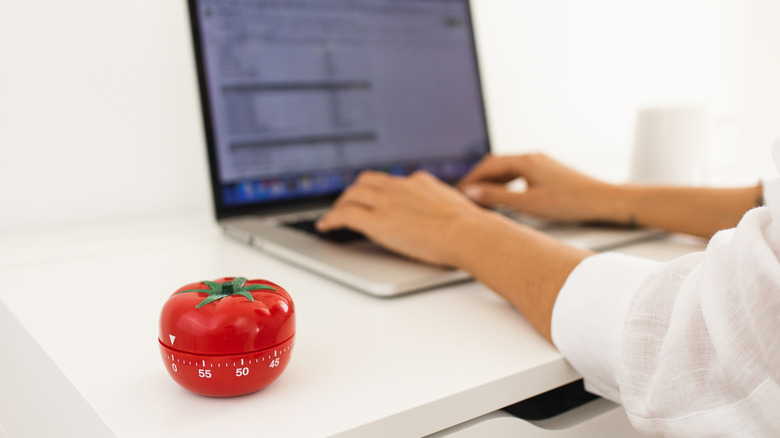
Remote workers know that it's easy to lose focus while in your home office. You can get up any time to go to the kitchen to get a snack or drink, or you can end up spending valuable time browsing social media instead of getting your tasks done. You'll have to practice self-discipline, but that's much easier said than done.
Some essential apps for remote workers will help you concentrate on what you're doing, but they come with the risk that using them will lead to more distractions since you're already holding your phone. There are several tried-and-tested time management methods that you can try, too, but one that's grown in popularity is the Pomodoro technique. Basically, you use a timer to track 25 minutes of working on a task, then five minutes of resting or doing anything else that you like. You keep alternating these bursts of productivity and rest until you're finished with your work.
One of the gadgets designed for the Pomodoro technique is the Ticktime T6 timer, which is available on Amazon for $37.99. TechfulGoodies showed how simple it is to operate this timer, as you just place it on your desk with your chosen time facing upward, and it will start counting down to zero, when it will sound an alarm. Amazon's customers, who have given the device an average score of 4.3 stars after almost 2,500 reviews, added that it does the job of keeping you focused without taking up a lot of space on your desk.
Forgetting your coffee

Do you remember a time when you made a fresh cup of coffee but then got so absorbed in your work that when you took your first sip, it was already cold? That has happened to everyone, and while you can reheat your mug in the microwave, coffee enthusiasts know that joe is best when it's fresh.
So that you'll never have to drink lukewarm coffee again, you may want to consider the Ember Mug 2. You can buy it on Amazon for $129.95 for the 10-ounce version and $149.95 for the 14-ounce version. The retailer's customers, who gave the device an average score of 4.2 stars after almost 20,900 ratings, said that its biggest advantage over mug-warming gadgets is that it allows you to choose the perfect temperature for your drink through its app, and it will maintain that temp until the battery runs out after up to 90 minutes. Tom's Coffee Corner recommended placing the smart mug on its charging coaster at all times so your coffee will stay hot indefinitely and noted that the device will automatically turn on and off once it detects the presence or absence of liquid inside it.
There's also the option of keeping a mini coffee maker on your desk so that you can make small cups of coffee that you can drink quickly. However, this will take up valuable space, and there's the risk of getting your other gadgets wet whenever you refill its water tank.
Straining your eyes
When you're looking at a monitor all day long, there's a real danger of developing digital eye strain. That's because your eyes are working hard to focus on the pixels on the screen, and you're not blinking as much as you should, so your eyes dry out. Over several hours, you may start to get blurry vision and headaches, and longer term, you're increasing the risk of developing nearsightedness.
You should definitely take a break every once in a while to give your eyes a rest, but that can only do so much over the course of an eight-hour shift. You may want to think about installing monitor arms so that your screen is at the most comfortable viewing angle, and you can use eye drops for extra moisture. You should also make sure that there's proper lighting in your home office to give your eyes an easier time.
On that front, if you haven't considered buying one yet, how about a monitor light bar? Such devices make the lighting of your environment more balanced, particularly at night, when the screen is much brighter than your surroundings. The BenQ ScreenBar Halo 2, available on Amazon for $199, is a well-reviewed option on the platform with an impressive average score of 4.7 stars after almost 1,300 ratings. The gadget not only illuminates your desk without creating glare on the screen, but it also lights up the area behind your monitor, which shoppers said creates more comfortable lighting for their eyes. Tom's Guide, meanwhile, said in its review that the BenQ gadget is easy to set up the motion-detection feature so that the monitor light bar instantly turns on when you approach your desk.
Suffering from body pains

If there's a challenge that gamers and remote workers share, it's that they both suffer from body pains after sitting for too long. These may include problems in the neck, shoulders, and back. If you stick with a regular chair in your home office, it might not be too long before you begin experiencing these issues, too.
You can try addressing this issue by buying an ergonomic chair, and one of the more affordable but effective options available on Amazon is the Sihoo M7, available for $239.88. The TechVengers said that sitting in this chair for hours won't result in any discomfort and that its mesh fabric remains tight and supportive even after months of usage. The review also said that assembly takes less than an hour, and this was confirmed by Amazon's customers, who gave this chair an average score of 4.3 stars following nearly 8,200 ratings. The shoppers added that it feels sturdy, and they said that with its adjustable components, such as its headrest and lumbar support, you'll be able to find the best fit for your body.
Ergonomic chairs aren't a perfect solution, though, especially if you're going to be sitting for several hours at a time. You may want to squeeze in some quick stretching programs through Bend (App Store, Google Play), or do some yoga at the end of the day with Down Dog Yoga (App Store, Google Play), both of which we've tagged as essential fitness apps.
Developing wrist problems

The mouse is a standard computer accessory, but it's also stressful on the wrist. If you've been using a mouse for many hours a day, you may already be feeling some discomfort, or worse, you might already be experiencing wrist pain. This has generated a lot of interest in ergonomic mice, which have alternative form factors to the traditional mouse that aim to make using them more comfortable.
Do ergonomic mice actually help reduce pain, though? The short answer is yes, but they're not a singular solution for the issue. Still, buying one is a step in the right direction to fixing this problem for many users, especially if you go with one of our choices for the gadgets that will instantly upgrade your home office.
For $79.99 on Amazon, you can get the Logitech Lift, which is a vertical mouse that comes in right-handed and left-handed versions. The retailer's customers have given the gadget an average score of 4.4 stars after more than 13,900 ratings, as they said that they no longer feel pain in their wrist after switching to this mouse. According to LaptopMag, it may take some time before you get used to a vertical mouse, but the learning curve is worth it. It won't be long before you're able to enjoy its responsive buttons and scroll wheel, and the review also mentioned the convenience of Logitech Flow, which lets you switch the mouse's connection between three devices.
Remaining sedentary

One real danger of working from your home office is that it may pull you into a sedentary lifestyle. With reduced natural movement because there's no need to leave your house, the worst-case scenario is that you're going to develop negative health conditions like obesity, elevated blood sugar levels, and heart disease.
Getting up from your workstation to walk around the house or your yard will help in dealing with this problem. You can also try to upgrade to an adjustable standing desk. If you do, you may want to try the 20-8-2 rule, which suggests 20 minutes of sitting, eight minutes of standing, and two minutes of movement for every 30-minute block. This will not only keep your body active, but will also ensure that your mind stays fresh.
One of the ideal solutions to this home office problem is to commit to daily workouts. If you don't have the time to go out for a run or to visit a gym, you can buy equipment for personal use like the Yosuda YB007R. This exercise bike, described as "no frills" by The Gadgeteer, is available for $249.99 on Amazon, where it has almost 25,900 ratings and an average score of 4.4 stars. The Gadgteeer review also mentioned that, with its belt drive and magnetic resistance system, this Yosuda is very quiet, and this was confirmed by the retailer's shoppers. They also said that the machine was relatively easy to assemble, and that the adjustments will help make sure you use perfect form while riding it.
Slowing down due to weak Wi-Fi
Slow internet is a home office problem that shouldn't still be common, but unfortunately, some households are still experiencing it. If your Wi-Fi network is weak, projects that usually take just minutes may take hours, and you won't be able to properly participate in virtual meetings, among other detriments.
We've previously identified ways to improve Wi-Fi speeds, which include simple fixes like moving your router closer to your home office and establishing a wired connection to your computer with an Ethernet cable, along with more technical solutions like switching bands and changing channels. If there are a lot of people using the internet at home, you can ask them to pause any bandwidth-heavy usage like 4K streaming and online gaming while you're working.
One more thing that you can try is to set up a mesh Wi-Fi system. The TP-Link Deco 7 BE5000 is one of your options on Amazon, where it has an average score of 4.3 stars after more than 1,300 buyer ratings. A package of three units is available from the retailer for $299.99, and according to PC Gamer, while it's one of the more affordable options in the market, it's also more than enough for home networks, and it's easy to set up and configure. The retailer's shoppers attested to the quick installation with the help of the Deco app, while praising its excellent coverage that will help make sure that you've got the fastest possible internet your service will allow in your home office and everywhere else in the house.
Succumbing to burnout

Working at a home office blurs the line between your home and your work. It becomes harder to disconnect from your job because you live and work at the same place, and there could also be some expectation from colleagues that you're always available.
Setting boundaries is important here, as you need proper amounts of rest and recreation. Define your working hours, and turn off notifications from the messaging apps you use at your job when you're off the clock. Doing this will also help to establish a daily routine after you log off, such as spending time with your family or on your hobbies.
Every person has different ways to unwind, but if you're a gamer, you may be interested in the Nintendo Switch 2. Treat yourself to the hybrid console for $499.99 on Amazon, where it has an average score of 4.8 stars after over 5,500 ratings. You can play on your TV through the Switch dock or in handheld mode so that you can get a few minutes of gaming in your home office whenever you take a break. The retailer's shoppers love the gadget's smoother performance and more reliable controls compared to its predecessor, both of which are echoed by Mashable. That review focused on the Switch 2's improved system software, upgraded Joy-Con controllers, and premium build quality, among other benefits.
Running out of time

You may be saving hours every week because you're not commuting to work, but there are days when there's so much to do that there's still not enough time in your shift to finish everything. While logging overtime is more manageable when you're at home all the time, it shouldn't happen regularly, as that can affect your physical and mental wellbeing.
If you think you need all the help that you can get to manage your workload, you might want to look into a device that will let you access a digital assistant. The Amazon Echo Show 11 is a smart display that's powered by Amazon's Alexa, and PCMag said that it's an excellent gadget to showcase the capabilities of the smarter Alexa+. The Show 11 can help save time by answering all your questions or searching for information that you need through voice commands. Amazon's customers, meanwhile, said that it connects easily with other smart home devices, so you won't have to stand up to adjust smart thermostats and open smart locks, for example.
There are also screenless and smaller options to access Alexa, such as the Amazon Echo Dot Max, as well as devices that use other digital assistants, like Google Assistant through the Google Nest Hub Max. Any smart display or smart speaker that you choose will help you claw back precious seconds and minutes daily so you'll have more time to spend with your family or engaged in your interests.
How we chose the gadgets to fix these home office problems
For this article, we gathered the challenges that most people will encounter in their home office, either as remote workers or while running a business. We then identified solutions for these problems and searched for products that will make fixing them faster and easier.
Our recommendations are all available on Amazon, with an average score of at least 4.2 (out of five) stars and a minimum of 1,000 buyer ratings to ensure the legitimacy of their high marks. To make sure that they function well and are worth buying, we combined insights from the retailer's customers with those from trustworthy websites and channels, as well as a rundown of the features offered by each gadget.