

11 Of The Best Retro Emulators For PC Gamers
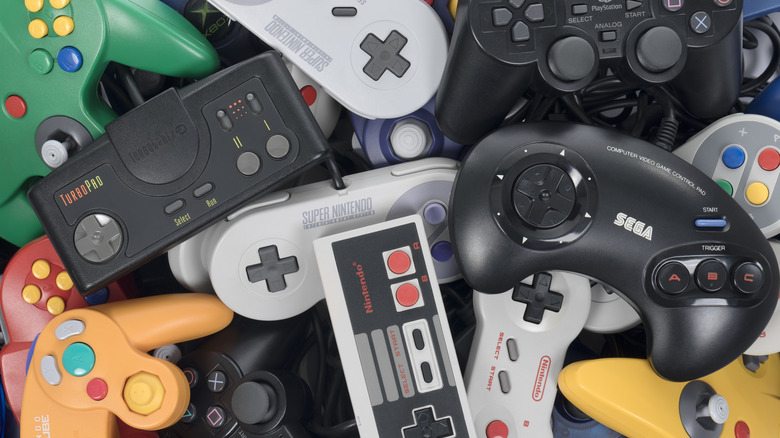
Software emulators are one of the cheapest ways to still enjoy retro games. These are basically applications that abstract the hardware capabilities of a different piece of hardware — usually a gaming console — letting its apps run on a modern PC. Of course, this kind of abstraction involves a performance cost, making the games run slower than the original platform. But what about retro platforms? Consoles and handhelds that were released decades ago are largely outclassed by current hardware, rendering the performance tax irrelevant. As a result, retro emulation on PC is a smooth and reliable way to enjoy these older games.
Most older consoles are not easy to acquire once they go out of production, and their games are rarely sold on modern platforms. This means that the only accessible way to play these games is through emulation. Then there are games that have never been released in the U.S. and only have a Japanese version. Thanks to emulators, you can apply community translation patches to these titles and play them today. Fan-made "ROM hacks" even create modified games that are only playable on emulators.
And perhaps the best part is access to quality-of-life features like save states and fast-forward that you can't get on the original console. So let's look at the best PC emulators for every retro platform, with an emphasis on the retro. We won't be looking into emulation attempts for more modern consoles like the PS3 or Switch.
RetroArch – best universal emulator
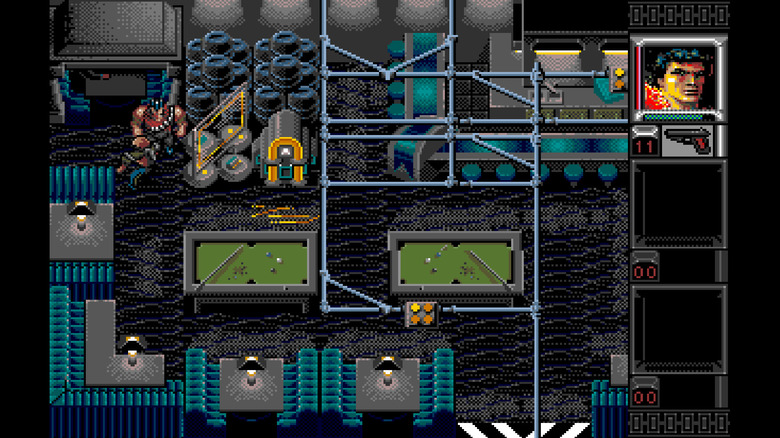
Generally, a single application can't emulate different types of retro consoles. Each device has its own unique architecture and requires a different approach. This makes playing retro games spanning multiple platforms tedious, as you need to set up a bunch of emulators. That's the problem RetroArch solves. It doesn't emulate a variety of systems, of course, as that is impossible. Instead, it serves as a modular framework for using various emulator cores.
Each such core is designed to emulate one platform, with RetroArch giving a unified interface for loading and using these cores, along with universal mappings for the controls and customized settings. It is not just a PC app either — it can turn even your Amazon Fire TV Stick into a retro gaming console. We tried it out, and it is easy to get started with. You simply search for a "core" for the platform you wish to emulate, and then you can run the ROM file.
The gameplay experience is excellent. The interface is minimal, things run without any configuration (which was a problem with older versions of RetroArch), and you get the expected emulator functions like save states or fast-forward. There is even a history tab that helps you jump back into a game without having to select cores again. The problem comes when you want to customize it further, because the options can be hard to find between the in-game menu and the RetroArch menu.
Dolphin – best Gamecube/Wii emulator
If you are a Nintendo fan, you know that the company is famous for its handheld consoles. But there was a time when it dabbled successfully in the home console market, releasing the GameCube and then the Nintendo Wii. Sales tanked with the Wii 2, and Nintendo quickly abandoned the approach, refocusing on handhelds. This means that the games of those two consoles are pretty unique and can't be found elsewhere anymore. So does this mean that it is worth buying the Nintendo Wii in 2026 just to play those games? Not at all.
Emulation is a much better option, letting you play these rare titles on your PC. The similarities in the hardware of the GameCube and Wii also mean that a single emulator can play games on both platforms, making it even more convenient. As for which emulator, there is only one real option – Dolphin. The complexity of emulating the hardware meant that there weren't many projects to decode it, but thankfully, the Dolphin emulator works perfectly well enough that you don't need any alternatives.
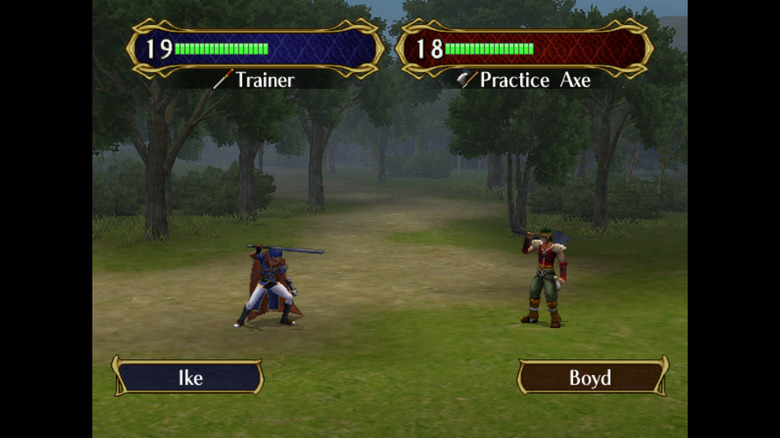
Looking at "Fire Emblem: Path of Radiance" running on Dolphin, it is hard to tell that this is even emulated. The graphics are surprisingly crisp, and there is no drop in performance at all, even through the cutscenes and transitions. Dolphin's approach of opening the game in a new window also keeps the interface clean, with the settings in the main window instead.
MelonDS – best NDS emulator
The Nintendo DS was the company's last handheld of the 2D era, and it features a lot of games that fans consider the pinnacle of their respective series. "Pokémon Black/White", "Mario Kart DS", and "Castlevania: Dawn of Sorrow" are some of the titles that some fans consider better than the sequels released on successive platforms. And the only way to play these games now is to use an emulator. The good news is that the NDS emulation scene is active, with multiple great options.
The most famous one is DeSmuME. It has been around for decades and was long the only NDS emulator on PC with smooth performance. But now we have a newer option — MelonDS. MelonDS is fast, efficient, and emulates accurately. As a modern emulator, it also has a much cleaner and more intuitive interface, with complete customization of every aspect of the emulation.
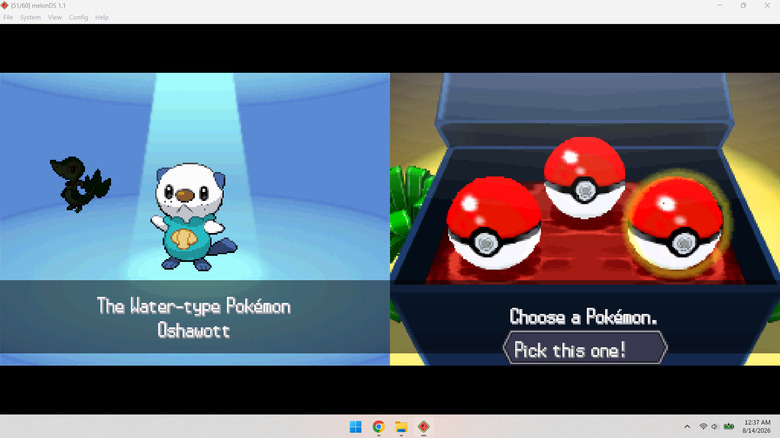
Another big advantage is that MelonDS also supports the WiFi mode of the Nintendo DS, letting you access the game features locked behind wireless connectivity, which most emulators can't mimic. For example, you can trade Pokémon and get their trade evolutions in MelonDS. You even have an emulated DSi camera for games that need it. We tested "Pokémon White" on the emulator, and the performance was indeed seamless. Having played this same game on DeSmuME before, we can confirm that it renders much better, with absolutely no stutters.
mGBA – best GBA emulator
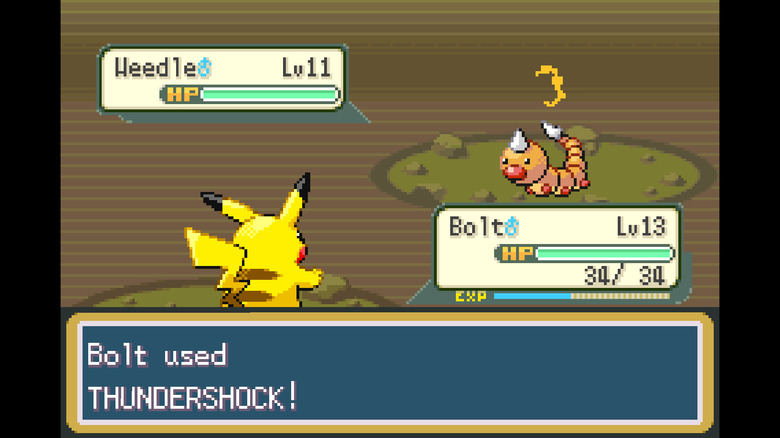
The Nintendo Game Boy Advance is one of the better-known emulation platforms, being the modern successor to the iconic Game Boy handheld, reinventing classics like the Pokémon games with better graphics. It is also an easier platform to emulate, especially on a PC, and we have had multiple well-performing GBA emulators for years. Visual Boy Advance is perhaps the most famous of these, being lightweight and easy to use, with smooth performance. But it is not being actively developed anymore, with sporadic updates every few years.
No, the current best GBA emulator is mGBA. It is a newer project focused on speed, running on low-end PCs without a hiccup, and emulating accurately. It is also actively updated, with fixes and new features rolled out regularly to further improve the experience. We tried out multiple games on the emulator (including the Pokémon games), and there were no complaints. Performance is butter smooth, with perfect audio sync, even on a low-end system.
The interface is interesting: Minimal at first glance, yet packed with useful options in each game's menu, including in-depth emulation settings like bilinear filtering and frameskip. It even lets you peek beneath the hood and view the sprites, tiles, or memory space in use, which is amazing for modders. It also shows surprising dedication to fidelity by emulating niche features like inter-frame flickering or the BattleChip Gate peripherals used by a few games.
Super ZSNES – best SNES emulator
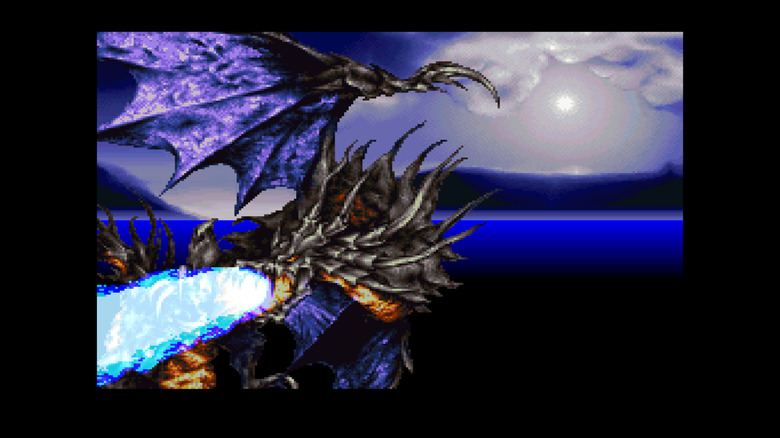
As an old console prized by collectors, the Super Nintendo Entertainment System (SNES) is worth quite a bit in 2026. It was Nintendo's bet on the home console market in the '90s, and it dominated the scene with some of gaming's most iconic titles, including "Chrono Trigger", "Final Fantasy VI", and "The Legend of Zelda: A Link to the Past". The whole pixel art renaissance of today can be blamed on the enduring popularity of the SNES, with a large part of the indie gaming scene seeking to recapture that nostalgia.
Unsurprisingly, there is huge demand for emulating these classic retro games as well, with an established emulation scene. After many competing projects, Snes9x took the crown, not being the most accurate emulator, but certainly the most usable one, even on low-end computers. But it is an old emulator, with no major development ongoing. Fortunately, a modern alternative has emerged with Super ZSNES. It revives the ZSNES emulator with a focus on enhancement, leveraging the GPU to offer higher-res visuals and improved audio for these retro games.
Firing up Super ZSNES immediately greets you with a full-screen, beautiful interface, making it clear that you are dealing with a modern, polished emulator. We loaded up some SNES games and they all rendered in full-screen, with seamless performance despite the visual upgrades. The menus are still minimal, as development is ongoing, but you already have a cheats menu for inputting codes.
Rosalie's Mupen GUI – best N64 emulator
The N64 was a Nintendo home console that arrived after the SNES, looking to capitalize on its success with improved hardware, but ended up in a weird spot. Many video game publishers had transitioned to the PlayStation, including well-known series like "Final Fantasy". This left the N64 with a smaller selection of marquee titles than the PS1, which hurt its performance. Still, the platform has plenty of iconic and famous games you can play through an emulator.
But there is a problem. The Nintendo 64 is a hard console to emulate because Nintendo used a proprietary architecture and odd rendering tricks. As a result, despite the age of the system, we still have multiple emulators in active development, vying for the top spot. And for now, this spot is occupied by RMG, or Rosalie's Mupen GUI. It is basically a frontend with a rich GUI built on the Mupen64Plus emulator, making it easy to use while keeping the emulation accuracy it offers.
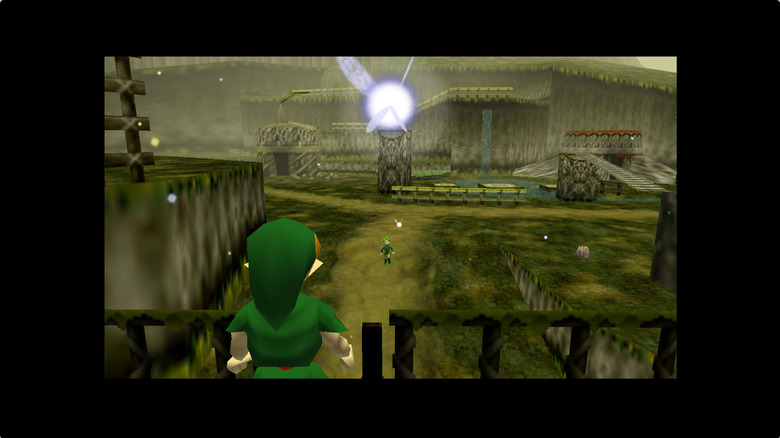
We tried the classic "Legend of Zelda: Ocarina of Time," and the game was up and running instantly, though with slight audio jitters. You also have to configure your controls the first time playing, though thankfully the interface is easy to navigate. The game plays without issue, with smooth rendering of the 3D visuals this console is known for. There is a minor delay when swapping between fullscreen and windowed mode, but that's not much of a problem.
Flycast – best Sega Dreamcast emulator
The retro console lineup is mostly dominated by Nintendo's various consoles, but there is another Japanese company that was a big player back in the '90s — SEGA. Best known for its "Sonic the Hedgehog" franchise, the company stopped making consoles after a string of failures, with the Dreamcast being its final offering. But the Dreamcast was actually a very solid console, with hardware that was far ahead of its time, a host of convenient features, and an excellent library of games.
The community only realized its worth in the years to come, sparking a renewed interest in emulating it. And Flycast is the winner of this arms race, with a mature codebase, an excellent level of compatibility, and polished UI. It can run games made for the Atomiswave and Sega Naomi too, which were arcade machines built on the Dreamcast hardware.
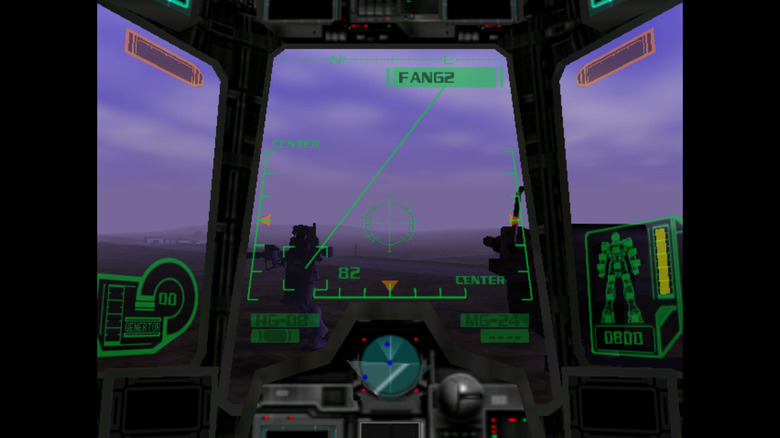
We tried out Flycast with "Gundam Side Story 0079: Rise From the Ashes", and it was one of the best emulation experiences we have had. There were no jitters, no sync issues, and no weird visual artifacts, which is rare for the emulation of such a complex console, seeing how N64 emulation still struggles. There is basically no interface. You run Flycast, open the ROM, and you have the game's menu. You can access the Flycast settings before loading a game, and these settings go into great detail, though you shouldn't have to touch them at all.
PCSX2 – best PS2 emulator
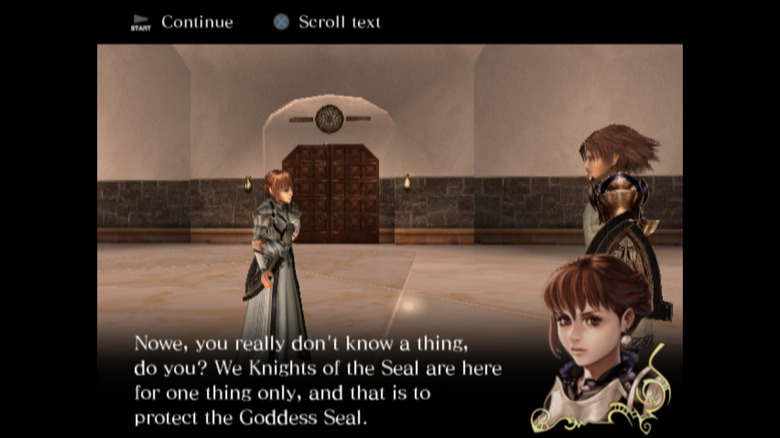
After a list dominated by handhelds and obscure home consoles, we come to a more mainstream device in the Sony PlayStation 2. The PS2 is one of the most beloved consoles of all time, with a massive library of iconic games from beloved franchises. Most of these games have already been ported to PC, but how can you play the ones left behind? If you have one at home, don't throw out your old PlayStation 2 and use it for this. Otherwise, emulation is the answer.
And unlike most other consoles, the emulation scene for PS2 is simple. There is only one real option – PCSX2. It has been actively developed for a long time, and is now one of the best emulators you can find for any platform, with advanced features like automatic fixes for games and smooth performance. If you had dabbled with the older PCSX2, you will notice just how much has changed, with the rendering improved, the UI streamlined, and improved efficiency.
When you run PCSX2 for the first time, a series of steps help deal with the initial configuration without fiddling with settings. All games dumped on disc will be scanned and loaded into a list, and you are ready to play. We tried out "Drakengard 2", and were able to get a steady FPS on a low-end PC. On a more powerful system, you can tweak the graphics to add post-processing and texture replacement to upgrade the visuals as well.
PPSSPP – best PSP emulator
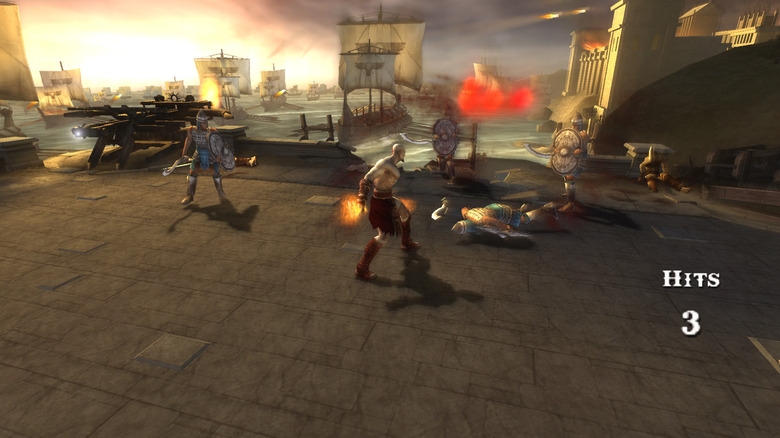
The Sony PlayStation Portable did really well for itself, but the Vita flopped badly, and PlayStation stopped making handheld gaming consoles. As a result, PSP games now represent a very unique category, with handheld versions of games that usually don't dabble in this form factor. And if you want to play them today, you either have to find a second-hand PSP, or better yet, emulate it. Like PS2, the PSP emulation scene is straightforward, with one clear best option: PPSSPP.
Like all consoles, the PSP had its own unique way of rendering things. But unlike other consoles, its approach is simpler, and the emulator ends up improving performance. That's right; unlike the usual assumption that an emulator, even at its best, can't match the fidelity or performance of the original hardware, PPSSPP performs better than a real PSP.
We tried it out, and the reputation is well deserved. With most emulators, there is some finagling at first, but with PPSSPP, you fire it up, load a ROM, and you are in the game with crisp visuals and perfectly synced audio. Even the in-game cutscenes play without a hitch, which is rare in emulation. You can also adjust pretty much anything, be it the controls, the resolution, or the details of how the game is being rendered. And bringing it all together is the clean UI that feels more like a paid application than a free project.
MAME – best arcade emulator
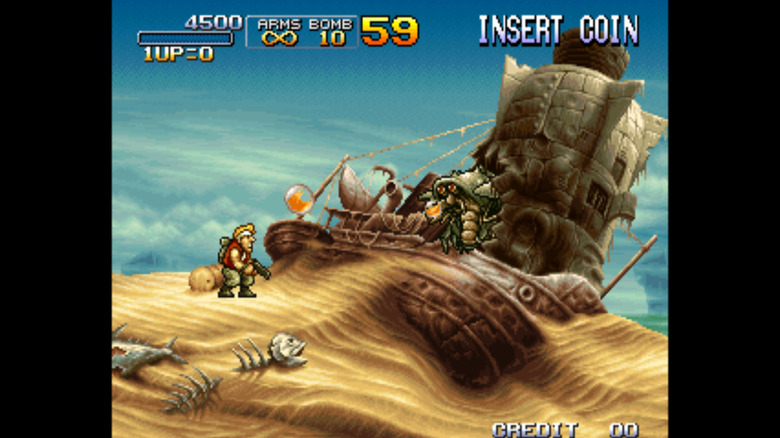
So far we have talked about proper consoles — either home consoles that plug into a TV or handheld consoles with tiny screens. But another category of retro gaming predates consoles. Commercial gaming started with public arcades, but they ended up vanishing, with the rise of home consoles being one of the reasons why '80s arcades died out.
You may be tempted to emulate these games, but it is not as straightforward as emulating one console. Many different arcade machines were made, each supporting a handful of titles. Recreating them all with one application is a nightmare. Yet, one emulator has managed to do it. MAME, or Multiple Arcade Machine Emulator as it was originally called, is a complex emulation framework that emulates individual components of an arcade system rather than a specific machine, letting it emulate almost any arcade game.
In practice, though, things are a bit finicky. Not all games are supported, though to its credit, MAME informs you of any issues on the game selection screen itself. Then there's the BIOS. You need to get the BIOS files for the arcade system in question separately, even if you have a game ROM. Once you do manage to find a supported game and all its components, though, MAME works like a charm. You can insert coins through a button and play smoothly, with multiple controllers supported for local multiplayer as well.
DOSBOX Pure Unleashed – best MS-DOS emulator
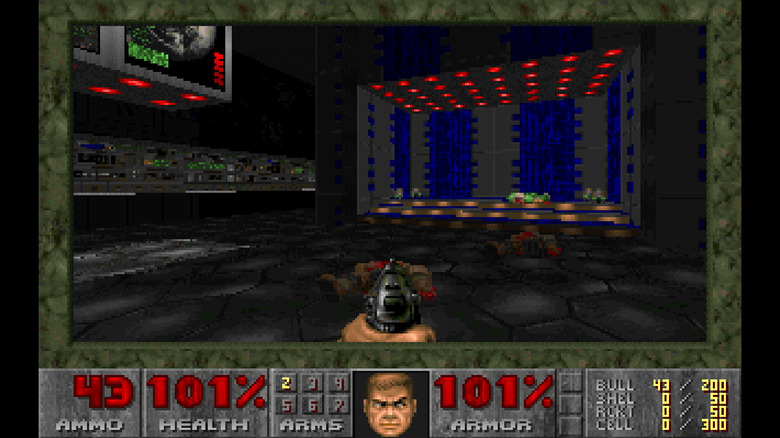
Between a variety of consoles, handhelds, and even arcade machines, we are only left with old PC games, and you can easily play them without requiring special software, running them directly or by downloading older drivers and enabling compatibility mode. But what about games meant for MS-DOS? It was an older, text-based operating system, and applications meant for it can't run on a modern OS directly.
That's usually not a problem, because there is no reason to run older applications when we have better alternatives. But there are some iconic classic games like "Doom", "Prince of Persia", and "Civilization" that are worth trying out even now. And while the nostalgic OS that made Microsoft huge is now open source for anyone to use, the best way to play these games is to use an emulator. Enter DOSBOX. It is an MS-DOS emulator that can run any DOS programs. The problem is that it is severely outdated and not the easiest app to use.
The better option is DOSBOX Pure Unleashed, a project that modifies the program into a standalone, easy-to-use console-style emulator. You can now directly drag in a zip or iso file containing the game, and it runs right off the bat, no configuration required. We tried the classic DOOM on the emulator, and it runs perfectly, with no stutters and accurate rendering. You can even save states like most other gaming emulators, a feature the original DOSBOX did not have.